





.svg)
.svg)
.svg)
.svg)

.svg)
.svg)
.svg)

Before you start: This guide is for our OpenClaw + ClawPack template, which comes with ClawPack already set up. Pick it on the Template screen when you deploy your VPS.
Already running OpenClaw on a different setup? You don't need to redeploy. Follow Neurometric's instructions to add ClawPack to your existing install.
Overview
When you first log into your VPS, you'll be greeted by the ClawPack setup menu. It has two steps:
- Enter your ClawPack API key, obtained from the Neurometric marketplace. This key activates the ClawPack model on your VPS. Neurometric also offers a free API key with 100M tokens so you can test the model before upgrading.
- Run the OpenClaw onboarding wizard, which connects your gateway and any messaging channel you want to use (Telegram, Discord, Slack and more).
Both steps must be completed before OpenClaw launches. You can skip optional sub-steps inside the onboarding wizard (step 2) and configure them later at any time. You can run step 2 first (not recommended) if you wish, but you'll have to set up your API key manually after.
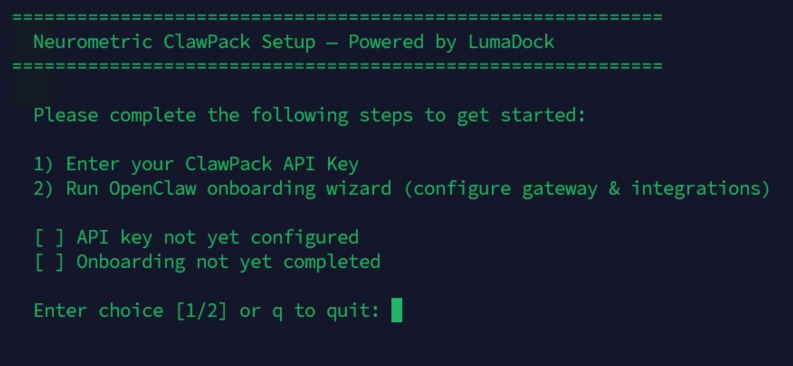
The menu keeps track of your progress. Completed steps are marked with a checkmark. If you exit and log back in before finishing, it'll resume from where you left off.
Step 1: Get and Enter Your ClawPack API Key
ClawPack is the AI model that powers your agent. To use it, you need an API key from Neurometric. The key identifies your account and activates the model on your VPS.
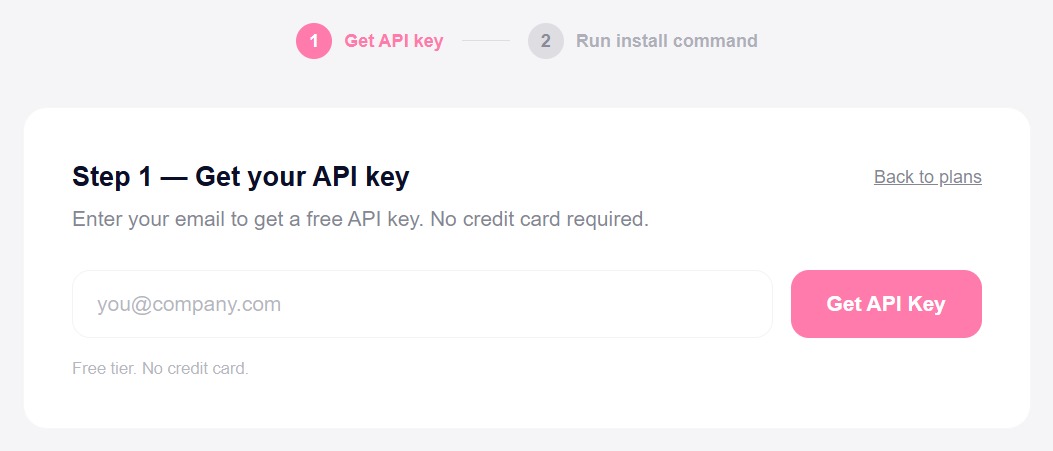
The steps below (1.1 through 1.3) cover the free tier flow: enter your email, verify it, and your key is issued automatically with no account or credit card required. If you already have a Neurometric account, log in to your dashboard to retrieve your key and skip to section 1.3.
1.1: Get Your API Key
Open a browser and go to: https://marketplace.neurometric.ai/clawpack
1.2: Verify Your Email
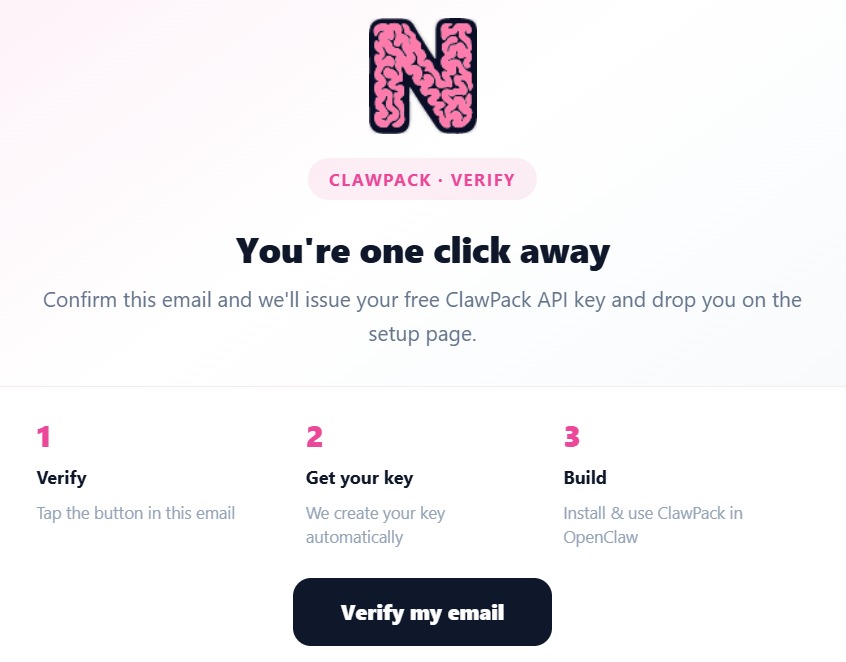
Neurometric will send you a verification email. Open it and click Verify my email to confirm your address and trigger key generation. Remember to also check your Spam folder, the verification email might be moved there because of filters or other restrictions of your email provider.
1.3: Copy Your Key
Once verified, your API key will appear on the opened Neurometric page. It starts with mk_ and is partially masked for security. Click Copy to copy the full key to your clipboard.
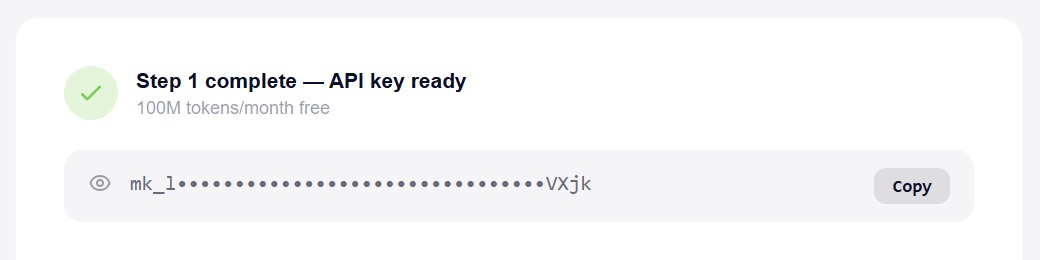
Note: Keep your API key private. Don't share it or commit it to public repositories.
1.4: Enter the Key in the Terminal
Back in your SSH session, select option 1 from the setup menu. The screen will show instructions and prompt you to paste your key.
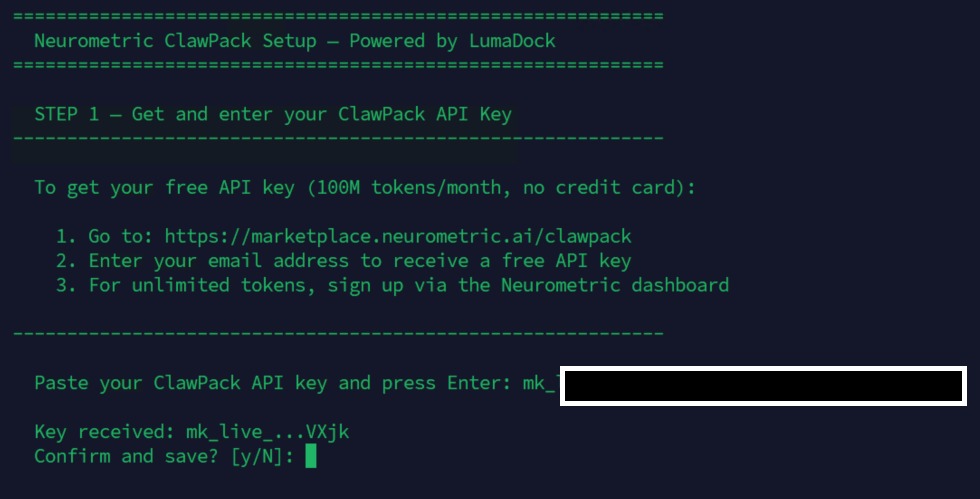
Paste the key and press Enter. The script will show a partial preview (e.g. mk_live_...VXjk) so you can confirm it looks correct, then ask you to confirm before saving.
Once confirmed, the key is written to the OpenClaw configuration file and the menu returns showing Step 1 as complete.
Step 2: OpenClaw Onboarding Wizard
The onboarding wizard configures the OpenClaw gateway, web search provider, skills and optionally connects a messaging channel so your agent is reachable via Telegram, Discord, Slack or other platforms.
Note: ClawPack is already pre-configured as your default model. You don't need to select or configure a model provider during the wizard.
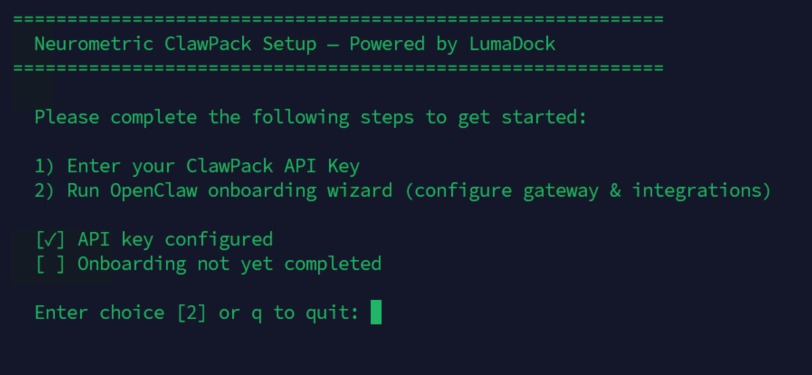
Select option 2 from the menu and press Enter to launch the wizard.
Onboarding Mode
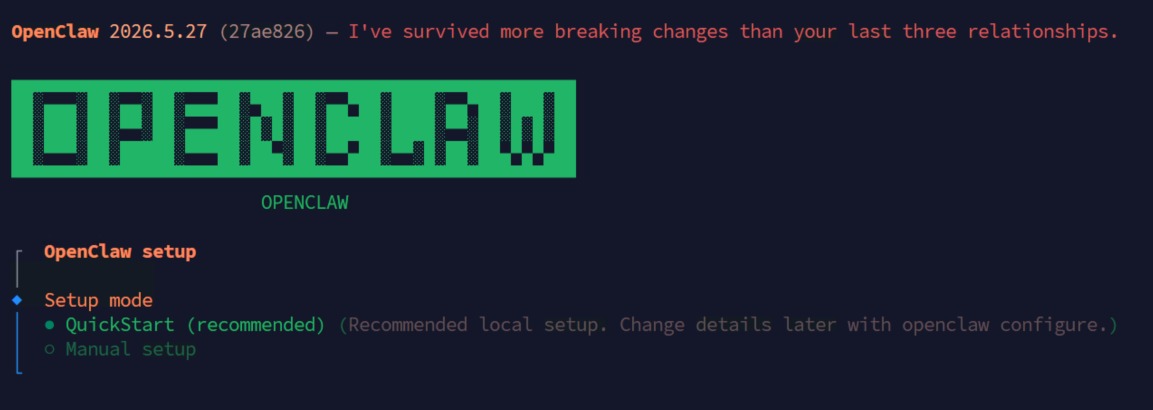
The wizard opens with a choice between QuickStart (recommended) and Manual setup. QuickStart applies sensible defaults for a local installation and is the right choice for most users. Manual setup is for advanced configurations.
Existing Config Detected
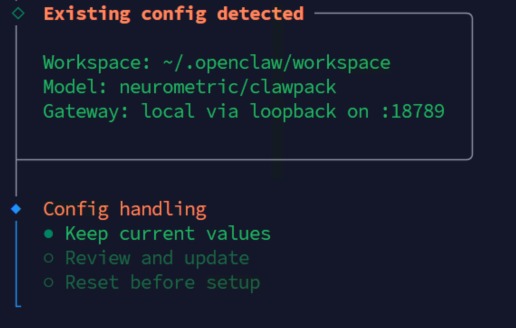
Because ClawPack was pre-configured on this VPS, the wizard detects an existing configuration and displays your current settings:
- Workspace:
~/.openclaw/workspace - Model:
neurometric/clawpack - Gateway: local via loopback on port
18789
Select Keep current values to preserve the pre-configured ClawPack setup and continue.
Gateway Settings & Model/Auth Provider
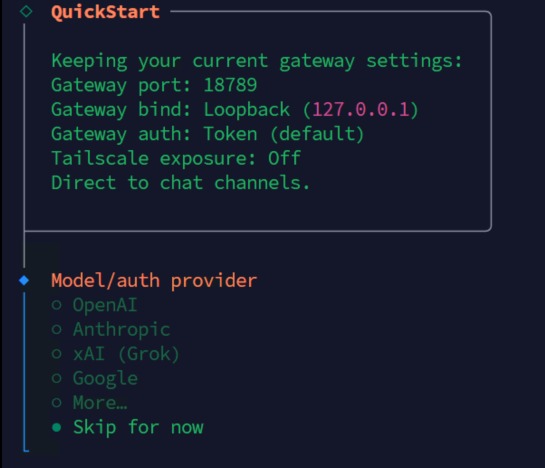
The wizard confirms your gateway configuration. The defaults are appropriate for a standard VPS setup:
- Port
18789, the gateway listens on this port locally. - Loopback (
127.0.0.1), the gateway is only accessible from the server itself, not exposed to the internet. - Token authentication, secure token-based access is enabled by default.
Below the gateway settings, the wizard asks you to select a model/auth provider from a list that includes OpenAI, Anthropic, xAI, Google and others. Since ClawPack is already pre-configured as your provider, select Skip for now.
Default Model
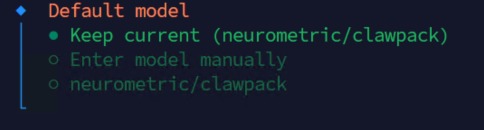
The wizard shows the current default model. Select Keep current (neurometric/clawpack) to confirm that ClawPack remains your primary model. This is pre-set and shouldn't be changed.
Select Channel
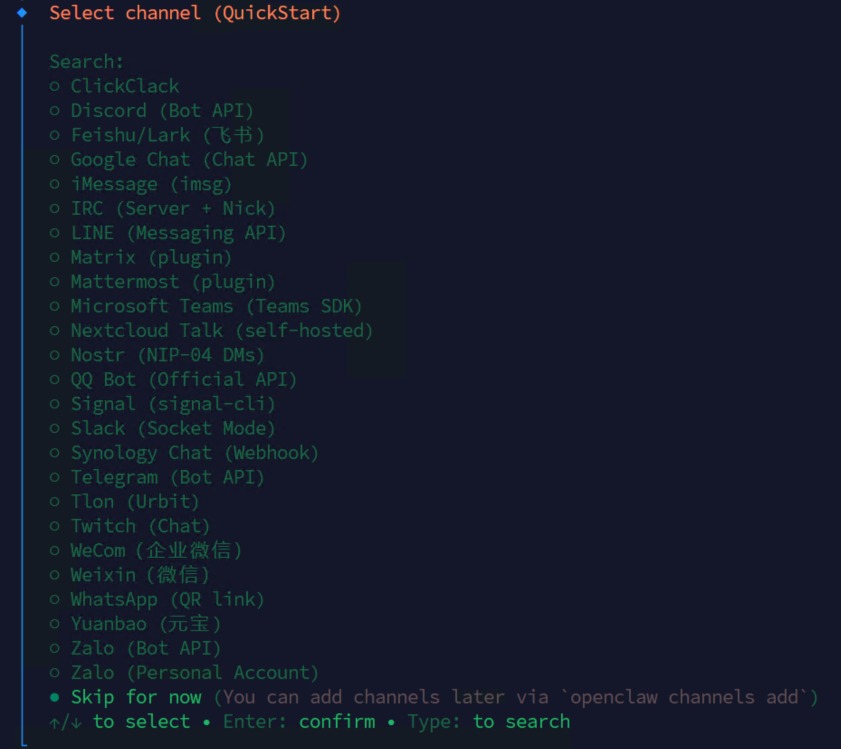
This step connects your agent to a messaging platform so you can interact with it outside the terminal. Supported channels include:
- Telegram (Bot API)
- Discord (Bot API)
- Slack (Socket Mode)
- Microsoft Teams, WhatsApp, Signal and many more.
Each channel requires credentials specific to that platform (for example, a Telegram bot token). If you're not ready to configure a channel now, select Skip for now. You can add channels later at any time by running openclaw channels add.
Web Search
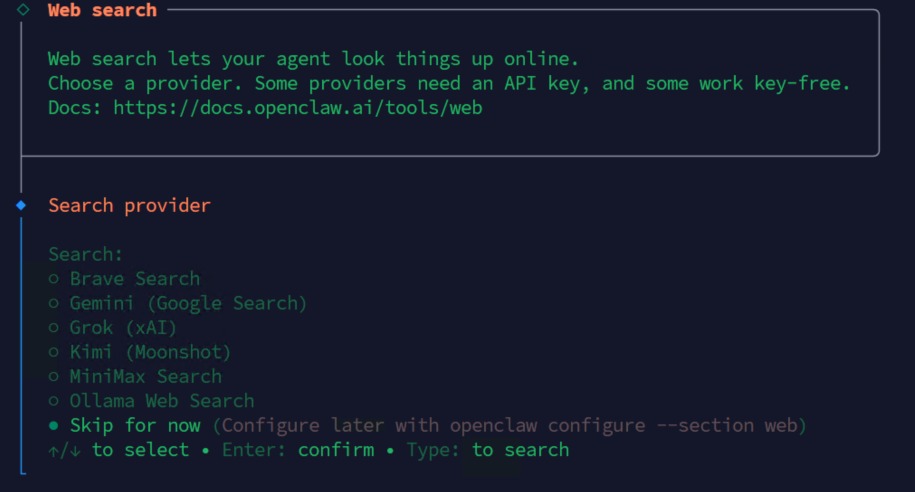
Web search lets your agent look up information online in real time. Several providers are available, some requiring an API key and some key-free. This feature is optional, skip it now and enable it later with openclaw configure --section web.
Skills
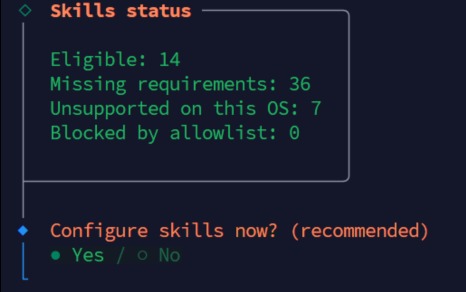
Skills extend what your agent can do, they add capabilities like running shell commands, reading files, browsing the web and more. The wizard shows how many skills are eligible on your system. You can configure them now or skip and enable them later via the OpenClaw settings.
Hooks
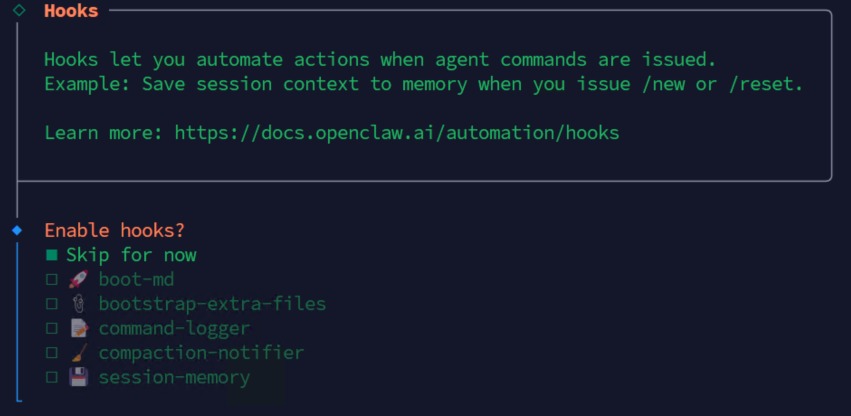
Hooks let you automate actions when specific agent commands are issued. For example, you can configure a hook to save session context to memory whenever you issue /new or /reset. This is an advanced feature, skip it for now and explore it later via the OpenClaw docs at https://docs.openclaw.ai/automation/hooks.
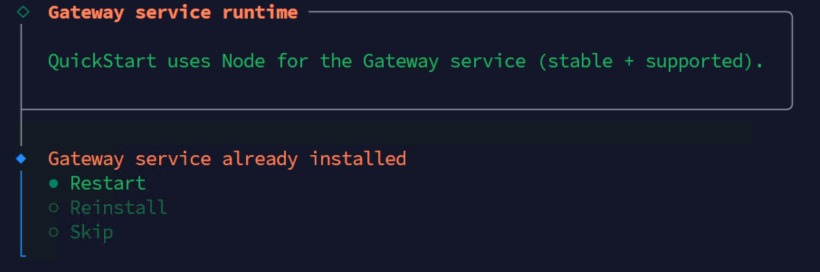
Gateway Service
The final wizard step asks how to handle the gateway service. You'll see three options:
- Restart, restarts the existing gateway service to apply your configuration changes. This is the recommended option.
- Reinstall, reinstalls the gateway service from scratch. Only needed if the gateway is broken or corrupted.
- Skip, leaves the gateway as-is. Not recommended as your changes may not take effect.
Select Restart. Once the gateway restarts successfully, the wizard completes and OpenClaw launches automatically.
Onboarding Complete: OpenClaw Launches
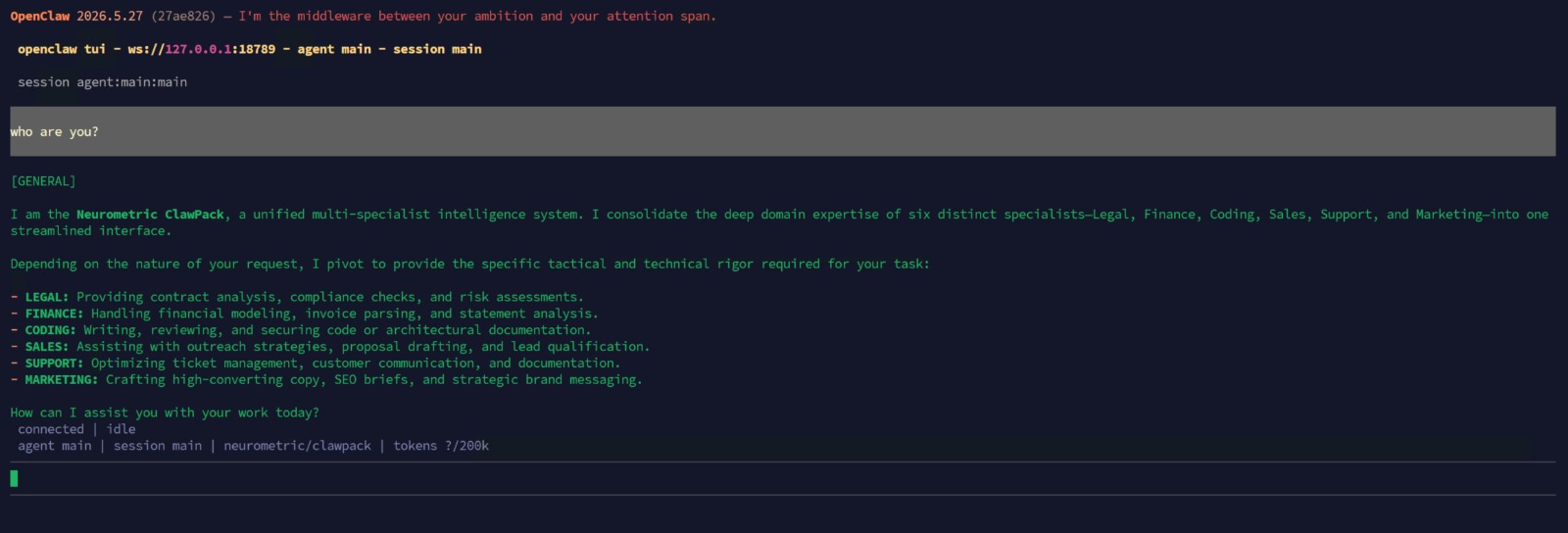
Once both steps are complete, OpenClaw TUI launches automatically. You're connected to the ClawPack agent and ready to start.
You can confirm ClawPack is active by checking the status bar at the bottom of the screen:
agent main | session main | neurometric/clawpack | tokens ?/200kTo return to OpenClaw at any time after closing it, run openclaw tui.
Quick Reference
| Command | What it does |
|---|---|
bash /usr/local/bin/openclaw-setup.sh | Re-run the setup menu if not completed |
openclaw channels add | Add a channel later |
openclaw configure --section web | Configure web search |
openclaw tui | Open OpenClaw TUI |
openclaw onboard | Run the OpenClaw onboarding wizard again |
| https://docs.openclaw.ai | Official OpenClaw docs |

