






.svg)
.svg)
.svg)
.svg)

.svg)
.svg)
.svg)


Updated and tested 21 October 2026
Searches for how to update Immich server installs spike after every release, and there's a reason this app specifically earns an update guide: Immich ships fast, labels breaking changes honestly and expects you to read before you pull. Treat it like unattended-upgrade software and it will eventually eat a Saturday. Treat it like the actively developed project it is and updates are five calm minutes. Here's the routine, the commands and the two policies (pinning and backups) that make the difference.
Check release notes for breaking changes
Before anything touches the server, skim the release notes for versions between yours and current. You're scanning for one label: breaking change. Immich flags them clearly (the project keeps a dedicated changelog category for them), and they range from "rename one env variable" to "the compose file changed, re-download it". Five minutes of reading converts every surprise into a checklist item. Your current version sits in the bottom corner of the web UI and under Administration » Settings, so you know exactly which notes apply.
Skipping this step works right up until it doesn't, and the failure mode is a server that won't start while the family's phones quietly stop backing up. Ask me how our household learned about env-variable renames.
The standard update, step by step
With the notes read and no breaking changes flagged (the common case), the whole update is:
cd /opt/immich
docker compose pull
docker compose up -d
docker image prune
Pull fetches the new images, up -d recreates the containers on them and the prune reclaims the disk held by dangling images (Immich images are chunky, skipping the prune quietly eats gigabytes over months). The prune asks Are you sure you want to continue? [y/N], so answer y. It leaves the previous version's tagged images alone: after a version change on my server a plain prune reclaimed 0 B and the old images stayed, and docker image prune -a is the command that removes those too, along with every other image no container uses. Downtime is the seconds containers take to restart; the mobile apps reconnect on their own.
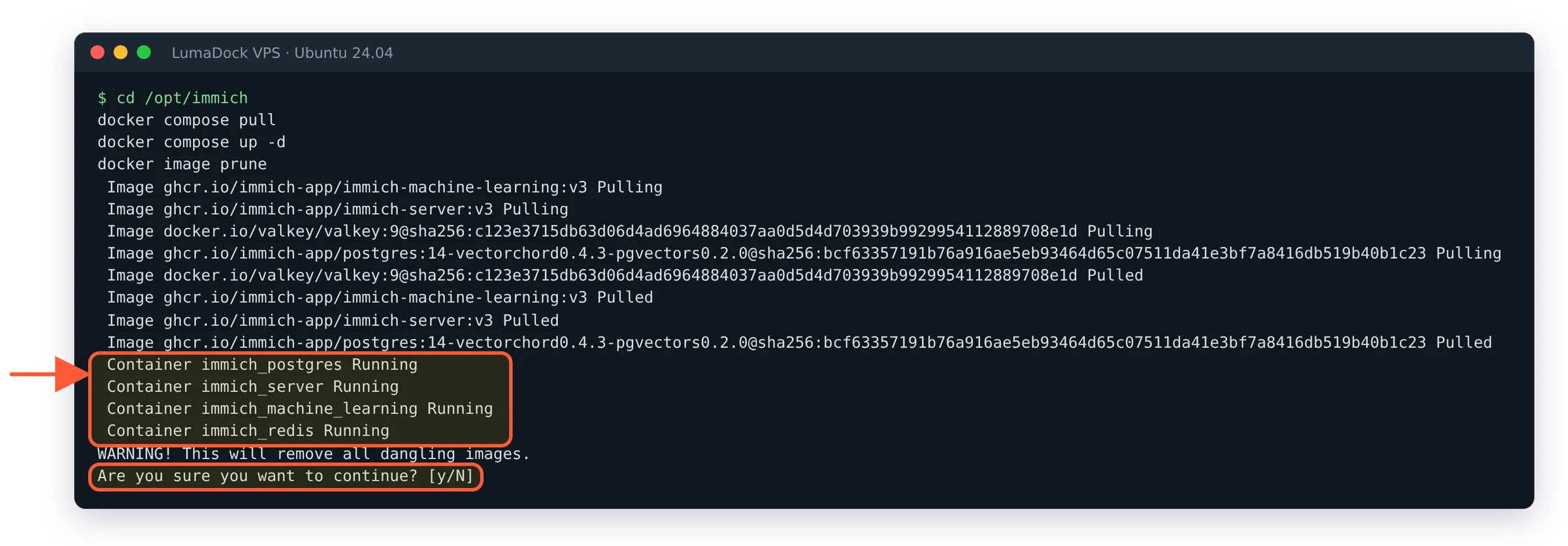
With nothing new to pull the containers just kept running, and the prune stopped to ask before deleting anything.
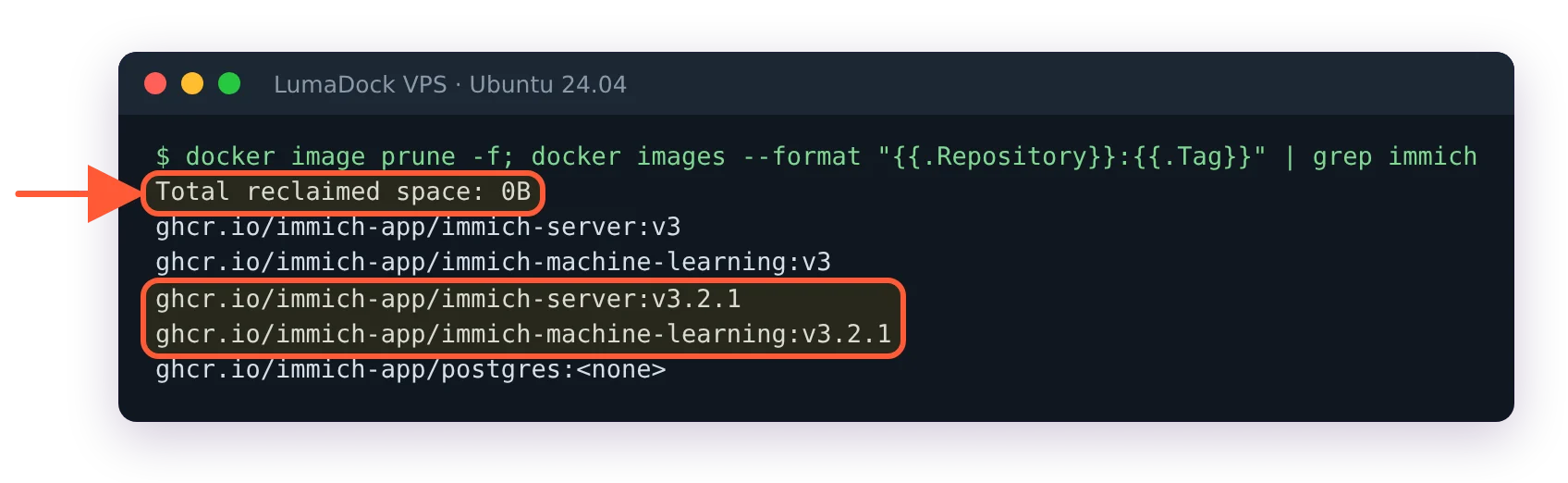
After switching versions, a plain prune reclaimed nothing on my server and the old v3.2.1 images stayed.
When a release note says the compose file changed, add one step before pulling: re-download the official file and re-check your .env against the new example, exactly as at install time. Hand-carrying an old compose file across a structural change is the top cause of post-update mystery failures.
Version pinning with IMMICH_VERSION
Out of the box the compose setup follows a major-version tag (the .env's IMMICH_VERSION, currently defaulting to the v3 line), so every pull takes whatever's newest in that line. Convenient, and it means an idle docker compose pull during unrelated maintenance can upgrade Immich when you weren't looking.
My preference on any server the family depends on: pin to the exact release you run now (the number in the bottom corner of the web UI).
IMMICH_VERSION=v3.3.5Now updates happen when you edit that line, never as a side effect. The cost is remembering to bump it, and Immich softens even that: the web UI shows a notification when a newer release exists, so the server nags you gently instead of surprising you.
Never pin to an older release than the one running. When I set v3.2.1 on a server already on v3.3.5, the server restarted in a loop with "corrupted migrations" and a log line saying the database was migrated by a newer version. Setting the line back to v3 brought it up healthy with the data intact.
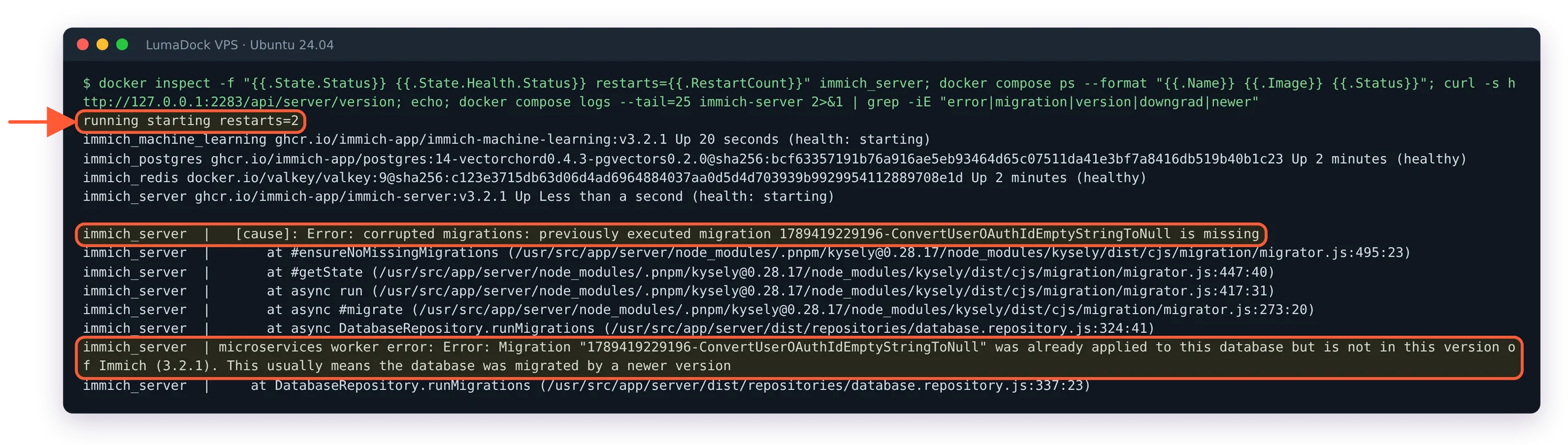
Pinning my v3.3.5 install to v3.2.1 left the server restarting with a migration error, and only going back to v3 fixed it.
Edit the version, then run the standard sequence above. Pinning turns "what version am I even on" into a line in a file you control, which is the whole point.
Before a major version jump
Majors (the v2 stable milestone, the v3 line) deserve extra ceremony, and the project's own upgrade guidance is specific in ways worth repeating. Keep the apps and the server on the same version: Immich's FAQ asks for the same major and minor on both, and new app versions can take time to clear the app stores, so check the matching app is out before you update the server. Take a fresh backup even though the automatic nightly database dumps exist, because the one before a major is the one you'll want; the full picture of what Immich backs up on its own (and what it doesn't) is in our Immich backup guide. And read the major's notes twice, since that's where the compose-file rewrites and migration steps live.
One more line from the official docs that people learn the hard way: downgrading is unsupported, even between patch releases. The database migrates forward on startup and there is no reverse gear. Your rollback plan is therefore not "pin the old version back", it's "restore the pre-update backup", which is another argument for taking one when the update is anything bigger than routine.
Verify after updating
The post-update lap takes two minutes. Web UI loads and shows the new version number in the corner. docker compose ps reports every container healthy (the server container's health check is the honest one). A phone syncs a fresh photo end to end. And Administration » Job Queues shows queues moving, since occasionally a release re-runs indexing work and a busy queue after an update is normal rather than alarming. Anything truly broken announces itself in docker compose logs immich-server within the first screen of output, and the error text plus the release notes usually equals the answer; failing that, the version-specific GitHub discussion for that release is where everyone with the same log line is gathered.
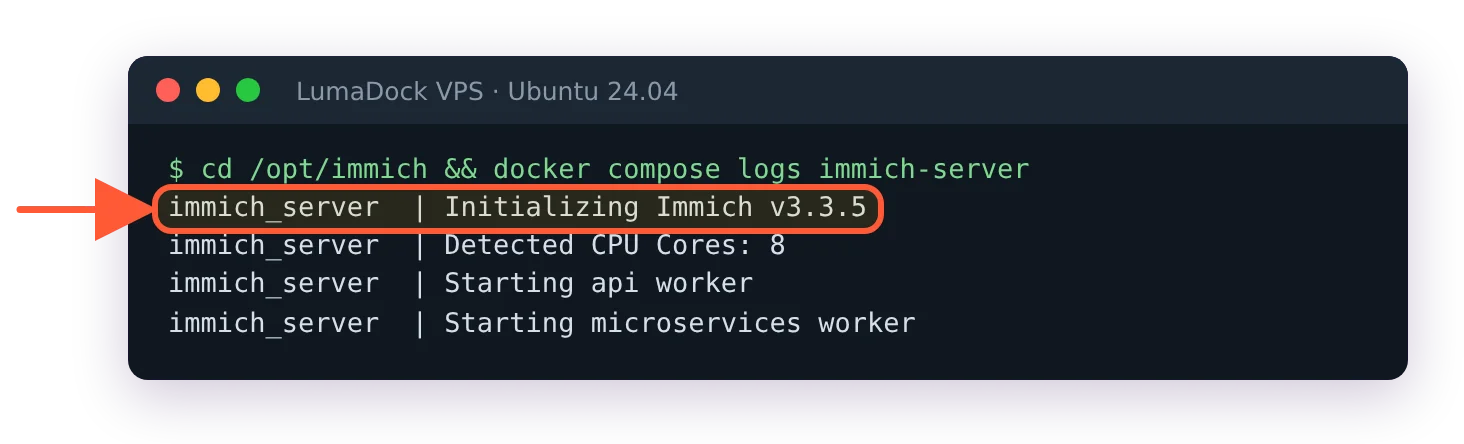
The first lines of the server log name the version that started.
The rhythm that works: check the release feed monthly-ish, update deliberately with notes read, pin versions on servers that matter and back up before majors. Immich rewards that mild discipline with a genuinely fast-improving app, and the update itself stays a coffee-length task on any Immich VPS rather than an evening.