




.svg)
.svg)
.svg)
.svg)

.svg)
.svg)
.svg)


Updated and tested 26 October 2026
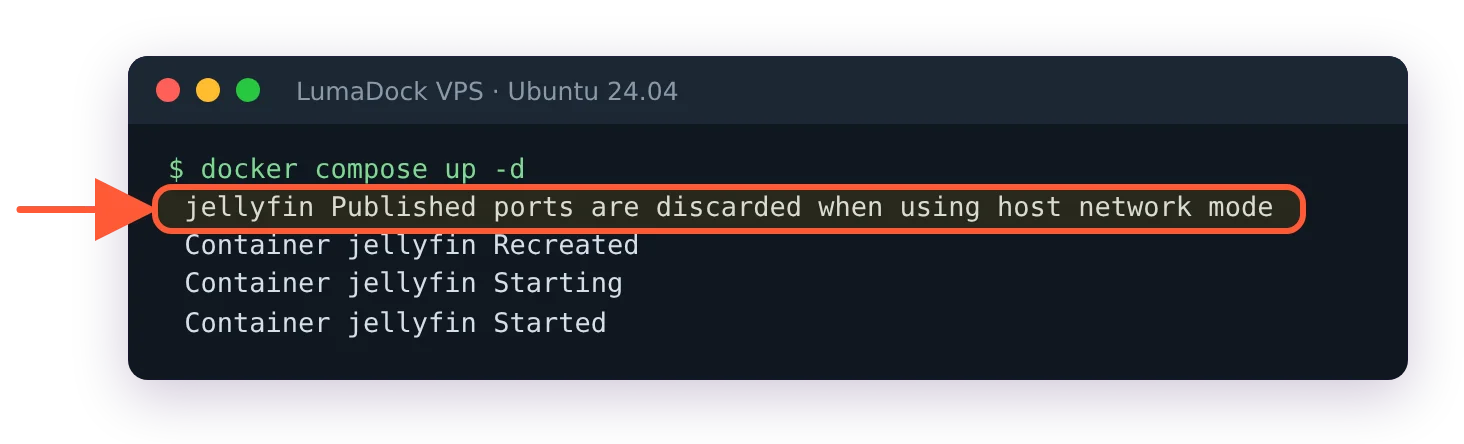
Every Jellyfin networking question eventually reduces to four port numbers, and most guides list them without saying which ones you can ignore. Here's the full map: what each port does, which ones deserve a firewall opening and the Docker networking wrinkle that generates that strange "published ports are discarded" warning.
The four Jellyfin default ports
These are the ports Jellyfin can use; a default install listens on 8096 and 7359 only:
- 8096/TCP, the main one. The HTTP web interface and the API every client app talks to. When someone says "the Jellyfin port", this is it.
- 8920/TCP, the optional HTTPS version of the same thing, used only if you configure a certificate inside Jellyfin itself. Most setups never touch it, for reasons below.
- 7359/UDP, client auto-discovery. Apps on your LAN broadcast here to find servers, which is how the app magically lists your server at home. Useless across the internet, harmless on a LAN.
- 1900/UDP, DLNA discovery (SSDP), only relevant if you use DLNA to feed old TVs and consoles. The DLNA feature moved to a plugin in modern Jellyfin, so on a fresh 12.4 server nothing listens on 1900 until you install the DLNA plugin from the catalog.
So the honest minimum is one port: 8096. On a LAN-only setup, add 7359 for the convenience of discovery. Everything else is situational.
Which ports to open where
Three scenarios cover nearly everyone.
Home server, watched only at home. Open nothing in the router. On the machine's own firewall allow 8096/TCP and 7359/UDP from the LAN. Done; this is the setup with no attack surface.
Server reachable from the internet through a reverse proxy. The public side exposes 80 and 443 only; the proxy forwards internally to 8096. In this layout 8096 should be reachable from localhost or the proxy container alone, not from the world, so a strict firewall rule there is the difference between "one login page exposed" and "login page plus raw API exposed". The proxy pattern itself is in our Jellyfin remote access guide.
Server on a VPS. Same as the proxy scenario, with one addition: VPS providers give you a cloud firewall in front of the machine (ours sits in the panel of every Jellyfin VPS plan), and the sane rule set is 443 open, 80 open for certificate renewal, 22 restricted to your IP and everything else, 8096 included, closed. Discovery ports mean nothing on a VPS; there's no LAN to discover you.
On a home server running Ubuntu the firewall side is two lines:
sudo ufw allow from 192.168.1.0/24 to any port 8096 proto tcp
sudo ufw allow from 192.168.1.0/24 to any port 7359 proto udp
Adjust the subnet to your home network. A VPS has no 192.168.1.0/24 behind it: your "LAN" is your home connection behind NAT, so the useful rule there is your own public address, sudo ufw allow from YOUR_HOME_IP to any port 8096 proto tcp, with no 7359 rule, because discovery only works on a LAN. For anything beyond your own access, the proxy-only layout above is still the better choice.