.svg)
.svg)
.svg)
.svg)

.svg)
.svg)
.svg)

Updated and tested 3 November 2026
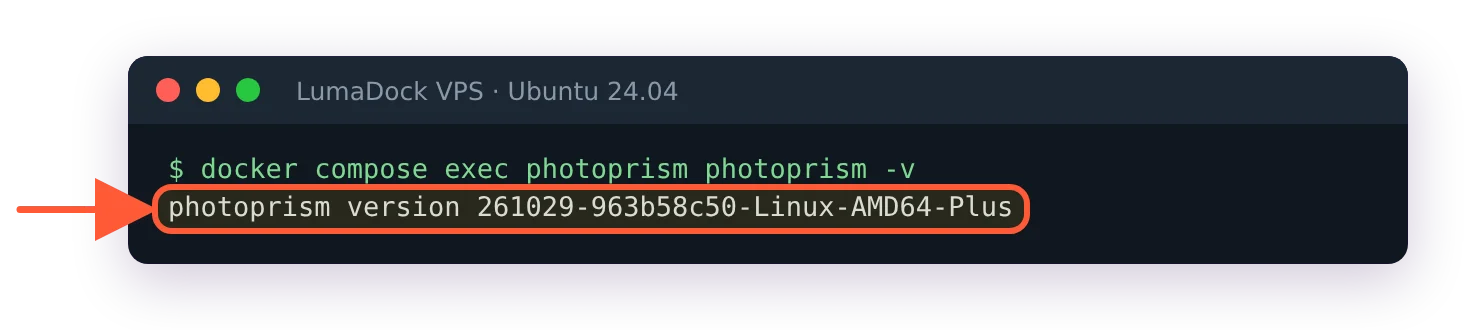
PhotoPrism is the older project. It has been developed since 2018 by PhotoPrism UG, a small self-funded Berlin company run by its two co-founders, its GitHub history goes back to tagged builds from January 2021 and the whole design starts from a folder of originals that the server indexes in place. Immich showed up in 2022 as a self-hosted replacement for Google Photos, with an iOS and Android app at the centre of the design. The core team went full time when the project joined FUTO in May 2024 and v2.0.0, the first stable release, came out on 1 October 2025. Both are AGPL, both ship as Docker Compose stacks, both recognise faces. The overlap is large, so the PhotoPrism vs Immich question comes down to how each one treats the files on disk.
How PhotoPrism and Immich store your photos
PhotoPrism has three folders: originals, an optional import folder and storage. You point it at originals, run an index and it leaves file and folder names exactly as they were. Everything it learns about a picture goes into the database plus optional YAML sidecar files under storage, never into the original. There's a PHOTOPRISM_READONLY setting that turns off every feature needing write access to originals, and even with writes enabled a photo has to be archived first and the Delete feature switched on in Settings before PhotoPrism will remove a file from the filesystem. The import folder is the other way in: drop files there and PhotoPrism copies (or moves, if you tick Move Files) them into originals under a date-based structure that avoids duplicates.
Immich is an upload system. The phone app, the web uploader or the @immich/cli tool push files to the server, which stores them under UPLOAD_LOCATION. With the storage template off, which is the default, originals go into upload/<userID>. Pick a template, the YYYY/MM/DD preset or a custom pattern, and Immich moves them to library/<userID> and lays them out by that pattern. Do that on day one. A Storage Template Migration job can apply a template to files already uploaded, but starting with it on means you never have to run it, and the Immich storage template guide covers both cases. For photos you already have on disk, Immich offers external libraries. The external library docs tell you to mount the folder with :ro; do that and Immich can't delete originals or write XMP sidecars, skip it and it can. Albums and descriptions you add in Immich stay in the database and are lost if the file moves, because a moved file is a new asset. Deleted-on-disk files land in the trash on the next scan. Automatic watching exists, marked experimental, uses inotify and is unlikely to work over a network mount, so most people run the nightly scan or set a cron.
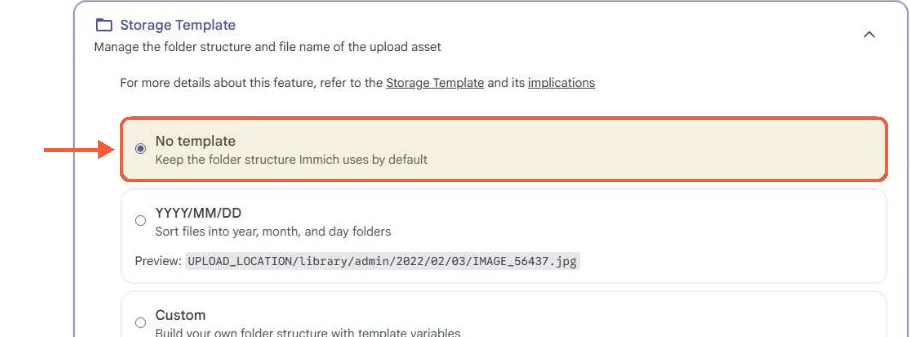
On a fresh Immich v3.3.5 install the storage template starts at No template.
PhotoPrism was built to sit on top of a folder you keep organising yourself. Immich was built to be the place the files go.
Mobile backup
Immich has official apps for iOS and Android, distributed through the App Store, Google Play, GitHub APKs and a FUTO F-Droid repository. The mobile backup docs describe two separate mechanisms: a foreground backup that uploads new photos and videos from the albums you select whenever you open or resume the app, and a background one which on iOS depends on Background App Refresh and on Apple's own scheduling. Wi-Fi only is the default. Android can be told to upload only while charging. Live Photos and Motion Photos back up and play back, and the mobile app works offline against its local cache.
PhotoPrism has no native app of its own. The docs describe a PWA (progressive web app) you add to the home screen, and a page listing native clients maintained by other developers: Gallery for PhotoPrism on Android, Stream on iOS and PhotoSync on both, which is the usual way to get camera-roll backup by sending files over WebDAV into the import folder with PHOTOPRISM_AUTO_IMPORT switched on. It works. It's also two products and a WebDAV mount instead of one app with a backup toggle.
For a phone-first library I'd run Immich, and the reason is that backup app: a household with three phones is three installs and three toggles, and nobody has to learn what WebDAV is.
Search, faces and machine learning
Immich runs a separate immich-machine-learning container. It computes CLIP embeddings for every asset (the default model is ViT-B-32__openai, and the docs list larger and multilingual families such as ViT-B-16-SigLIP__webli that you can switch to) and those embeddings power typed-sentence search like "red bicycle leaning on a wall". The same embeddings feed duplicate detection, which is on by default with a tunable distance. Face recognition has its own model with adjustable detection score and clustering distance. OCR has been part of Immich since v2.2.0 (October 2025), so text inside a screenshot is searchable, and v3 brought it to the mobile app. The ML container can live on a different machine, which the remote machine learning guide covers, with a warning that the container has no authentication of its own. What CLIP doesn't produce is tags: the Immich FAQ is explicit that smart search yields no labels or descriptions, so there's no "Subjects" album equivalent.
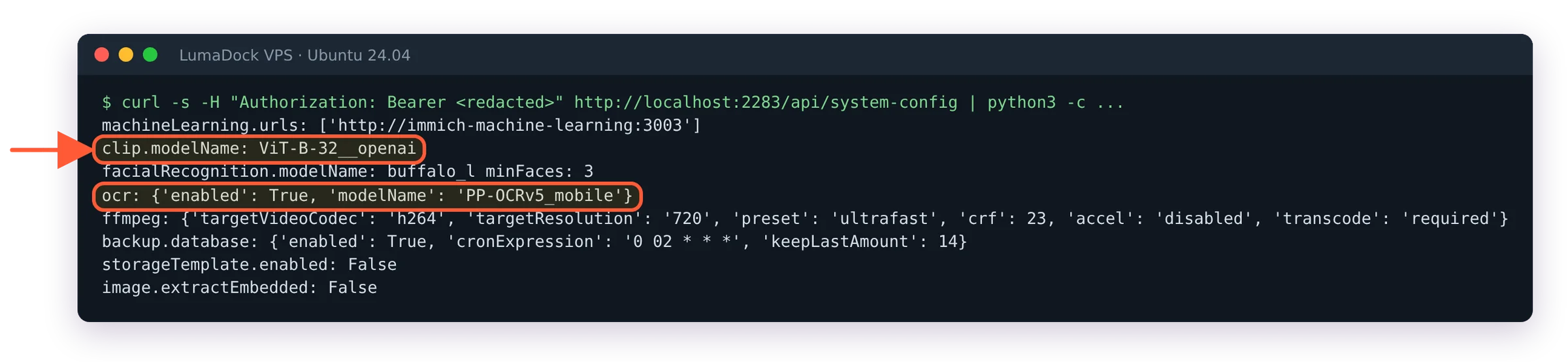
A fresh Immich install on my server reported ViT-B-32__openai as the CLIP model and OCR switched on.
PhotoPrism took the classifier route. Each photo gets labels from an image classifier, an NSFW model can mark pictures private, reverse geocoding fills in places (rate limited in the free edition) and search filters on labels, captions, people, places, colours, cameras and dates. In 2025 the project added a Vision service that can send images to Ollama or the OpenAI API for captions and custom labels. The 2026 builds replaced the old face detector with ONNX-based YuNet detection and sface embeddings, and the September build added models that find more faces, small ones included; existing libraries need photoprism faces migrate to benefit. The October 2026 build moved classification and NSFW detection to ONNX as well, where earlier releases used TensorFlow, and its release notes say ONNX models can run on supported NVIDIA GPUs. The PhotoPrism AI guide lists the four vision tasks as labels, caption, face and nsfw.
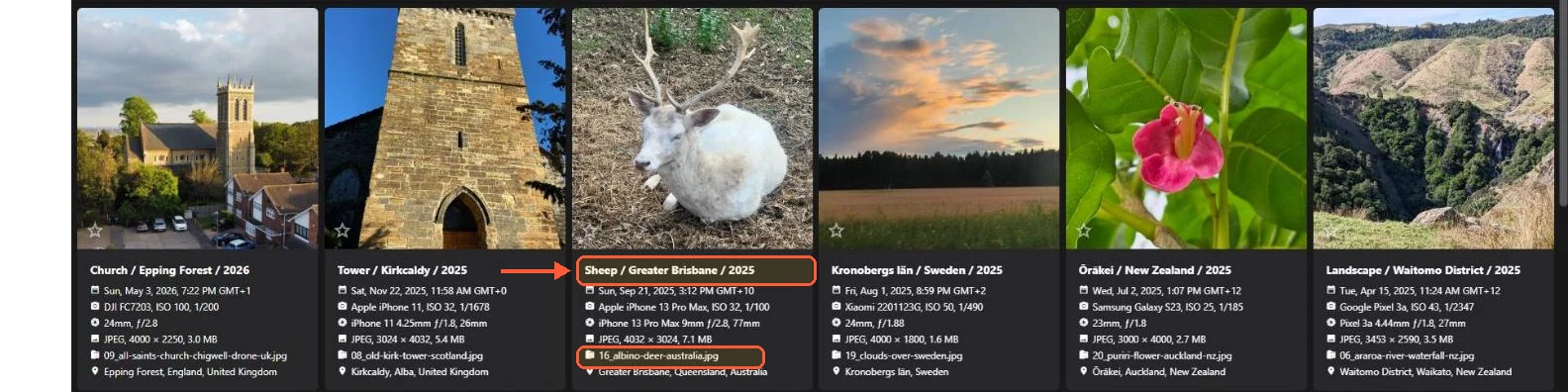
PhotoPrism's classifier titled the albino deer in my test set "Sheep".
My test set had 25 photos and no people in them, and PhotoPrism's new ONNX face pipeline still placed two face markers that never became a person, so how it holds up next to Immich's clustering on a real family library, I can't say.
| Feature | PhotoPrism | Immich |
|---|---|---|
| Official mobile app | No (PWA, third-party clients) | iOS and Android |
| Existing folders | Indexed in place, names unchanged | External libraries, read-only recommended |
| Database | SQLite 3 or MariaDB 10.5.12+ (PostgreSQL experimental) | PostgreSQL with VectorChord |
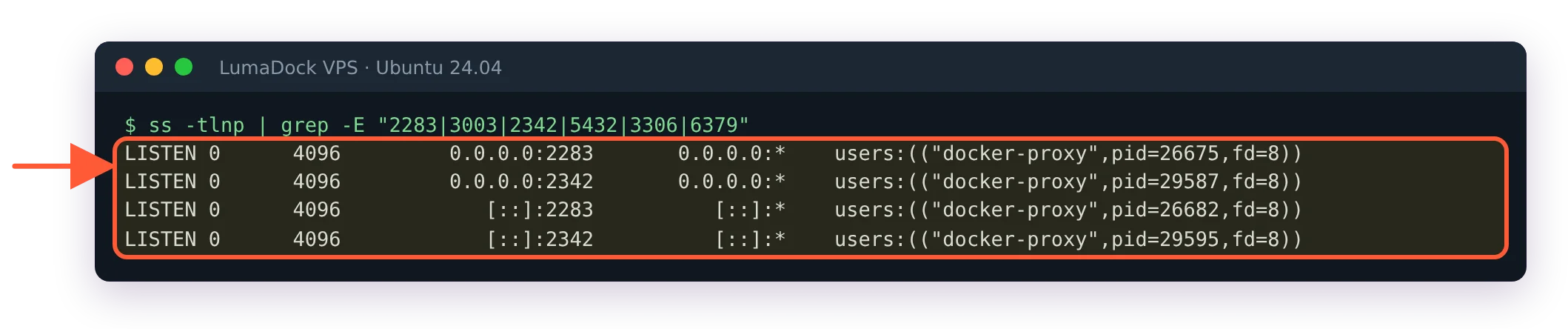
| Default web port | 2342 | 2283 |
| Documented minimum RAM | 3 GB plus 4 GB swap | 6 GB (4 GB with ML disabled) |
| Typed-sentence search | Labels and captions | CLIP embeddings plus OCR |
| Face recognition | Yes, ONNX models, NVIDIA GPU supported | Yes, GPU optional |
| Full user roles | Paid membership | Free |
| Licence | AGPL (Community edition) | AGPL, no paid features |
RAW, HEIC and video handling
PhotoPrism converts RAW files with Darktable or RawTherapee, plus Sips on macOS. HEIC and AVIF go through libvips with HEIF support, with libheif tools as a fallback, and the May 2026 build added a native HEIC/AVIF reader. Video is transcoded to AVC with FFmpeg and the encoder setting accepts software, intel, nvidia, vaapi, apple, raspberry and, with FFmpeg 8, vulkan.
Immich accepts a long RAW list (arw, cr2, cr3, dng, nef, orf, pef, raf, rw2 and around twenty more), plus HEIC, HEIF, AVIF, JXL and PSD. There's a setting to use the embedded preview inside a RAW file instead of decoding it, which skips a full RAW decode. Video transcoding defaults to h264 at 720p with the ultrafast preset and accelerates with NVENC, Quick Sync, VAAPI or RKMPP. Machine learning has its own acceleration list: CUDA, OpenVINO, ARM NN, ROCm and RKNN for Rockchip boards. The Immich hardware acceleration guide walks through the compose overrides for each. On a VPS with no GPU, the embedded-preview option and the ultrafast preset are the two settings worth checking before the first indexing run.
Users, sharing and paid editions
Every Immich feature is free. Being part of FUTO gives the project support outside product development, such as trademark enforcement and hiring help. The paid team is around ten people, and the only thing you can buy is an optional product key that unlocks no features. Multiple users, partner sharing (which shares every non-archived asset including GPS data with each partner you add; it's one-way, and you can add more than one), shared albums, public links with optional passwords and OpenID Connect login are all in the base install. The project's "FUTO, two years later" post from June 2026 restates the original commitment of no paywalled features and says there are still none that require payment.
PhotoPrism is self-funded by PhotoPrism UG through memberships. The Community edition is the AGPL build and gives you Super Admin, Admin and Guest roles. The User and Viewer roles arrive with an Essentials or Plus membership, and the editions page lists the user management UI under Plus. The default photoprism/photoprism image is the Plus build that members activate. Without a membership it runs as Community Edition, which is what the About page on my server said, and there was no user management screen to open. Sharing is by secret link to an album, a month, a region or a folder, with an optional expiry date; password-protected links are on the planned list. There's nothing like partner sharing.
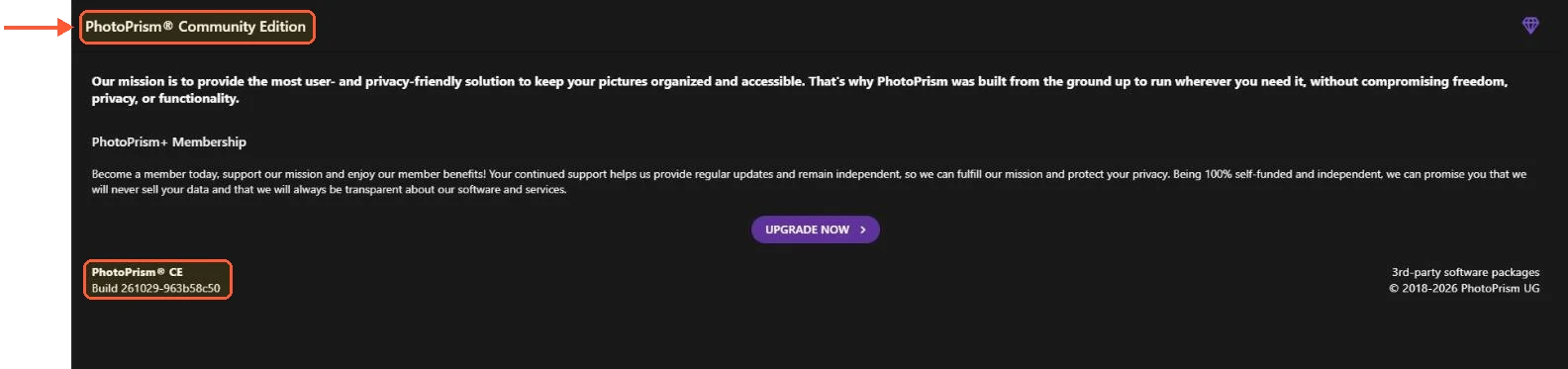
The default PhotoPrism image ran as Community Edition on my server, with the membership upgrade one click away.
Both projects publish a demo: demo.immich.app (login [email protected], password demo) and demo.photoprism.app. Ten minutes in each tells you more about the interfaces than any table.