.svg)
.svg)
.svg)
.svg)

.svg)
.svg)
.svg)


Updated and tested 10 September 2026
The snapshot button in the panel is not a backup. It's a copy of the disk image on the same storage, in the same datacenter and under the same account, and it disappears with the VM if the account is closed, the host's storage fails in a way the provider's redundancy doesn't cover or someone with your panel password decides to delete it. It's a fine way to roll back a bad upgrade, which is what it's for. A backup is a copy that survives every failure the original can have, and on a VPS that means encrypted data on a different machine, ideally at a different provider, written by a job the VM runs itself. The 3-2-1 version of that sentence is three copies on two kinds of storage with one off-site, and for a single VPS I settle for two: the live disk and one encrypted repository somewhere else.
Commands assume Ubuntu 24.04 LTS.
Provider snapshots vs your own backups
Keep both. A scheduled snapshot at the panel level costs nothing to set up and restores a whole VM in minutes, which no file-level tool matches, and the provider's guide to creating scheduled VPS backups is a five-minute job. What the snapshot can't do is give you Tuesday's version of one config file without restoring all of Tuesday, prove that the data is readable without a full restore or live outside the provider's control. Those three things are the job of restic or Borg, and the rest of this article is about them.
restic or Borg
Both encrypt on the client, deduplicate at the chunk level, keep a history of snapshots and prune old ones by a retention policy. Both are mature and neither has lost me data. The difference that decides it is the target. restic talks to SFTP, S3 and anything rclone can reach directly, in one static Go binary with no dependency on the far end, and it's the one I run on a VPS that backs up to object storage. Borg needs Borg installed on the remote side (it runs borg serve over SSH) and works best against a Linux box you control, where its dedup is tighter and its compact step reclaims space more predictably than restic's prune. On a hard-disk storage VPS reached over SSH, I'd pick Borg. On a bucket, restic, and I don't think the choice is worth agonising over past that.
Version matters for restic on 24.04. The apt package is 0.16.4, the current release is 0.19.1 (5 July 2026), and 0.17.0 in July 2024 added --stdin-from-command, the option that lets restic run pg_dump itself and refuse to save a snapshot if the dump fails. The Ubuntu build also has the self-update command removed. Two years of changes and one option I use on every box, so the release binary it is.

When the dump command fails, restic refuses to save a snapshot of the partial output.
Install restic on Ubuntu 24.04
sudo apt install bzip2
curl -sSLO https://github.com/restic/restic/releases/download/v0.19.1/restic_0.19.1_linux_amd64.bz2
curl -sSLO https://github.com/restic/restic/releases/download/v0.19.1/SHA256SUMS
sha256sum -c --ignore-missing SHA256SUMS
bunzip2 restic_0.19.1_linux_amd64.bz2
sudo install -m 755 restic_0.19.1_linux_amd64 /usr/local/bin/restic
restic version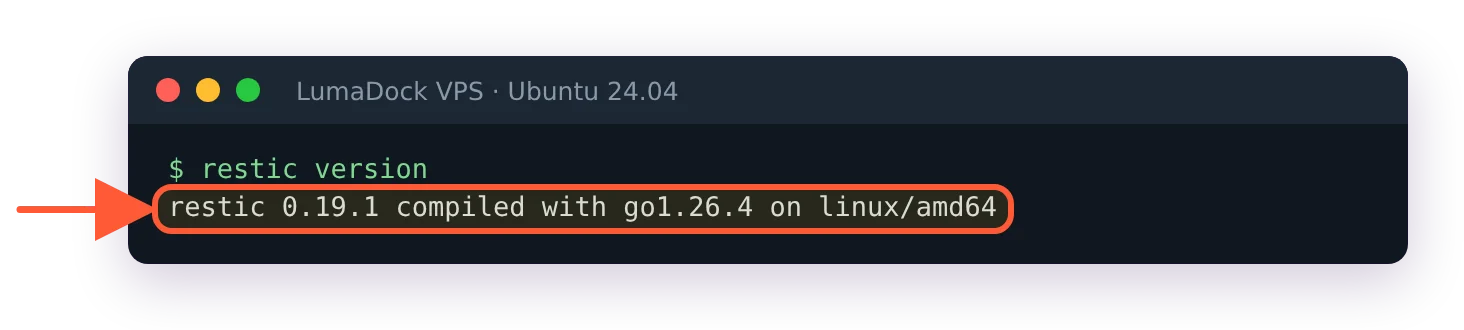
The release binary from GitHub, newer than the 0.16.4 in Ubuntu's archive.
The first line is there because bunzip2 comes from the bzip2 package, which not every 24.04 server image includes; without it bunzip2 is command not found and the install line has nothing to install. sha256sum should print restic_0.19.1_linux_amd64.bz2: OK before you unpack anything, and the SHA256SUMS file itself is signed with the restic release key if the box matters enough to check that too. Later upgrades are sudo restic self-update, which the release binary supports and the apt one doesn't. If you'd rather stay on apt, sudo apt install restic works, everything below runs on 0.16.4 except the --stdin-from-command line, and you'll want to know that when you copy it.
Initialise the repository
The environment file
restic reads its settings from environment variables, and a root-only file is the way to hand them to a systemd unit:
sudo mkdir -p /etc/restic
sudo install -m 600 /dev/null /etc/restic/env
sudo install -m 600 /dev/null /etc/restic/password
sudo tee /etc/restic/env >/dev/null <<'EOF'
RESTIC_REPOSITORY=sftp:restic@STORAGE_HOST:/srv/restic/web01
RESTIC_PASSWORD_FILE=/etc/restic/password
EOF
openssl rand -base64 32 | sudo tee /etc/restic/password >/dev/null
The two install lines create both files empty and root-only before anything is written to them. tee on its own creates them world-readable, and with a chmod 600 afterwards the password is still readable by every user for the moment in between.
Copy the password somewhere that is not this VM. A password manager, a printed sheet in a drawer, anything. Without it the repository is a pile of random bytes and there's no reset, which is what encryption on the client side means. For an S3-compatible target the env file gains AWS_ACCESS_KEY_ID and AWS_SECRET_ACCESS_KEY and the repository line becomes s3:https://S3_ENDPOINT/BUCKET/web01, the form documented in restic's page on preparing a new repository. That page also covers the rclone backend, rclone:REMOTE:bucket/web01, which is how restic reaches Backblaze B2, Google Drive and the rest of rclone's list; configure the remote with rclone config as root first, because the timer runs as root and rclone keeps its config per user.
SFTP target
The storage host needs one account and one directory before the VPS can write to it: a user with a login shell, called restic here, and /srv/restic owned by that user. restic creates web01 inside it on init. Pick a name other than backup if the storage host runs Ubuntu, because that name already belongs to a system account with no login shell and adduser backup fails with The user `backup' already exists. The shell matters as well, since ssh starts the SFTP server through it.
The SFTP backend shells out to ssh, so the root user on the VPS needs a key that the backup host accepts and the host key already in /root/.ssh/known_hosts. Do it once by hand, and the interactive host-key prompt happens now and not inside a hung service overnight:
sudo ssh-keygen -t ed25519 -f /root/.ssh/id_ed25519 -N ""
sudo cat /root/.ssh/id_ed25519.pub   # append to restic@STORAGE_HOST:~/.ssh/authorized_keys
sudo ssh restic@STORAGE_HOST true
sudo bash -c 'set -a; . /etc/restic/env; restic init'
created restic repository plus a short ID is the success line. The set -a trick exports every variable in the env file for the one command; you'll use it again for every manual restic call in this article, so an alias in root's shell is worth the ten seconds.
The first backup
Excludes and --one-file-system
Write the exclude list before the first run, because the first run is the slow one and re-uploading a package cache you forgot to skip is wasted time:
sudo tee /etc/restic/excludes.txt >/dev/null <<'EOF'
/var/cache
/var/tmp
/var/lib/apt/lists
/home/*/.cache
*.tmp
EOF
Docker needs no line here, because nothing under /var/lib is on the source list below. Image layers stay out, which is what you want: they're rebuildable from the registry, change on every pull and wreck dedup (with Docker 29's containerd image store they sit under /var/lib/containerd anyway, so an exclude for /var/lib/docker/overlay2 matches nothing). Named volumes stay out too, which is less obvious: data in /var/lib/docker/volumes is backed up only if you add that path as a source. Where bind-mounted data directories live is a layout decision that Docker on a VPS goes into, and whichever path you chose has to be on the source list below.
--one-file-system keeps restic on the filesystem the source path lives on, which on a VPS means /proc, /sys and a mounted second disk are all skipped without listing them; if the second disk holds data you want, name its mount point as a separate source path. --exclude-caches honours the CACHEDIR.TAG convention that pip, cargo and a few others already use.
Database dumps first
Backing up the files under a running Postgres or MySQL data directory gives you a copy that may not start. Dump first, then back up the dump. A small script the service runs before restic:
sudo tee /usr/local/bin/restic-dumps.sh >/dev/null <<'EOF'
#!/bin/bash
set -euo pipefail
umask 077
mkdir -p /var/backups/db
sudo -u postgres pg_dumpall --clean > /var/backups/db/postgres-all.sql
# mysqldump --single-transaction --all-databases > /var/backups/db/mysql-all.sql
EOF
sudo chmod 755 /usr/local/bin/restic-dumps.sh
umask 077 keeps the dump readable by root only. Without it postgres-all.sql comes out world-readable, and a pg_dumpall file holds every database plus the password hash of every role that has one.
Plain SQL, uncompressed. A compressed dump changes almost every byte between runs and restic can't dedupe it, while plain text of a database that changed 2% since yesterday uploads roughly 2%. Leave the compression to restic, which applies it per chunk on repositories created with 0.14 or later. If you'd rather not keep a dump on local disk, the direct form documented under backing up with restic is restic backup --stdin-from-command --stdin-filename postgres-all.sql -- sudo -u postgres pg_dumpall --clean, and with 0.19 a non-zero exit from pg_dumpall aborts the snapshot instead of saving a truncated one, which is the behaviour the older --stdin pipe form can't give you.
Then the first run, by hand, so you watch it:
sudo /usr/local/bin/restic-dumps.sh
sudo bash -c 'set -a; . /etc/restic/env; restic backup --one-file-system --exclude-caches \
  --exclude-file=/etc/restic/excludes.txt /etc /home /var/backups/db /var/www /srv'
List only paths that exist on your server. A missing one, /var/www on a box without a web server for example, prints /var/www does not exist, skipping, the snapshot is saved anyway and restic exits with code 3. By hand that's a warning to read; in the systemd unit below it marks the run as failed, and the forget and prune after it never run. The unit repeats the same source list, so trim it there too.
Expect the initial upload of a 20 GB web box to take an hour or two, bounded by the outbound bandwidth to the target, and every run after that to finish in a few minutes because only changed chunks travel. The summary line prints files new, changed and unmodified, plus data added to the repository, and the second run's "added" figure is the number that tells you the excludes are right.
A systemd service and timer
A timer and not a cron line, because the log lands in the journal with the unit's name on it, a failed run shows as a failed unit you can alert on, and Persistent=true runs a missed job after a reboot instead of skipping the night.
/etc/systemd/system/restic-backup.service:
[Unit]
Description=restic backup to off-site repository
Wants=network-online.target
After=network-online.target

[Service]
Type=oneshot
EnvironmentFile=/etc/restic/env
CacheDirectory=restic
Environment=RESTIC_CACHE_DIR=/var/cache/restic
ExecStartPre=/usr/local/bin/restic-dumps.sh
ExecStart=/usr/local/bin/restic backup --one-file-system --exclude-caches --exclude-file=/etc/restic/excludes.txt /etc /home /var/backups/db /var/www /srv
ExecStartPost=/usr/local/bin/restic forget --keep-daily 7 --keep-weekly 4 --keep-monthly 6 --prune
Nice=10
IOSchedulingClass=idle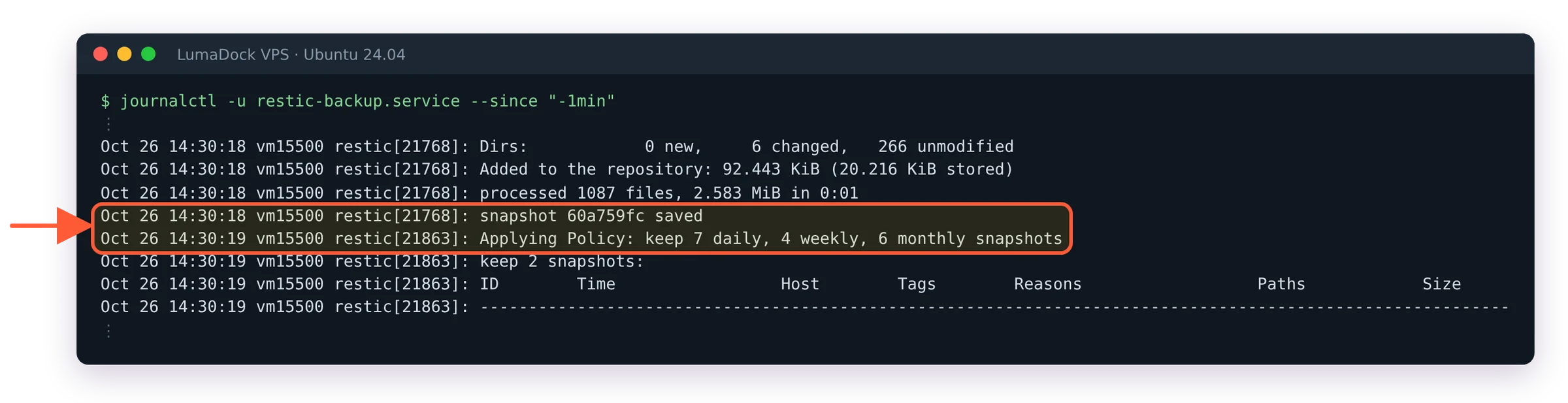
One run of the service: restic saves the snapshot, then forget applies the retention policy.
The CacheDirectory and RESTIC_CACHE_DIR lines are what make this run under systemd. A system service has no $HOME, and without a cache path restic stops with unable to locate cache directory: neither $XDG_CACHE_HOME nor $HOME are defined before it reads a single file. /var/cache is already in the excludes, so the cache stays out of its own backups. The check unit below doesn't need them, because check works from a temporary cache.
/etc/systemd/system/restic-backup.timer:
[Unit]
Description=Run restic backup nightly

[Timer]
OnCalendar=*-*-* 03:15:00
RandomizedDelaySec=20m
Persistent=true

[Install]
WantedBy=timers.target
Enable the timer, not the service, then confirm the next elapse time:
sudo systemctl daemon-reload
sudo systemctl enable --now restic-backup.timer
systemctl list-timers restic-backup.timer
sudo systemctl start restic-backup.service   # one real run through the unit
journalctl -u restic-backup.service -n 30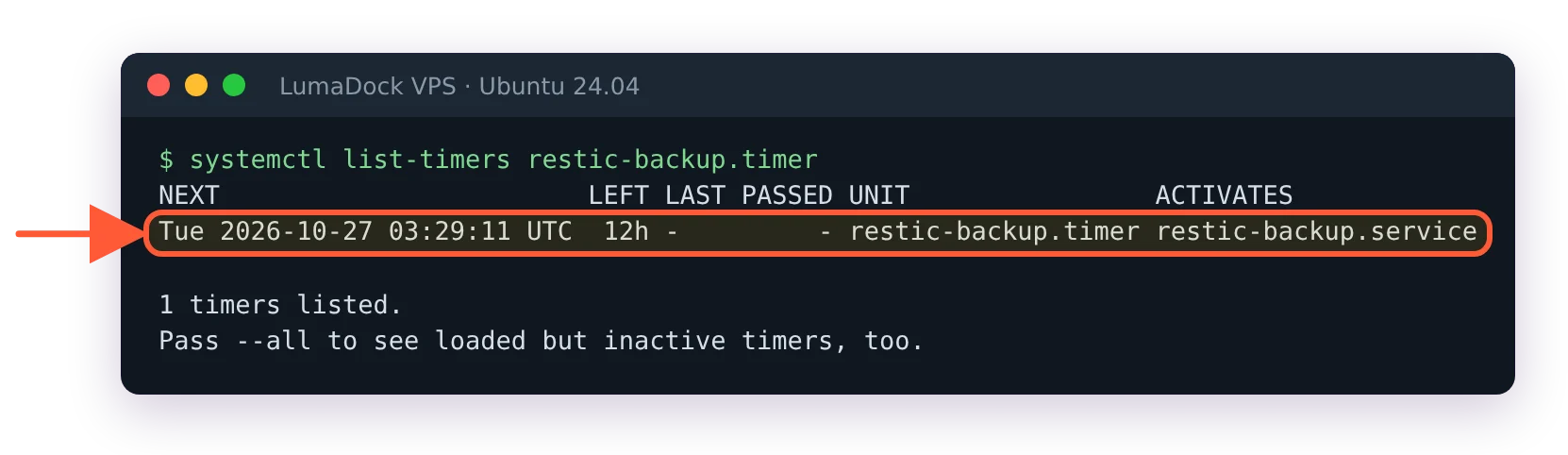
The nightly timer armed, with the random delay already applied to the next run.
A failed ExecStartPre stops the unit before restic runs, so a broken dump never produces a snapshot without the database in it. Nice and the idle I/O class keep a full backup from stealing the disk from the web server at 03:15, at the cost of a slower backup on a busy box, which is the right trade for a nightly job.
Retention, prune and the monthly check
forget --keep-daily 7 --keep-weekly 4 --keep-monthly 6 keeps the last seven daily snapshots, the last four weekly ones and the last six monthly ones, and everything else is dropped from the snapshot list. Without --prune the data those snapshots referenced stays in the repository; with it, restic rewrites pack files to remove unreferenced chunks, which on a large repository is the slowest thing restic does and the reason some people move the forget step to a weekly timer. On a repository under 100 GB, nightly with --prune is fine.
/etc/systemd/system/restic-check.service:
[Unit]
Description=restic repository check

[Service]
Type=oneshot
EnvironmentFile=/etc/restic/env
ExecStart=/usr/local/bin/restic check --read-data-subset=10%%
Nice=10
IOSchedulingClass=idle/etc/systemd/system/restic-check.timer:
[Unit]
Description=Run restic check monthly

[Timer]
OnCalendar=*-*-01 04:30:00
Persistent=true

[Install]
WantedBy=timers.target
The doubled %% is how a literal percent sign is written in a unit file. check alone verifies the repository's structure; --read-data-subset=10% also downloads a tenth of the pack files and verifies their contents, so over ten months every byte has been read back once, without paying object-storage egress for the whole repository monthly. On an SFTP target where the transfer is free, --read-data and be done.
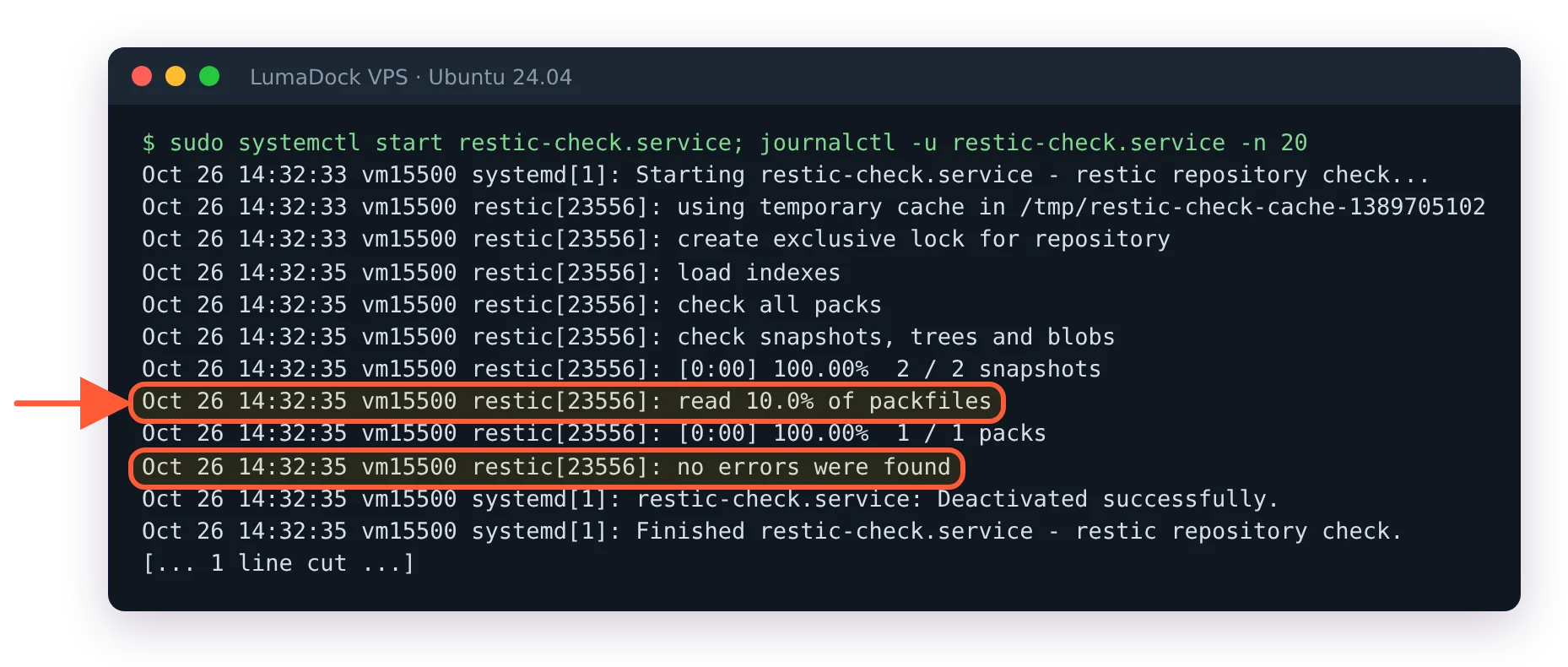
The monthly check reads a tenth of the data and reports a clean repository.
A short digression on why the check matters more than it looks. restic's chunker splits files at content-defined boundaries using a secret polynomial, so an insert near the start of a file shifts only one chunk, and a 2025 paper by Alexeev, Percival and Zhang showed that an attacker who can observe chunk sizes for a known file can recover that polynomial. The 0.18.0 release in March 2025 answered it by randomising how chunks are packed into pack files, so the sizes can't be observed. None of this affects your data day to day, and it's a reminder that a backup tool is software with a changelog, which is one more reason to run the current binary.
Restore and the restore drill
The commands are short. Finding out what's in a snapshot:
sudo bash -c 'set -a; . /etc/restic/env; restic snapshots'
sudo bash -c 'set -a; . /etc/restic/env; restic ls latest /etc/nginx'
Restoring a path from the latest snapshot into a scratch directory, which is where every restore starts:
sudo bash -c 'set -a; . /etc/restic/env; restic restore latest --target /tmp/restore --include /etc/nginx'
Restoring a single file (/etc/hostname here) into /tmp/restore.
Then diff -r /etc/nginx /tmp/restore/etc/nginx shows what changed, and you copy back only what you meant to. A whole-box restore onto a fresh VM is restic restore latest --target / after installing the same packages, followed by sudo cat /var/backups/db/postgres-all.sql | sudo -u postgres psql for the database, as the postgres user because root has no database role. For browsing without restoring, restic mount /mnt/restic exposes every snapshot as a directory tree; it needs the fuse3 package on 24.04.
The drill is the part that separates a backup from a hope. Once a month, on the first Monday, I restore one file and the database dump into /tmp/restore, load the dump into a throwaway Postgres, look at the dump's timestamp and delete both. Fifteen minutes. The two failures it has caught for me were a password file that had been rotated on the VPS but not in the password manager and an excludes pattern that had matched /var/www after a directory rename. Both would have surfaced on the day I needed the backup, which is the one day you don't want surprises.
Throwaway means a separate server, never the live one. A pg_dumpall --clean file carries DROP DATABASE, CREATE DATABASE and \connect for every database in it, so loading it with psql on the production box replaces your real databases with the dump's copies, whichever database you pointed psql at. A container with the same Postgres major version does the job:
sudo docker run -d --name pgdrill -e POSTGRES_PASSWORD=drill postgres:16
sleep 10
sudo cat /tmp/restore/var/backups/db/postgres-all.sql | sudo docker exec -i pgdrill psql -U postgres
sudo docker exec pgdrill psql -U postgres -l
sudo docker exec pgdrill psql -U postgres -d YOUR_DB -c '\dt'
sudo docker rm -f pgdrill
The two errors about the postgres role (it can't be dropped, it already exists) are expected. A database missing from the list or a table missing from it is what the drill is there to catch. Without Docker on the box, any spare VM with the same Postgres version works, or dump each database separately with pg_dump and load that into a scratch database on the live server.
Monitoring the timer
systemctl list-timers shows the last and next run, and systemctl is-failed restic-backup.service exits non-zero after a failed run, which is enough for a Monit check or a cron line that mails you. Better is a dead-man's switch: the service's last line pings a URL, and a monitor that expects that ping every 24 hours alerts when it stops arriving, which catches the box being off, the timer being disabled and the network being down, none of which a failure alert from the box itself can report. The push monitor type in Uptime Kuma does this, and wiring it up is in how to monitor a VPS. Add ExecStartPost=/usr/bin/curl -fsS -m 10 https://MONITOR_HOST/api/push/TOKEN as a second post line after the forget, and it only fires if everything before it succeeded.