





.svg)
.svg)
.svg)
.svg)

.svg)
.svg)
.svg)

Updated 22 October 2026
There's a specific moment that brings people to this article. cscli decisions list shows the attacker banned, the access log shows the same IP still cheerfully probing, and the realization lands that a decision in CrowdSec's database is just a row until something enforces it. The firewall bouncer is that something for Linux servers: a small Go daemon that streams decisions from the local API into kernel packet filters.
Here's how I configure and verify it, and how to keep Docker from quietly undermining the whole thing. I'm assuming a running Security Engine; if you don't have one yet, start with my CrowdSec install guide for Debian.
Package choice: iptables mode or nftables mode
Two packages, one binary, different modes. crowdsec-firewall-bouncer-iptables drives the classic toolchain with ipset-backed match sets, while crowdsec-firewall-bouncer-nftables talks to nftables natively. Debian 12, Debian 13 and Ubuntu 24.04 all use nftables as the real packet filter, with the iptables command surviving as a compatibility shim. The firewall bouncer docs have a quick test: run iptables -V, and if the output mentions nf_tables you're on the shim. On any modern Debian or Ubuntu I install the nftables package and skip the legacy layer; iptables mode still works fine through the shim, it's just one indirection more than necessary.
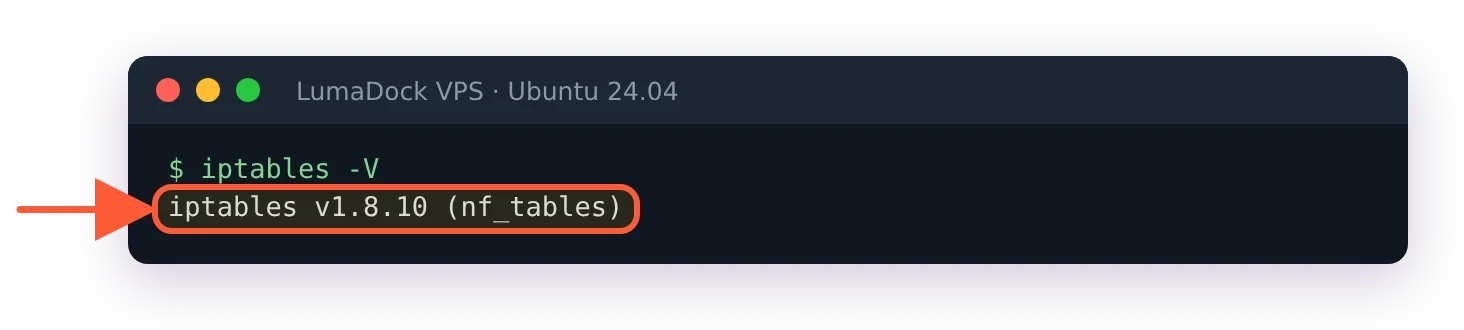
nf_tables in brackets: iptables is the shim on Ubuntu 24.04.
sudo apt update
sudo apt install crowdsec-firewall-bouncer-nftables
Run the update first on a freshly deployed server. LumaDock's nginx + CrowdSec template already ships this package, and with the package lists from the image build apt calls 0.0.34 the newest version even though a later release exists.
When the engine runs on the same host, the package registers itself during install (it runs cscli bouncers add on your behalf) and starts the service. sudo cscli bouncers list should immediately show it with a fresh pull timestamp, under a name like cs-firewall-bouncer-1792659514 (the number is a Unix timestamp).
Switching an existing install from one package to the other takes two extra steps. The packages conflict, so installing one removes the other, and dpkg then stops on crowdsec-firewall-bouncer.yaml because the file was modified since installation. Answer Y. The default N keeps your current file, mode: line included, so the iptables package would carry on in nftables mode. The new package also registers itself under a new cs-firewall-bouncer- name and leaves the old registration in cscli bouncers list, still marked valid, so delete the old one with sudo cscli bouncers delete. And leave the removed package in its removed state rather than purging it: its purge script runs cscli bouncers delete on the name stored in crowdsec-firewall-bouncer.yaml.id, a file both packages share, which would take out the registration your running bouncer depends on.
crowdsec-firewall-bouncer.yaml walkthrough
The config lives at /etc/crowdsec/bouncers/crowdsec-firewall-bouncer.yaml, and the commented default on GitHub is worth reading once in full. These are the keys I actually touch:
mode: nftables
update_frequency: 10s
api_url: http://127.0.0.1:8080/
api_key: YOUR_GENERATED_KEY
deny_action: DROP
disable_ipv6: false
update_frequency is how often the bouncer polls the LAPI for new and expired decisions; 10 seconds is the shipped default and I leave it alone. deny_action takes DROP or REJECT. DROP makes scanners sit through connection timeouts, REJECT fails fast and is kinder to the rare false positive; on internet-facing boxes I stay with DROP and let attackers waste their sockets. api_key gets filled in automatically for a local engine. For a remote one, generate a key with cscli bouncers add on the engine host and point api_url at it across the network.
Mode-specific settings live below those. In iptables mode, iptables_chains lists which chains receive the match-set rule (just INPUT by default), and the sets are capped at 131072 entries; ipset_size changes that, though the packaged file doesn't carry the key, so you add it yourself. In nftables mode there's an nftables: block naming the table and chain, crowdsec and crowdsec-chain for IPv4 out of the box, plus a set-only switch for people who'd rather own their ruleset and have the bouncer manage set contents alone. I like set-only mode on boxes with hand-built nftables configs; everywhere else, managed mode is fine. Below that block, nftables_hooks lists the netfilter hooks the bouncer attaches to, and the packaged config already enables both input and forward. In the ruleset they show up as chains named crowdsec-chain-input and crowdsec-chain-forward.
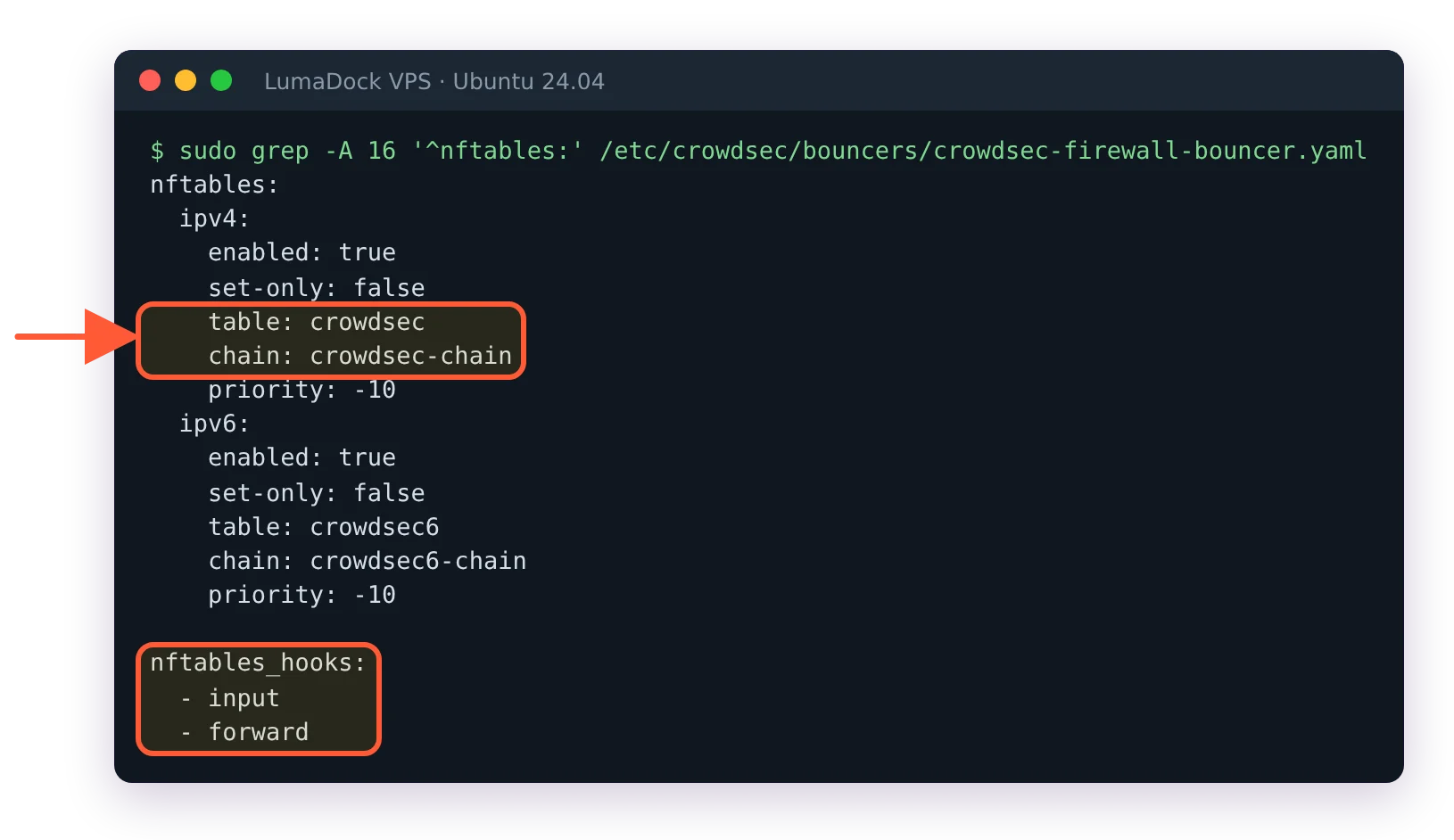
The packaged config: table and chain names, and both hooks already enabled.
How decisions become dropped packets
The bouncer mirrors decision state into sets, one per decision origin. In nftables mode they carry the origin in the name: crowdsec-blacklists-CAPI, crowdsec-blacklists-crowdsec and crowdsec-blacklists-cscli for IPv4, and crowdsec6-blacklists-CAPI and its siblings for IPv6. In iptables mode they're ipsets numbered crowdsec-blacklists-0, -1, -2 and crowdsec6-blacklists-0, and sudo ipset list -n shows which exist. A plain crowdsec-blacklists set no longer exists in either mode (bouncer 0.0.34), so older commands that name it fail. Each entry carries a timeout matching the decision's remaining duration, so bans expire in the kernel without the bouncer lifting a finger.
One quirk worth knowing: ipset can't store timeouts beyond 2147483 seconds, about 596 hours, so anything longer gets capped in iptables mode. Community blocklist entries and your own scenario bans land in separate sets, and each set gets one rule in the bouncer's chain; in iptables mode sudo iptables -S CROWDSEC_CHAIN shows them with comments such as CrowdSec: CAPI. That's why iptables -L looks nearly empty on a box that's blocking tens of thousands of IPs; the lists live in the sets, and the rules are a few lines.
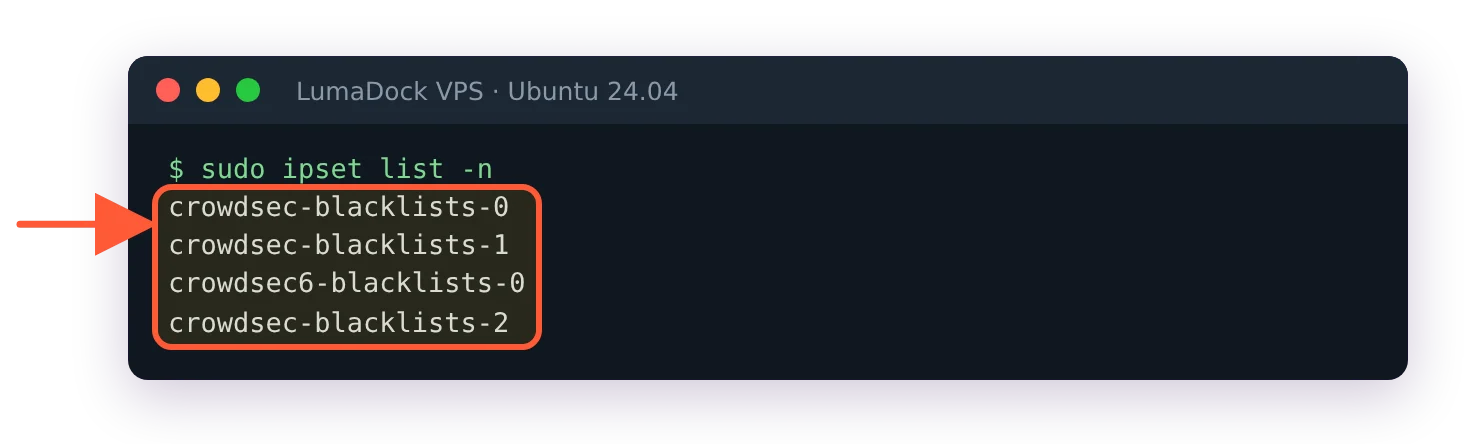
In iptables mode the sets are numbered, one per decision origin.
Verify with a test decision
sudo cscli decisions add --ip 203.0.113.42 --duration 5m --reason "bouncer smoke test"
sudo nft list ruleset | grep 203.0.113.42                  # nftables mode
sudo iptables -S CROWDSEC_CHAIN                            # iptables mode: which set is which
sudo ipset list crowdsec-blacklists-2 | grep 203.0.113.42  # iptables mode
sudo cscli decisions delete --ip 203.0.113.42
Within one update_frequency tick the test IP appears in the set for manual decisions: crowdsec-blacklists-cscli in nftables mode, and in iptables mode whichever numbered set the CrowdSec: cscli comment points to (it was -2 on the server this update was tested on). Grepping the whole ruleset for crowdsec works too, but once the community list has loaded it scrolls for thousands of lines.
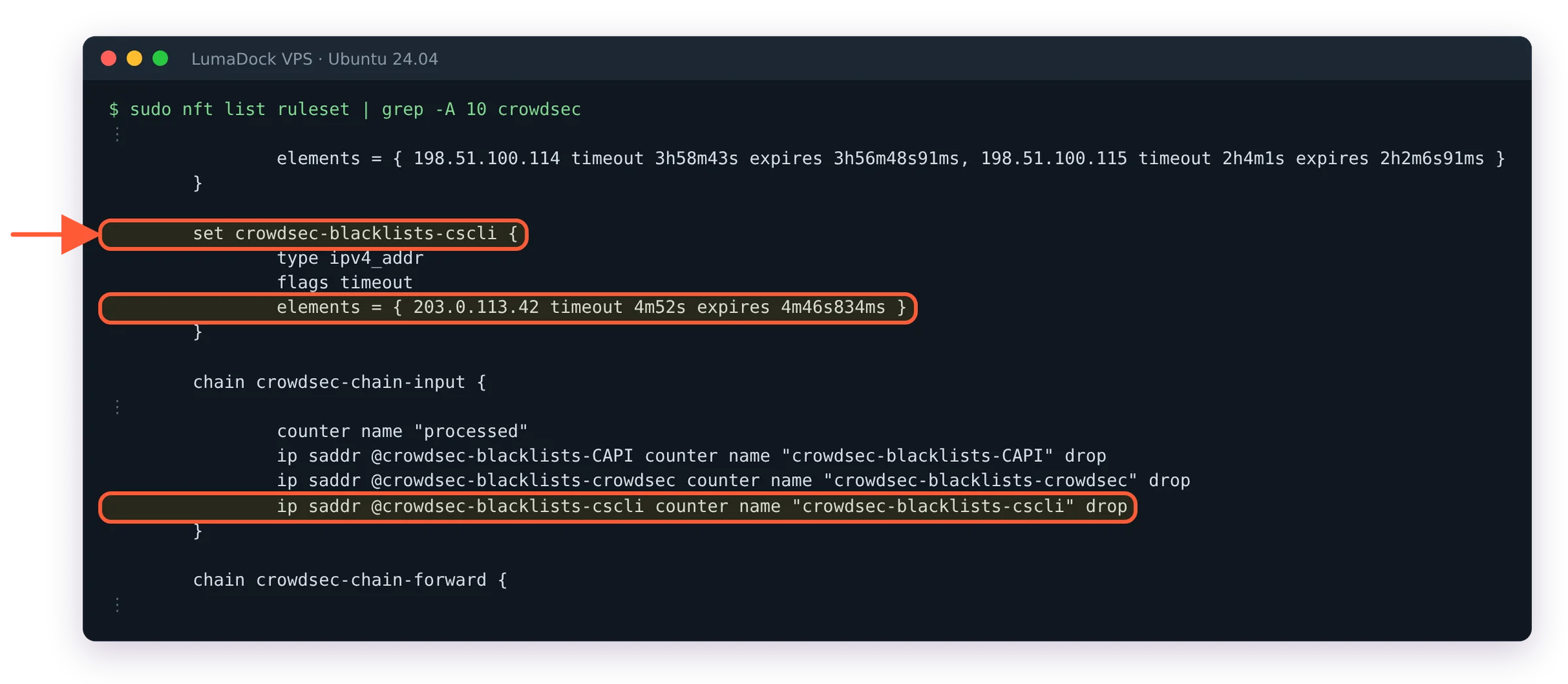
The full-ruleset view: the test IP sits in crowdsec-blacklists-cscli, and the input chain drops each origin's set.
If it doesn't, read /var/log/crowdsec-firewall-bouncer.log; authentication failures against the LAPI are the usual culprit and I've written up the API access forbidden fixes separately. For a true end-to-end test, ban a spare external IP you control (a phone hotspot works) and confirm new connections from it die. And if this is your first bouncer on a production machine, skim my safe rollout guide first; the confidence to test aggressively comes from knowing you can't lock yourself out.
Docker published ports and the DOCKER-USER chain
Now the trap. When Docker publishes a port it DNATs traffic in PREROUTING, and from there packets flow through FORWARD into Docker's own chains. Your bouncer's rule sits in INPUT. INPUT never sees that traffic. Containers stay reachable from banned IPs while bare-metal services are protected, which is precisely the kind of half-working state that goes unnoticed for months. Docker also rewrites its chains whenever the daemon feels like it, so anything you insert into the DOCKER chain itself gets bulldozed on restart. DOCKER-USER exists as the one chain Docker promises never to touch, evaluated before its own rules, and that's where enforcement belongs on a container host.
In iptables mode the fix is two lines of config, and the docs call it out explicitly:
iptables_chains:
  - INPUT
  - DOCKER-USER
Restart the bouncer and DOCKER-USER gets the same jump to CROWDSEC_CHAIN that INPUT has, covering forwarded container traffic.
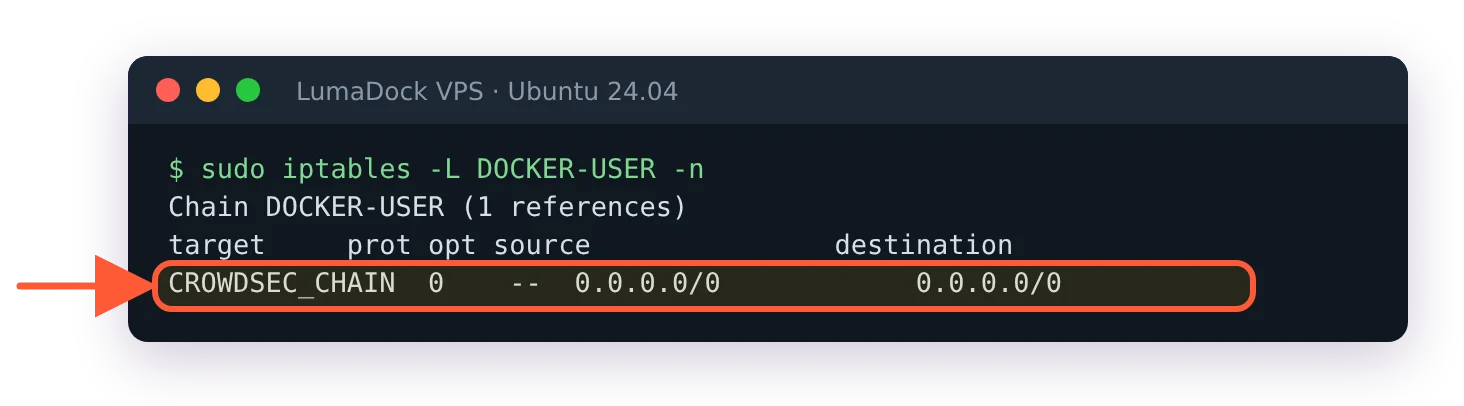
DOCKER-USER now jumps to CROWDSEC_CHAIN, so container traffic is checked too.
The manual equivalent you'll find in community threads, like the r/CrowdSec writeup on securing Docker services, inserts the rule by hand: iptables -I FORWARD -m set --match-set crowdsec-blacklists src -j DROP. With current bouncers that set name no longer exists, so you'd need one rule per numbered set, and none of them survive rule flushes. I'd rather the bouncer own it. In nftables mode the packaged config already hooks forward through nftables_hooks, so there is nothing to add; a ban against a published container port wasn't part of this guide's test run in nftables mode, though, so verify it on your own host with a spare IP. The acquisition half of the container story is in my CrowdSec Docker Compose guide.
UFW interactions
UFW and the bouncer program the same kernel firewall and mostly ignore each other politely. The bouncer inserts its rule at the top of the chain, ahead of UFW's allow rules, which is the ordering you want: a banned IP gets dropped before ufw allow 22 ever applies. Don't replicate CrowdSec bans as UFW rules, and after a ufw reload or disable/enable cycle, restart the bouncer so its rules land back in the right position. One documented annoyance: in ipset-only mode, UFW's managed chains can confuse the bouncer's metrics parsing, so treat those counters as approximate on UFW boxes.


