Back to Article List

Fix CrowdSec API error: Access forbidden (bouncer 403)

Fix CrowdSec API error: Access forbidden (bouncer 403) - Fix CrowdSec API error: Access forbidden (bouncer 403)

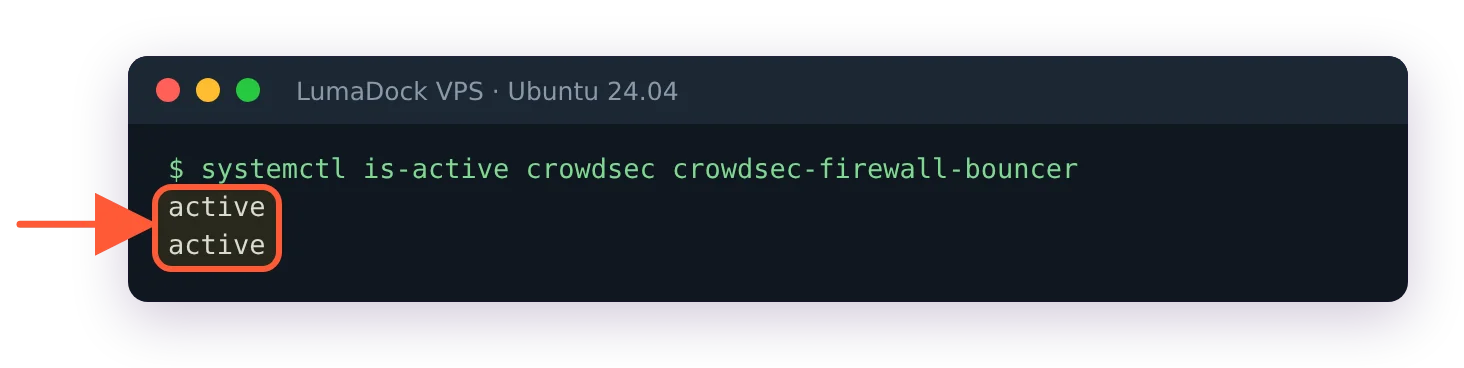
level=error msg="API error: access forbidden". When that line sits in /var/log/crowdsec-firewall-bouncer.log, enforcement on your server is dead and nothing else looks wrong. The engine keeps parsing logs and writing decisions and systemd reports every service as active, while the firewall hasn't received a ban in days.

I once found this error three weeks deep in a log on a box everyone believed was protected, which is why I now treat any bouncer 403 as an outage rather than a warning. Everything below is written against CrowdSec Security Engine 1.7.x on Linux, though the auth model hasn't changed in years.

How LAPI authentication works for machines and bouncers

The Local API (LAPI) sits at the center of every CrowdSec install and it authenticates two kinds of clients in two different ways. Machines are Log Processors, the detection side that older docs called the agent; they log in with a username and password stored in /etc/crowdsec/local_api_credentials.yaml. Remediation Components, which everyone still calls bouncers and so will I, authenticate with an API key sent in an X-Api-Key header on every request. For the firewall bouncer that key lives in /etc/crowdsec/bouncers/crowdsec-firewall-bouncer.yaml, right next to the api_url it calls.

LAPI stores only a hash of each key. If the plaintext in the bouncer yaml gets lost or mangled, nobody can recover it from the server side. You generate a fresh one and move on.

The three CrowdSec 403 errors and how to tell them apart

Three unrelated problems all surface as "forbidden" and I've watched people spend an evening fixing the wrong one. Read the exact message before touching anything.

Bouncer key rejected. The log says API error: access forbidden and nothing more. The key the bouncer sent doesn't match any registered bouncer, so every decision pull gets refused. This is the case the rest of this article handles, and the one the official remediation component troubleshooting page covers in two lines.

Admin endpoint refused by IP. You run cscli alerts delete or cscli decisions delete from another host and get API error: access forbidden from this IP (x.x.x.x). Different problem entirely. Admin endpoints answer only to 127.0.0.1 and ::1 unless the caller's address is listed under trusted_ips, and the moment you bind listen_uri to a LAN IP your own cscli requests stop arriving via loopback. A GitHub issue from 2022 documents exactly this confusion, and it still catches people in 2026.

The browser ban page. A visitor (often you) sees "CrowdSec Access Forbidden. You are unable to visit the website." rendered by nginx or Traefik. That's a bouncer working as designed against a decision on your IP, and the recovery is different enough that I wrote a separate guide for the CrowdSec Access Forbidden page.

Regenerating the bouncer API key

Start by looking at what LAPI thinks is registered:

sudo cscli bouncers list

Two columns matter here: valid and last_pull. A bouncer throwing 403s shows a stale last pull or none at all. Delete the broken registration and create a new one under a new name (the docs are explicit about not reusing the old name, and I've seen odd state when people do anyway):

sudo cscli bouncers delete crowdsec-firewall-bouncer
sudo cscli bouncers add firewall-bouncer-2026

The add command prints the API key exactly once. Paste it into /etc/crowdsec/bouncers/crowdsec-firewall-bouncer.yaml:

api_url: http://127.0.0.1:8080/
api_key: YOUR_NEW_KEY

Then restart the bouncer and confirm the registration went live:

sudo systemctl restart crowdsec-firewall-bouncer
sudo cscli bouncers list

Within the bouncer's update interval the new entry should show as validated with a last pull a few seconds old. If the 403 persists after a restart, you probably edited the wrong file: check for a crowdsec-firewall-bouncer.yaml.local in the same directory, because values in the .local override win over the packaged config.

The apt upgrade regression that loses bouncer keys

The classic trigger for this whole mess is a package upgrade. There's a Discourse thread from February 2022 where a routine apt upgrade left the iptables bouncer fatal-logging API error: access forbidden because the config shipped by the new package didn't carry the registered key. OpenWrt's packaging hit the same class of bug years later. Package managers and hand-edited yaml have never been friends.

The durable fix is the override file I just mentioned. Since v0.0.25 the firewall bouncer merges crowdsec-firewall-bouncer.yaml.local over the main config, so I keep api_key and api_url in the .local file and let apt do what it wants with the packaged one. Upgrades stopped being an event for me after that.

trusted_ips and remote cscli admin actions

If your 403 is the forbidden from this IP variant, the fix lives in /etc/crowdsec/config.yaml under api.server.trusted_ips. Addresses and ranges listed there get admin access to LAPI, on top of the loopback addresses that always have it:

api:
  server:
    listen_uri: 0.0.0.0:8080
    trusted_ips:
      - 192.168.10.5

One thing that trips people constantly: allowlists don't help here. A Reddit thread from May 2026 had someone staring at 403 {"message":"forbidden from IP (172.16.0.165)"} on admin actions despite having allowlisted that exact IP. Allowlists control which addresses can be banned, trusted_ips controls who may administer LAPI, and the two never touch.

Be stingy with this setting. Every range you add can create and delete decisions on that LAPI (given any valid credential), which on a flat network puts you one compromised container away from an attacker unbanning itself. I keep it to a single management host and SSH into the LAPI box for everything else. There's a longer argument about exposure order in my CrowdSec safe rollout guide.
Docker and Kubernetes: Hostnames, service DNS and pod churn

In containers the same 403 has extra ways to happen, plus a lookalike. If the bouncer log shows Get "http://127.0.0.1:8080/v1/decisions/stream...": dial tcp 127.0.0.1:8080: connect: connection refused, that's a connectivity failure rather than an auth one. Inside a container 127.0.0.1 is the container itself, so api_url must point at the crowdsec container name or the Kubernetes service DNS name, something like http://crowdsec:8080. My CrowdSec Docker Compose guide covers that wiring in detail.

Kubernetes adds identity churn on top. The OpenResty bouncer has a known failure mode where scaled pods log while fetching bouncer info: ent: bouncer not found followed by Http error 403 while talking to LAPI: the bouncer registration was deleted or never existed for that replica, so LAPI has nothing to match the key against. Re-register the component (or wire registration into your chart so replicas get their own identity) and the 403s stop.

End to end verification with curl and a test decision

After any key change I verify the whole chain rather than trusting a green systemd status. First prove the key works, using the exact value the bouncer reads:

KEY=$(grep api_key /etc/crowdsec/bouncers/crowdsec-firewall-bouncer.yaml | awk '{print $2}')
curl -s -H "X-Api-Key: $KEY" http://127.0.0.1:8080/v1/decisions

null is a perfectly good answer; it means authenticated, with no active decisions to report. A 403 here means the key in the file still doesn't match LAPI. Next, push a test ban with a throwaway address and watch it land in the firewall:

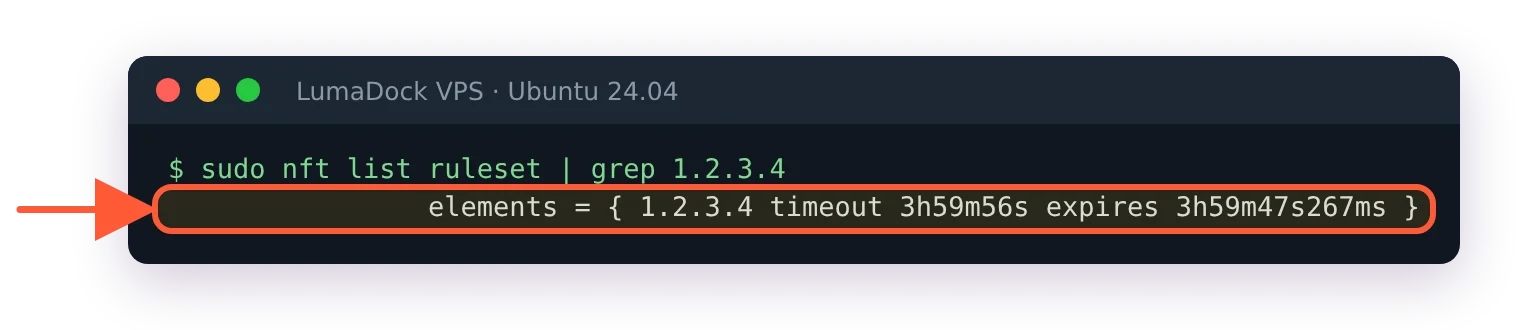
sudo cscli decisions add -i 1.2.3.4
sudo ipset list crowdsec-blacklists | grep 1.2.3.4
sudo cscli decisions delete -i 1.2.3.4

If the address shows up in the set, detection and enforcement are talking to each other again with LAPI auth working between them. The nftables equivalent and what to do when the set stays empty are in my firewall bouncer guide, and the wider error catalogue lives in the CrowdSec troubleshooting reference.

And if you're building the box fresh rather than repairing it, LumaDock's nginx + CrowdSec and Apache + CrowdSec one-click VPS templates deploy with the bouncer already registered and the key seated in the right yaml, picked during ordering and live in seconds. The 403 this article exists for is one of the failure modes the template was built to remove.

Your idea deserves better hosting

24/7 support 30-day money-back guarantee Cancel anytime
Billing Cycle

VPS.S1

56.84 kr Save  17 %
47.35 kr Monthly
  • 2 vCPU AMD EPYC
  • 2 GB RAMMEMORY
  • 30 GB NVMeSTORAGE
  • Unmetered bandwidth
  • IPv4 & IPv6IPv6 is currently unavailable in France, Finland or the Netherlands. included

VPS.S3

142.24 kr Save  33 %
94.79 kr Monthly
  • 4 vCPU AMD EPYC
  • 6 GB RAMMEMORY
  • 70 GB NVMeSTORAGE
  • Unmetered bandwidth
  • IPv4 & IPv6IPv6 is currently unavailable in France, Finland or the Netherlands. included

EPYC VPS.P1

85.31 kr Save  22 %
66.33 kr Monthly
  • 2 vCPU AMD EPYC
  • 4 GB RAMMEMORY
  • 40 GB NVMeSTORAGE
  • Unmetered bandwidth
  • IPv4 & IPv6IPv6 is currently unavailable in France, Finland or the Netherlands. included
  • Free auto backupsIncludes one backup slot you can set to run daily, weekly or monthly.

EPYC VPS.P2

161.22 kr Save  24 %
123.26 kr Monthly
  • 2 vCPU AMD EPYC
  • 8 GB RAMMEMORY
  • 80 GB NVMeSTORAGE
  • Unmetered bandwidth
  • IPv4 & IPv6IPv6 is currently unavailable in France, Finland or the Netherlands. included
  • Free auto backupsIncludes one backup slot you can set to run daily, weekly or monthly.

EPYC VPS.P4

284.57 kr Save  23 %
218.15 kr Monthly
  • 4 vCPU AMD EPYC
  • 16 GB RAMMEMORY
  • 160 GB NVMeSTORAGE
  • Unmetered bandwidth
  • IPv4 & IPv6IPv6 is currently unavailable in France, Finland or the Netherlands. included
  • Free auto backupsIncludes one backup slot you can set to run daily, weekly or monthly.

EPYC VPS.P5

379.46 kr Save  25 %
284.57 kr Monthly
  • 8 vCPU AMD EPYC
  • 16 GB RAMMEMORY
  • 180 GB NVMeSTORAGE
  • Unmetered bandwidth
  • IPv4 & IPv6IPv6 is currently unavailable in France, Finland or the Netherlands. included
  • Free auto backupsIncludes one backup slot you can set to run daily, weekly or monthly.

EPYC VPS.P6

569.24 kr Save  25 %
426.91 kr Monthly
  • 8 vCPU AMD EPYC
  • 32 GB RAMMEMORY
  • 200 GB NVMeSTORAGE
  • Unmetered bandwidth
  • IPv4 & IPv6IPv6 is currently unavailable in France, Finland or the Netherlands. included
  • Free auto backupsIncludes one backup slot you can set to run daily, weekly or monthly.

EPYC VPS.P7

664.13 kr Save  29 %
474.35 kr Monthly
  • 16 vCPU AMD EPYC
  • 32 GB RAMMEMORY
  • 240 GB NVMeSTORAGE
  • Unmetered bandwidth
  • IPv4 & IPv6IPv6 is currently unavailable in France, Finland or the Netherlands. included
  • Free auto backupsIncludes one backup slot you can set to run daily, weekly or monthly.

Genoa VPS.G2

237.13 kr Save  20 %
189.68 kr Monthly
  • 2 vCPUAMD EPYC Genoa 4th generation 9xx4 with 3.25 GHz or similar, on Zen 4 architecture. AMD EPYC G4
  • 4 GB DDR5MEMORY
  • 50 GB NVMeSTORAGE
  • Unmetered bandwidth
  • IPv4 & IPv6IPv6 is currently unavailable in France, Finland or the Netherlands. included
  • Free auto backupsIncludes one backup slot you can set to run daily, weekly or monthly.

Genoa VPS.G4

426.91 kr Save  22 %
332.02 kr Monthly
  • 4 vCPUAMD EPYC processor with dedicated vCPU cores, on enterprise server hardware. AMD EPYC G4
  • 8 GB DDR5MEMORY
  • 100 GB NVMeSTORAGE
  • Unmetered bandwidth
  • IPv4 & IPv6IPv6 is currently unavailable in France, Finland or the Netherlands. included
  • Free auto backupsIncludes one backup slot you can set to run daily, weekly or monthly.

Genoa VPS.G6

853.91 kr Save  22 %
664.13 kr Monthly
  • 8 vCPUAMD EPYC processor with dedicated vCPU cores, on enterprise server hardware. AMD EPYC G4
  • 16 GB DDR5MEMORY
  • 200 GB NVMeSTORAGE
  • Unmetered bandwidth
  • IPv4 & IPv6IPv6 is currently unavailable in France, Finland or the Netherlands. included
  • Free auto backupsIncludes one backup slot you can set to run daily, weekly or monthly.

Genoa VPS.G7

1518.13 kr Save  22 %
1186.02 kr Monthly
  • 8 vCPUAMD EPYC processor with dedicated vCPU cores, on enterprise server hardware. AMD EPYC G4
  • 32 GB DDR5MEMORY
  • 250 GB NVMeSTORAGE
  • Unmetered bandwidth
  • IPv4 & IPv6IPv6 is currently unavailable in France, Finland or the Netherlands. included
  • Free auto backupsIncludes one backup slot you can set to run daily, weekly or monthly.

AMD Ryzen VPS.R1

161.22 kr Save  18 %
132.75 kr Monthly
  • 1 dedicated CPU AMD Ryzen 9 7950X with 4.5 GHz or similar, on Zen 4 architecture. vCPU
  • 4 GB DDR5MEMORY
  • 50 GB NVMeSTORAGE
  • Unmetered bandwidth
  • IPv4 & IPv6 included IPv6 support is currently unavailable in France, Finland or the Netherlands.
  • Auto backup included

AMD Ryzen VPS.R2

284.57 kr Save  17 %
237.13 kr Monthly
  • 2 dedicated CPUs AMD Ryzen 9 7950X with 4.5 GHz or similar, on Zen 4 architecture. vCPU
  • 8 GB DDR5MEMORY
  • 100 GB NVMeSTORAGE
  • Unmetered bandwidth
  • IPv4 & IPv6 included IPv6 support is currently unavailable in France, Finland or the Netherlands.
  • Auto backup included

AMD Ryzen VPS.R4

1043.69 kr Save  18 %
853.91 kr Monthly
  • 8 dedicated CPUs AMD Ryzen 9 7950X with 4.5 GHz or similar, on Zen 4 architecture. vCPU
  • 32 GB DDR5MEMORY
  • 400 GB NVMeSTORAGE
  • Unmetered bandwidth
  • IPv4 & IPv6 included IPv6 support is currently unavailable in France, Finland or the Netherlands.
  • Auto backup included

FAQ

Can I use the same API key for two bouncers?

Technically it authenticates, practically it's a trap. LAPI tracks validity and last pull per registered bouncer, so two components sharing one identity make the health data meaningless and a key rotation takes both down at once. Register one name per component; it costs you one cscli command.

GPU products are in high demand at the moment. Fill the form to get notified as soon as your preferred GPU server is back in stock.