





.svg)
.svg)
.svg)
.svg)

.svg)
.svg)
.svg)


Updated and tested 23 October 2026
Out of the box, Immich stores uploads in machine-friendly folders with UUID filenames, unreadable to humans and perfectly fine for the app. The storage template engine is the opt-in alternative: it files every upload into a structure you define, like 2026/2026-07-14/beach-day.jpg, so the folder tree makes sense without Immich in front of it. Wanting that is a real decision with arguments both ways, so this guide covers the how and then the honest should-you.
What the template controls (and what it doesn't)
With the engine on, assets move from the anonymous upload/ folder into library/<storage label or user id>/... paths built from your template, per the official storage template docs. The template speaks in variables: date parts (year, month, day), the original filename, file type and a handful more, composed with handlebars-style braces. The default template files things as year/year-month-day/filename, which is already the structure most people want.
What it doesn't control: external libraries (those files stay exactly where they live, that's their whole contract) and nothing about how the app looks; albums, search and the timeline are database concepts, entirely indifferent to folder shapes. The template is purely about what you see when you SSH in or point a backup tool at the disk.
Enable the storage template
Administration » Settings » Storage Template offers three choices, No template (the default), YYYY/MM/DD and Custom, each with a live preview rendering it against a sample asset. The template string Immich stores by default is sensible as it is:
{{y}}/{{y}}-{{MM}}-{{dd}}/{{filename}}
A fresh install reported the template as off, with this exact string as the default.
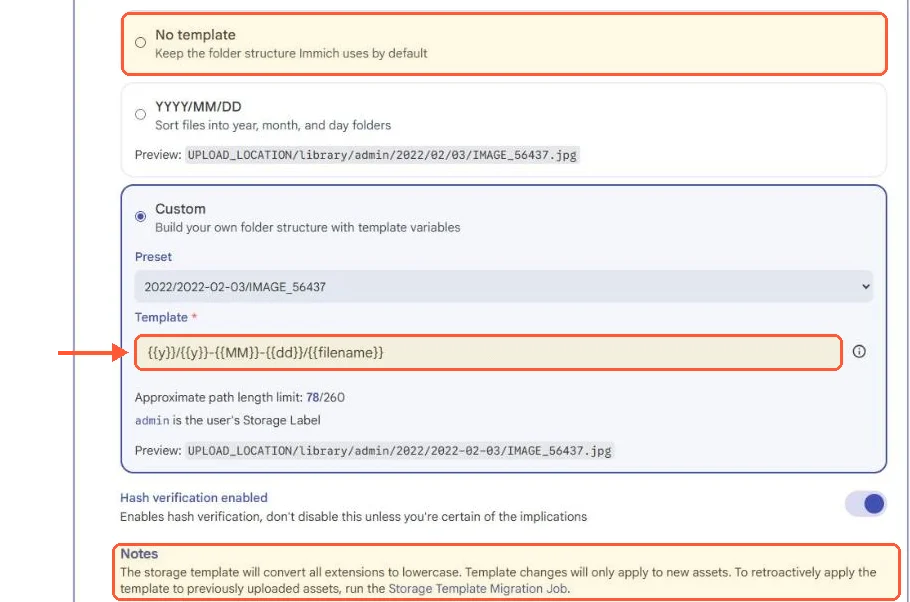
In v3.3.5 the storage template is a choice of three options, and the notes point to the migration job for older uploads.
Save, and from this moment new uploads follow the structure. Existing assets don't move yet; that's a separate, deliberate step.
Migrate the existing library
Administration » Job Queues » Storage Template Migration, run it, and Immich relocates every existing asset into the template structure, updating its database paths as it goes. On big libraries this is a real job (it's moving files, potentially hundreds of gigabytes worth of renames), so let it finish before judging results, and don't run it while the disk is nearly full since same-filesystem moves are cheap but any cross-mount arrangement is not. On my server the job moved all eleven older photos into library/admin/ and left upload/ empty; admin is the user's storage label.
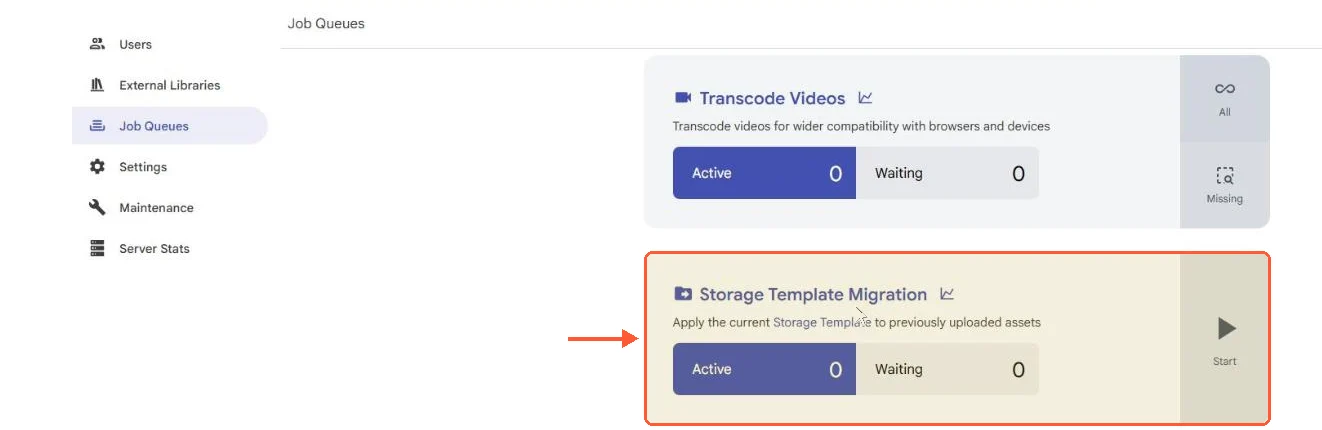
The migration is its own card in Job Queues, started with one button.
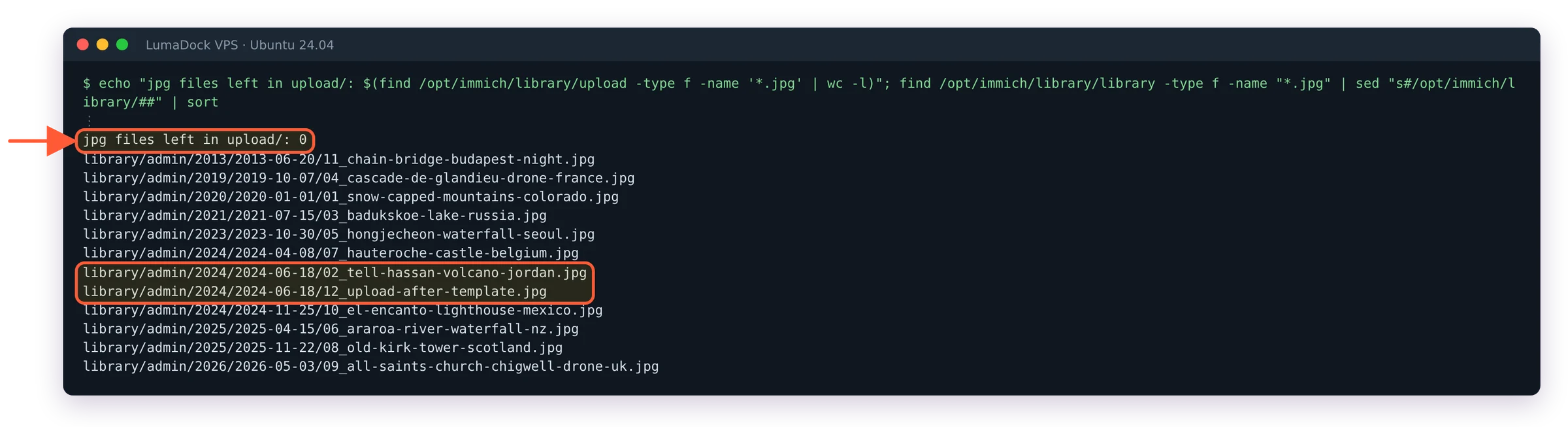
After the migration job on my server upload/ was empty and all twelve photos sat under library/admin in date folders.
Two operational notes from the field. Take a fresh database dump before the migration; it's a path-rewriting operation across your whole library, exactly the category of change our Immich backup guide wants a restore point in front of. And known quirk: occasionally assets uploaded later land in upload/ and sit there until the migration job runs again, a behavior with open issues around it, so treat "re-run the migration job" as maintenance rather than a bug you caused. If the job itself sticks at waiting, a container restart un-wedges the queue, same medicine as any stuck Immich job.
Storage template pros and cons
Now the opinionated part, because the community genuinely splits here and both camps have a point.
The case for: human-readable folders make disaster recovery calmer (if the database is ever beyond saving, a date-organized tree is recoverable by hand), backup tools and their logs become legible, and other software (a file browser, a second gallery app pointed read-only at the tree) can make sense of your originals. The case against, made firmly by the project itself in places: filenames and folders are the wrong layer for organization when the app's database does it better, the migration adds churn to a system that was stable, and every path rewrite is a place for backups and hard-linked copies to diverge.
My take, having run both ways: template on for the peace of mind, set on day one so migration never has much to move. Turning it on years into a large library is where the churn argument bites; the job works, but you're relocating your whole collection to gain tidiness you lived without. Either way, decide once and early (the install guide's week-one checklist is the right moment), because flip-flopping is the only genuinely bad option.
Verify it's working
Upload a test photo and look at the disk: it should land under library/ in your template's shape, with the live preview in settings matching reality. After a migration run, spot-check a few old assets in the app still open and play (their database paths were rewritten; opening them proves it worked) and confirm the upload/ folder is emptying out. Then update your backup tool's include paths if you had them pinned to specific folders, since the meaningful data now lives under library/, and the whole point of the exercise is that when you look at that folder in five years, it explains itself.