.svg)
.svg)
.svg)
.svg)

.svg)
.svg)
.svg)

Updated and tested 4 November 2026
Immich is a self-hosted photo and video manager. Nextcloud is a file sync and collaboration server that happens to ship a Photos app. If you're choosing where your phone camera roll ends up, that scope difference covers most of the decision. Not all of it, because Nextcloud's photo story changes once community apps go on top. This Immich vs Nextcloud comparison is for people who already self-host and want to know which one to run for a family library, what each asks of the server and how to run both without storing every JPEG twice.
What each project is built for
Immich calls itself a self-hosted photo and video management solution, and that is the entire scope. There is no general file sync and no calendar, contacts or document editing. What you get instead is the photo-library set: multi-user accounts, albums, archive and favourites, tags, stacked photos, RAW files, LivePhoto and MotionPhoto handling and an on-this-day view.
Nextcloud starts from files. Sync clients, WebDAV, share links, groupware and an office suite come first, and the built-in Photos app sits on top of the same file tree: a timeline, favourites, tags, albums and sharing. Face recognition and object tagging come from separate apps. Nextcloud 35 redesigned Photos with a map view and Trip Memories.
Version anchors, as of 31 October 2026: Immich is on v3.3.5, released on 21 October, after v3.2.0 in September and v3.3.0 on 7 October. v3.0.0 on 2 July dropped pgvecto.rs support, and Immich's first stable release, v2.0.0, landed on 1 October 2025. Nextcloud Server 35, branded Hub 26 Summer, came out on 16 September 2026, with 35.0.2 following on 15 October. An All-in-One install doesn't give you 35 by default, though. On my test server AIO installed Hub 26 Spring (34.0.5), because the "Install Nextcloud Hub 26 Summer" box on its first-start page was unticked, and the redesigned Photos only arrived once I clicked the upgrade button for Hub 26 Summer, which moved the server to 35.0.2.
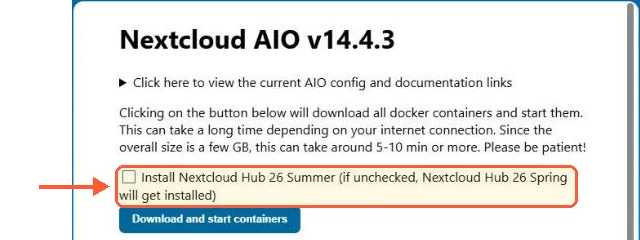
AIO's first-start page leaves Hub 26 Summer unticked, so the default install is Hub 26 Spring.
Phone backup and the mobile apps
Immich has iOS and Android apps that do automatic background backup, and you can pick which albums on the device get uploaded, so the whole camera roll is optional. It's the feature that gets Immich installed in the first place, and it needs no extra app on the server.
Nextcloud's mobile apps do auto-upload too, and the Android client can backfill photos that were already on the device when you set it up, as well as new ones. That part is upload and nothing more: files land in a folder you choose, and what happens to them afterwards depends on which photo apps you installed. The Memories app also ships its own early-access Android client if you prefer that front end.
Search, faces and machine learning in Nextcloud Photos and Immich
Immich runs a separate machine-learning container. Out of that you get facial recognition with people grouping, CLIP smart search where you type a plain-language description and get matching photos back, duplicate detection and a map view. The CLIP model is selectable, so you can trade accuracy against RAM on a small server.
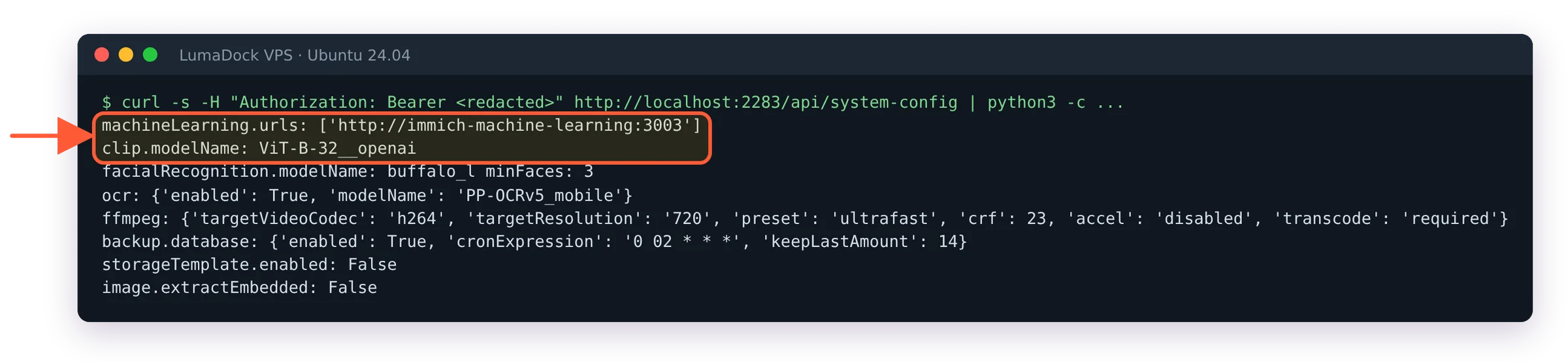
On a fresh Immich v3.3 install the server calls its own ML container and uses the ViT-B-32__openai CLIP model.
Nextcloud needs help here. The Photos app gives you the timeline, albums and, since Nextcloud 35, a map view and Trip Memories, and it stops there. Recognize is the official app that adds face clustering, object and landmark tagging, and it runs the models locally through TensorFlow.js, which means a Node.js runtime on the server. Memories is the community app that most people pair with it: an Exif-based timeline, a map with reverse geocoding, HLS video transcoding through go-vod and bulk metadata editing. Memories reads people and objects from Recognize or the older Face Recognition app; it does no detection of its own.
A short detour on why photo apps ended up needing a vector database: "photos of a red bicycle in snow" is not a text query at all. CLIP turns the image and the phrase into vectors in the same space and the search is a nearest-neighbour lookup, which is why Immich ships Postgres with a vector extension. Nextcloud sidesteps the problem by keeping Recognize's output as ordinary tags.
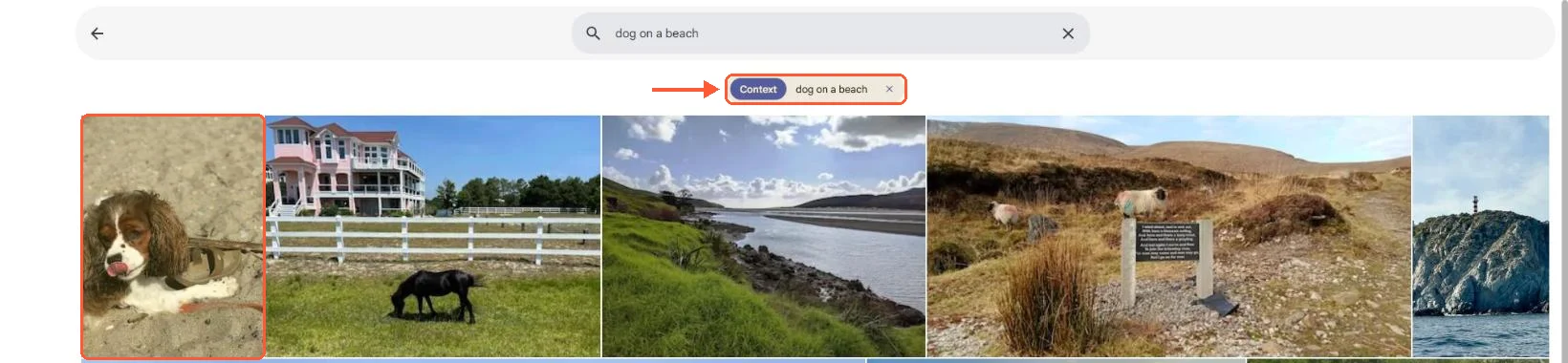
On my 25-photo test library the one dog photo came first for dog on a beach; the rest are ranked, not filtered.
I'd run Immich for photos and video and leave Nextcloud handling files, because Immich's face grouping, CLIP search and phone backup all work on a fresh install while Nextcloud needs three apps plus a Node.js runtime for Recognize to get close. Stacking Photos, Memories and Recognize to reproduce that is only worth the effort when Nextcloud is already running and a timeline is all you want out of it.
Server requirements for each
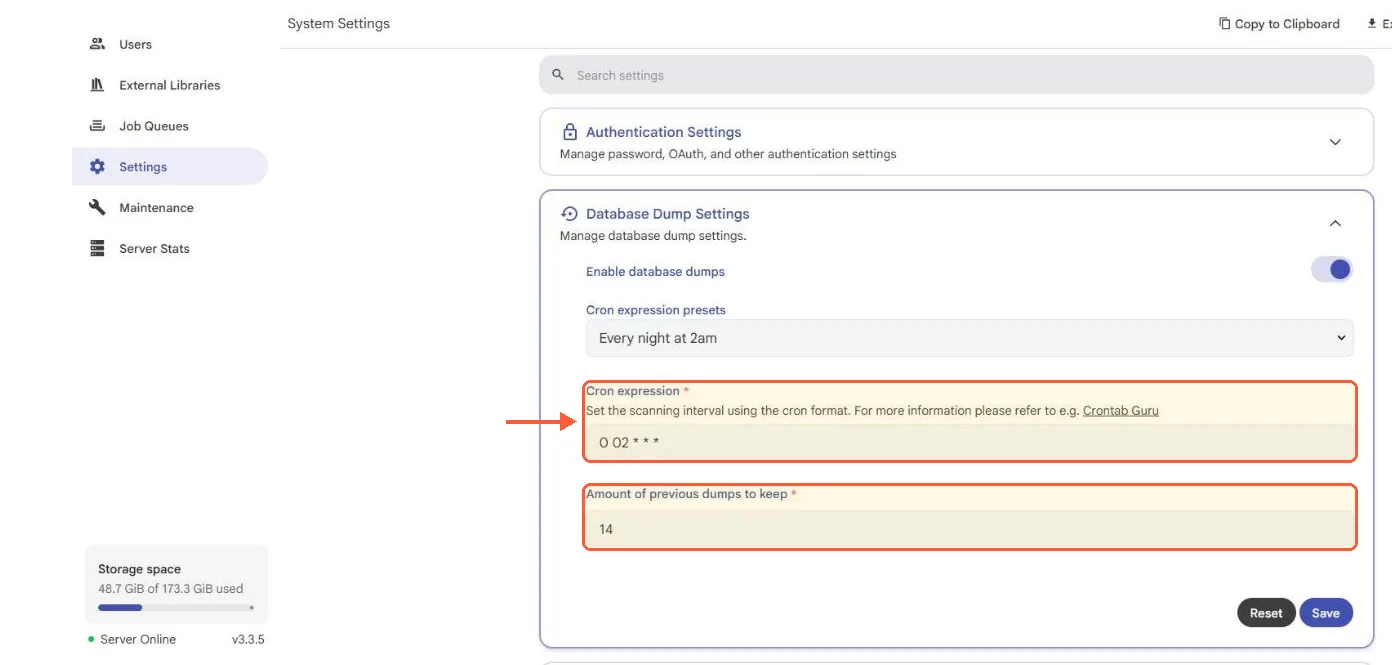
Immich's requirements page sets a minimum of 6 GB RAM with 8 GB recommended, and 2 CPU cores minimum with 4 recommended. Both are available as one-click templates on LumaDock, Nextcloud and Immich alike, if you want to skip the setup. The stack underneath is Docker Compose: the server, the machine-learning container, Valkey for the cache and PostgreSQL between 14 and 19 with the VectorChord extension. The web interface listens on port 2283.
Nextcloud is lighter to start and heavier to tune. The admin manual asks for PHP 8.3 to 8.5 with MySQL, MariaDB or PostgreSQL behind it, and recommends 512 MB of memory per PHP process. Slow-Nextcloud complaints come down to PHP-FPM sizing and missing caching often enough that the Nextcloud performance tuning notes are the first place to look. A 2 GB VPS runs a small instance. Add Collabora, full-text search or Recognize and you're in the same RAM bracket as Immich anyway.
Running Immich against a Nextcloud photos folder
You don't have to pick one. Immich's external libraries feature indexes an existing directory in place without copying it, and it doesn't care which application wrote the files. Mount a Nextcloud user's photo directory into the Immich server container read-only, then add it as an external library in the admin panel:
- /srv/nextcloud/data/alice/files/Photos:/mnt/media/alice:roThe host path is an example, substitute whatever your datadirectory is set to; if the Immich side is not up yet, the compose file in installing Immich on a VPS is where that volume line goes. With the :ro suffix Immich scans and thumbnails the files but never writes into them, so Nextcloud stays the only thing touching that tree. The Immich external library guide covers scan intervals and the admin panel steps after the mount.
Two caveats from the Immich docs. Moving a file to a different folder inside the library loses its Immich-side metadata, because on the next rescan it is treated as a brand new asset. And the docs are explicit about not using symlinks inside a library or linking across Docker mounts.
Immich has no Nextcloud integration, no app in the Nextcloud app store and no API bridge, so the reverse direction doesn't exist: Nextcloud can't show you an Immich library. What I have not measured is how long the first machine-learning pass takes over a few hundred gigabytes of external library on a 4-core VPS, so plan the first scan as an overnight job.