






.svg)
.svg)
.svg)
.svg)

.svg)
.svg)
.svg)


Updated and tested 24 February 2026
The Immich web UI not working presents a dozen ways (connection refused, a blank white page, an endless spinner, a 502 from your proxy) and every one of them is the same short story: somewhere between your browser and the immich-server container, one layer is down. There are only five layers. Check them in order and the culprit has nowhere to hide, usually inside ten minutes.
Layer 1: check container status
SSH to the server and ask Docker directly:
cd /opt/immich && docker compose psYou want every service up and immich-server specifically showing healthy.
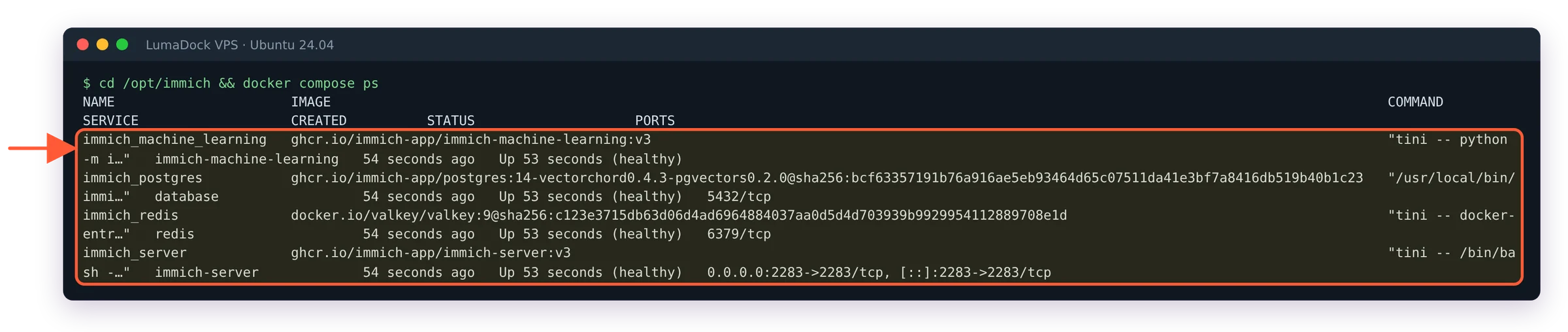
This is what layer one looks like when it is fine: four containers, all healthy.
The failure signatures read like a menu. A container restarting in a loop: read its logs (next layer). Postgres unhealthy: the app can't start without it, and the classic causes are a special character in DB_PASSWORD or a corrupted shutdown. Everything missing entirely: the stack never started, docker compose up -d and watch. A server that rebooted without the containers coming back means restart policies got stripped from a hand-edited compose file; the official file sets them, one more argument for keeping it stock, as covered in the install guide.
Layer 2: read the server logs
docker compose logs --tail=100 immich-serverImmich's startup logs are talkative and honest. Database connection refusals, migration failures after an update, permission errors on UPLOAD_LOCATION, a port already taken: each announces itself in plain text within the first screen. Two patterns worth translating. Endless "waiting for database" means Postgres is the patient to treat, not the server container. And migration errors immediately after an update mean the release notes you skipped had a step in them; the update guide's routine exists for exactly that morning.
Layer 3: test port 2283
Containers healthy, logs clean, page still dead: test the port from the server itself.
curl -I http://localhost:2283An HTTP response back means Immich is fine and your problem lives further out (keep going). Refused means the port mapping is off, check the compose file's ports section against what you're browsing to. From your own machine, the same curl against the server's IP splits it further.
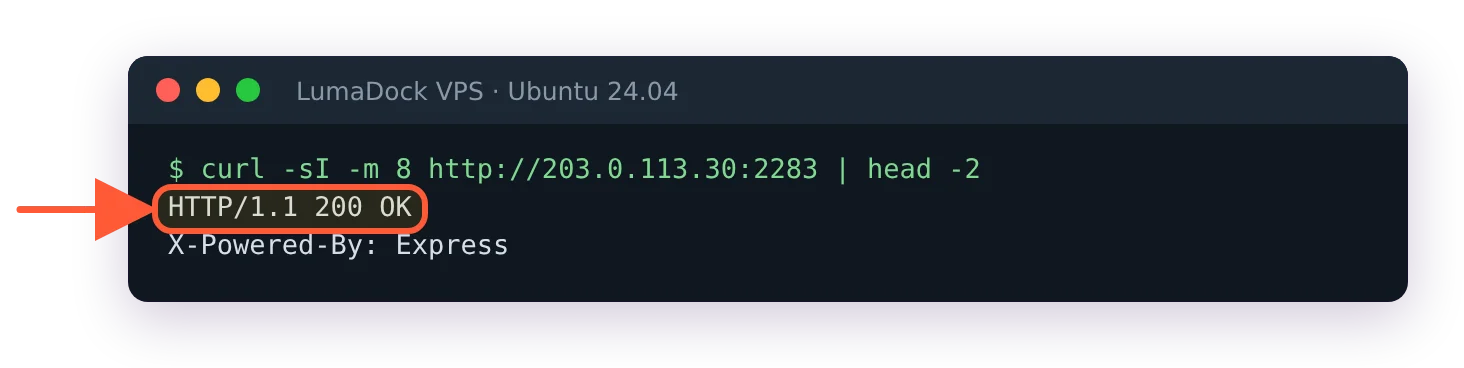
From my own machine the same check against the server address answered 200, so the port was reachable from outside.
Works locally but not remotely is a firewall or security-group story, the usual suspect being the VPS provider's cloud firewall, which needs the port (or better, only your proxy's ports) open. ufw doesn't filter ports Docker publishes, so it won't be what blocks 2283. The full port layout and what should face the internet is the Immich ports guide's territory.
Layer 4: reverse proxy and certificates
Direct IP-and-port works, the nice domain doesn't: your reverse proxy is the layer. A 502 there means the proxy can't reach the backend (wrong upstream address, or the containers restarted onto a new Docker network IP, which pointing the proxy at a container name instead of an IP prevents permanently). A page that loads but hangs on a spinner with console errors about websockets means the proxy lacks the upgrade headers Immich needs; the known-good config blocks in the reverse proxy section of our error loading image guide fix the same disease here, because it's the same disease. Certificate expiry rounds out the set, browsers increasingly refuse rather than warn, so an expired cert reads as "site down" to the family.
Layer 5: browser cache and app version mismatch
The endgame layer collects the odd cases. A blank white page with everything else healthy is often a stale service worker from a previous version; hard-refresh (Ctrl+F5), then try a private window, and if private works, clear site data for the domain and the regular window heals. Aggressive content blockers occasionally eat the UI's requests, a private-window test convicts those too. And when the web UI works but the mobile app refuses: check versions. Immich's server and apps track each other, and a phone app on a different version from the server shows connection errors that look like server failure; Immich's FAQ asks for the same major and minor version on both, and the update guide covers keeping them in step.
The five-command checklist
Bookmark-worthy summary of the whole ladder: docker compose ps, then logs, then curl localhost:2283, then bypass the proxy, then a private browser window. Each step either works (culprit is further out) or fails (culprit found), so five commands corner it every time. Chronic instability rather than one bad morning usually means the machine is too small for the library indexing on it (the ML container OOM-killing its neighbors shows up as random unavailability); free -h during an indexing run tells that story, and the fix is memory, not config.
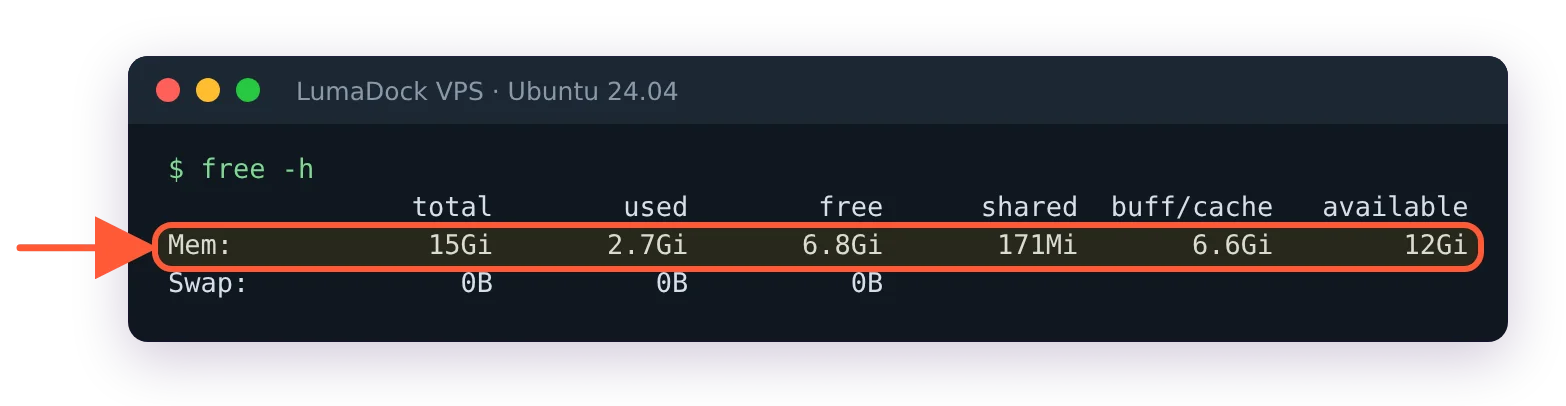
With the machine-learning container idle my 16 GB server used 2.7 GiB, which is the baseline to compare against during indexing.
Our Immich VPS tiers are sized with that headroom in mind, since the difference between "sometimes down" and "boring" is usually one RAM step.