Back to Article List

How to install Portainer CE on a VPS

How to install Portainer CE on a VPS - How to install Portainer CE on a VPS

Portainer is the control panel Docker never shipped: containers, stacks, images, volumes and logs in a web UI instead of a terminal scroll. I resisted it for a year out of CLI pride and gave in the day I had to explain docker logs -f --tail 200 over the phone. Installing Portainer CE takes about five minutes on any machine that runs Docker, and this guide does it the official way on Ubuntu or Debian, with the two or three decisions that separate a clean install from a confusing one.

Requirements before installing

You need a Linux server with Docker Engine installed and root or docker-group access, and that's the whole list. Any small VPS handles Portainer itself; the app is light and your real resource budget belongs to the containers you'll manage with it. Docker missing? curl -fsSL https://get.docker.com | sh gets you current on Ubuntu 24.04 or Debian 12, or start from our Docker VPS template and skip that step. The commands below are identical on both distros, which is why this one guide covers the ubuntu and debian variants people search separately.

Step 1: Create the data volume

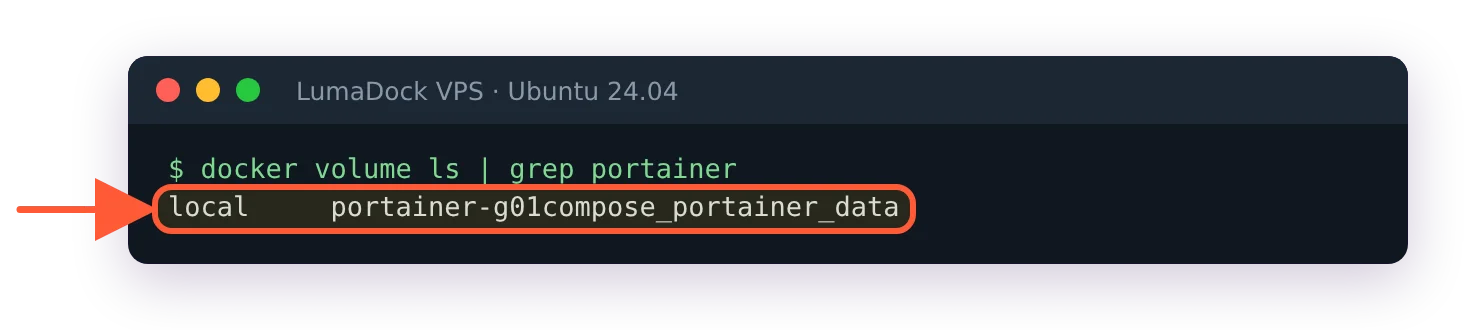
docker volume create portainer_data

Everything Portainer knows (users, environments, stack definitions) lives in this volume. Name it exactly portainer_data unless you enjoy adjusting every maintenance command you'll ever copy from documentation, including the password-reset one you'll want someday.

Step 2: Run the Portainer CE container

The official install command, straight from the Portainer CE docs:

docker run -d -p 8000:8000 -p 9443:9443 --name portainer --restart=always \
  -v /var/run/docker.sock:/var/run/docker.sock \
  -v portainer_data:/data \
  portainer/portainer-ce:lts

Three lines deserve translation. The docker.sock mount is how Portainer sees and controls your Docker engine; forget it and you'll meet the environment errors covered in our local environment fix. The :lts tag pins you to the long-term support line (the 2.33 series as I write this), which is the right home for a server you want boring; the alternative tags chase newer features and newer bugs. And --restart=always means Portainer outlives reboots, an option people notice missing only after the first kernel update.

Port-wise, 9443 serves the UI over HTTPS and 8000 exists for Edge agents you probably don't use yet; the full map, including the legacy 9000 question, is the Portainer ports guide.

Step 3: Create the admin account inside 5 minutes

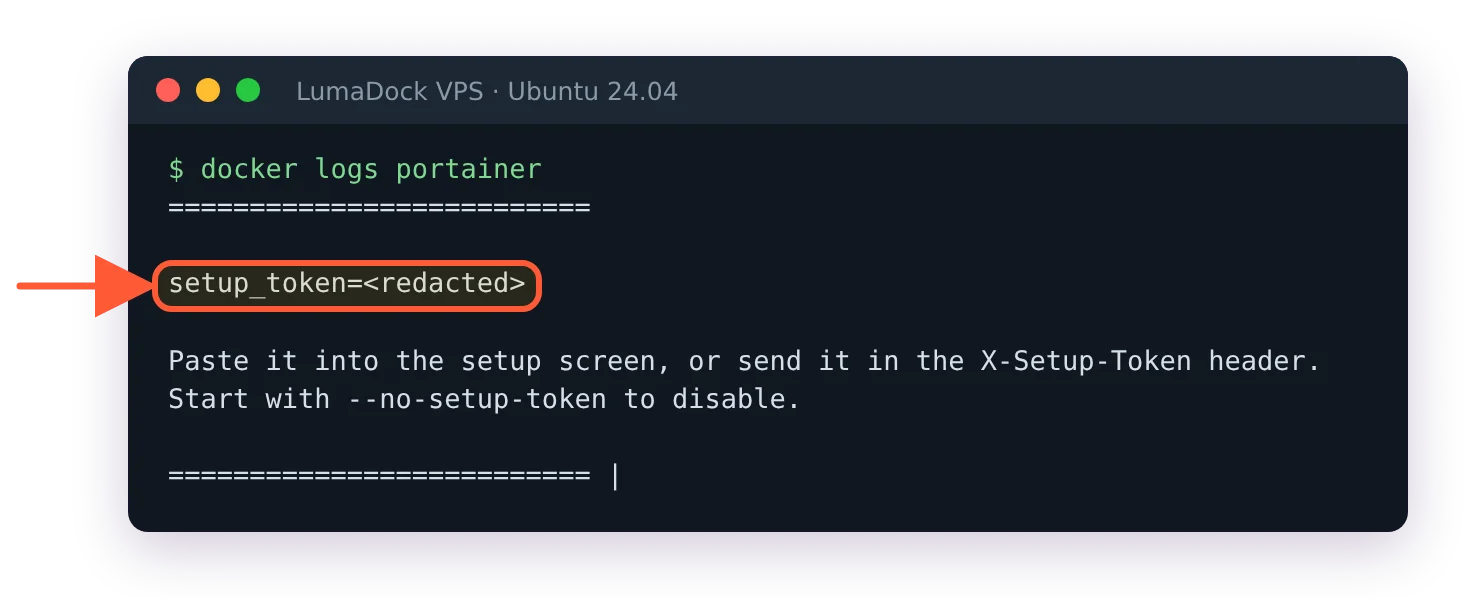
Open https://YOUR_SERVER_IP:9443, accept the self-signed certificate warning (expected on a fresh install) and create the admin user. Do it promptly: Portainer disables itself if no admin exists within about five minutes of starting, a deliberate security measure against abandoned instances. Miss the window and you'll see the famous "timed out for security purposes" screen; the fix is a simple docker restart portainer, and the details live in our restart guide. Use a real password here, this account can start and stop everything on the machine.

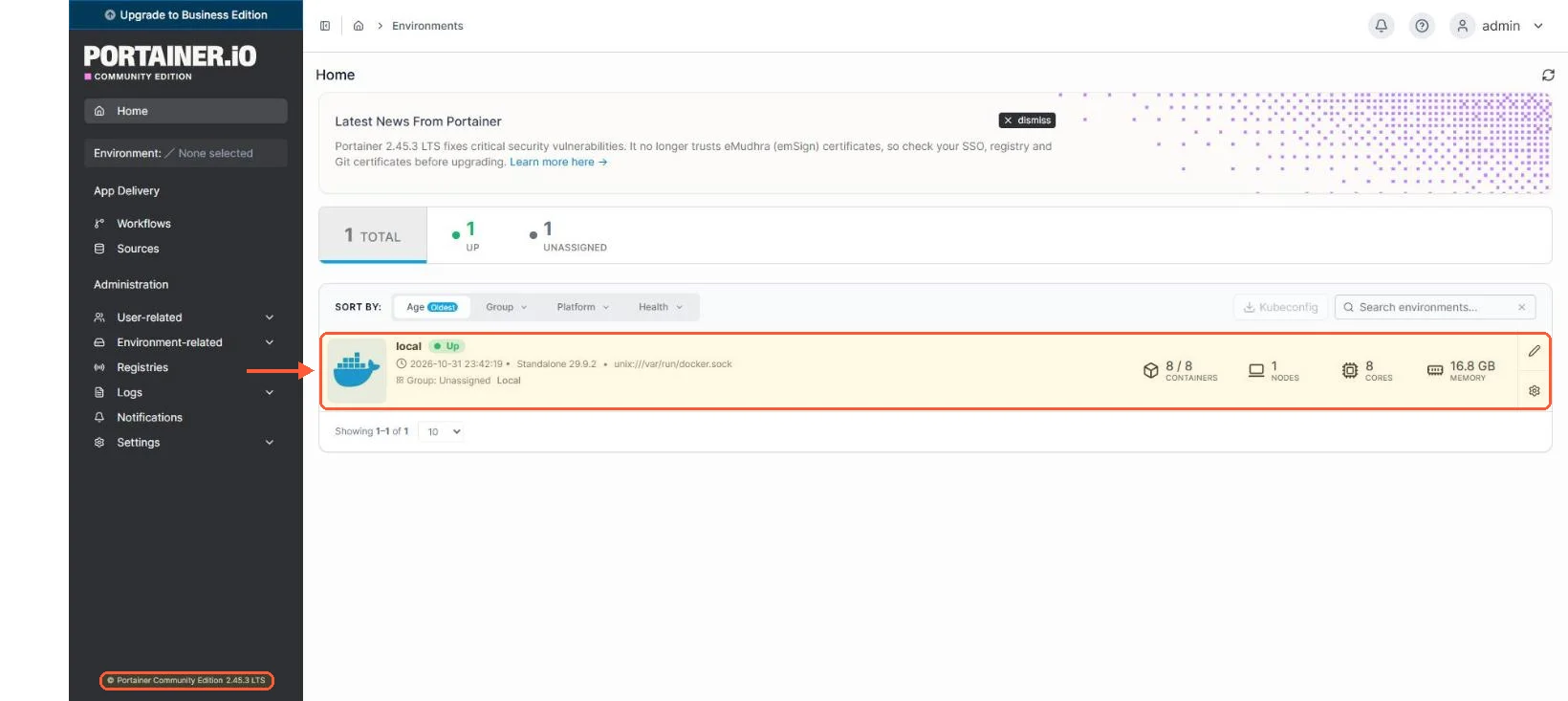
After the account, the setup wizard offers environments to manage. Pick "Get started" for the local Docker engine and you land on the dashboard with your containers listed, Portainer itself among them.
Installing Portainer with Docker Compose instead

Some of us keep every service in compose files as policy, and Portainer plays along. The equivalent docker-compose.yml:

services:
  portainer:
    image: portainer/portainer-ce:lts
    container_name: portainer
    restart: always
    ports:
      - "8000:8000"
      - "9443:9443"
    volumes:
      - /var/run/docker.sock:/var/run/docker.sock
      - portainer_data:/data

volumes:
  portainer_data:

Then docker compose up -d from the file's directory. Functionally identical to the run command; operationally nicer because the config is a file you can version. My take on which to use: compose, for the same reason all infrastructure should be text. There's a small philosophical comedy in managing your container manager through a compose file, and it's the correct comedy.

One thing NOT to do, whichever route you took: don't manage the Portainer container from inside Portainer's own UI. Recreating the thing you're standing on ends sessions in confusing ways. Portainer gets maintained from the terminal, everything else gets maintained from Portainer; that division, plus the update routine, is the whole operational story.

Verify the install

Three quick proofs. docker ps shows the portainer container Up. The dashboard at :9443 lists your local environment with a container count that matches reality. And a test action (open any container's logs from the UI) round-trips through the socket without errors.

From here the interesting work starts, which is deploying things: the Portainer stacks guide covers that properly, and if you'd rather begin with Portainer preinstalled, the Portainer VPS template deploys this whole page in one click alongside the OS.

Your idea deserves better hosting

24/7 support 30-day money-back guarantee Cancel anytime
Billing Cycle

VPS.S1

$5.99 Save  17 %
$4.99 Monthly
  • 2 vCPU AMD EPYC
  • 2 GB RAMMEMORY
  • 30 GB NVMeSTORAGE
  • Unmetered bandwidth
  • IPv4 & IPv6IPv6 is currently unavailable in France, Finland or the Netherlands. included

VPS.S3

$14.99 Save  33 %
$9.99 Monthly
  • 4 vCPU AMD EPYC
  • 6 GB RAMMEMORY
  • 70 GB NVMeSTORAGE
  • Unmetered bandwidth
  • IPv4 & IPv6IPv6 is currently unavailable in France, Finland or the Netherlands. included

EPYC VPS.P1

$8.99 Save  22 %
$6.99 Monthly
  • 2 vCPU AMD EPYC
  • 4 GB RAMMEMORY
  • 40 GB NVMeSTORAGE
  • Unmetered bandwidth
  • IPv4 & IPv6IPv6 is currently unavailable in France, Finland or the Netherlands. included
  • Free auto backupsIncludes one backup slot you can set to run daily, weekly or monthly.

EPYC VPS.P2

$16.99 Save  24 %
$12.99 Monthly
  • 2 vCPU AMD EPYC
  • 8 GB RAMMEMORY
  • 80 GB NVMeSTORAGE
  • Unmetered bandwidth
  • IPv4 & IPv6IPv6 is currently unavailable in France, Finland or the Netherlands. included
  • Free auto backupsIncludes one backup slot you can set to run daily, weekly or monthly.

EPYC VPS.P4

$29.99 Save  23 %
$22.99 Monthly
  • 4 vCPU AMD EPYC
  • 16 GB RAMMEMORY
  • 160 GB NVMeSTORAGE
  • Unmetered bandwidth
  • IPv4 & IPv6IPv6 is currently unavailable in France, Finland or the Netherlands. included
  • Free auto backupsIncludes one backup slot you can set to run daily, weekly or monthly.

EPYC VPS.P5

$39.99 Save  25 %
$29.99 Monthly
  • 8 vCPU AMD EPYC
  • 16 GB RAMMEMORY
  • 180 GB NVMeSTORAGE
  • Unmetered bandwidth
  • IPv4 & IPv6IPv6 is currently unavailable in France, Finland or the Netherlands. included
  • Free auto backupsIncludes one backup slot you can set to run daily, weekly or monthly.

EPYC VPS.P6

$59.99 Save  25 %
$44.99 Monthly
  • 8 vCPU AMD EPYC
  • 32 GB RAMMEMORY
  • 200 GB NVMeSTORAGE
  • Unmetered bandwidth
  • IPv4 & IPv6IPv6 is currently unavailable in France, Finland or the Netherlands. included
  • Free auto backupsIncludes one backup slot you can set to run daily, weekly or monthly.

EPYC VPS.P7

$69.99 Save  29 %
$49.99 Monthly
  • 16 vCPU AMD EPYC
  • 32 GB RAMMEMORY
  • 240 GB NVMeSTORAGE
  • Unmetered bandwidth
  • IPv4 & IPv6IPv6 is currently unavailable in France, Finland or the Netherlands. included
  • Free auto backupsIncludes one backup slot you can set to run daily, weekly or monthly.

Genoa VPS.G2

$24.99 Save  20 %
$19.99 Monthly
  • 2 vCPUAMD EPYC Genoa 4th generation 9xx4 with 3.25 GHz or similar, on Zen 4 architecture. AMD EPYC G4
  • 4 GB DDR5MEMORY
  • 50 GB NVMeSTORAGE
  • Unmetered bandwidth
  • IPv4 & IPv6IPv6 is currently unavailable in France, Finland or the Netherlands. included
  • Free auto backupsIncludes one backup slot you can set to run daily, weekly or monthly.

Genoa VPS.G4

$44.99 Save  22 %
$34.99 Monthly
  • 4 vCPUAMD EPYC processor with dedicated vCPU cores, on enterprise server hardware. AMD EPYC G4
  • 8 GB DDR5MEMORY
  • 100 GB NVMeSTORAGE
  • Unmetered bandwidth
  • IPv4 & IPv6IPv6 is currently unavailable in France, Finland or the Netherlands. included
  • Free auto backupsIncludes one backup slot you can set to run daily, weekly or monthly.

Genoa VPS.G6

$89.99 Save  22 %
$69.99 Monthly
  • 8 vCPUAMD EPYC processor with dedicated vCPU cores, on enterprise server hardware. AMD EPYC G4
  • 16 GB DDR5MEMORY
  • 200 GB NVMeSTORAGE
  • Unmetered bandwidth
  • IPv4 & IPv6IPv6 is currently unavailable in France, Finland or the Netherlands. included
  • Free auto backupsIncludes one backup slot you can set to run daily, weekly or monthly.

Genoa VPS.G7

$159.99 Save  22 %
$124.99 Monthly
  • 8 vCPUAMD EPYC processor with dedicated vCPU cores, on enterprise server hardware. AMD EPYC G4
  • 32 GB DDR5MEMORY
  • 250 GB NVMeSTORAGE
  • Unmetered bandwidth
  • IPv4 & IPv6IPv6 is currently unavailable in France, Finland or the Netherlands. included
  • Free auto backupsIncludes one backup slot you can set to run daily, weekly or monthly.

AMD Ryzen VPS.R1

$16.99 Save  18 %
$13.99 Monthly
  • 1 dedicated CPU AMD Ryzen 9 7950X with 4.5 GHz or similar, on Zen 4 architecture. vCPU
  • 4 GB DDR5MEMORY
  • 50 GB NVMeSTORAGE
  • Unmetered bandwidth
  • IPv4 & IPv6 included IPv6 support is currently unavailable in France, Finland or the Netherlands.
  • Auto backup included

AMD Ryzen VPS.R2

$29.99 Save  17 %
$24.99 Monthly
  • 2 dedicated CPUs AMD Ryzen 9 7950X with 4.5 GHz or similar, on Zen 4 architecture. vCPU
  • 8 GB DDR5MEMORY
  • 100 GB NVMeSTORAGE
  • Unmetered bandwidth
  • IPv4 & IPv6 included IPv6 support is currently unavailable in France, Finland or the Netherlands.
  • Auto backup included

AMD Ryzen VPS.R4

$109.99 Save  18 %
$89.99 Monthly
  • 8 dedicated CPUs AMD Ryzen 9 7950X with 4.5 GHz or similar, on Zen 4 architecture. vCPU
  • 32 GB DDR5MEMORY
  • 400 GB NVMeSTORAGE
  • Unmetered bandwidth
  • IPv4 & IPv6 included IPv6 support is currently unavailable in France, Finland or the Netherlands.
  • Auto backup included

FAQ

Should I install Portainer CE or Business Edition?

CE covers self-hosters and small teams completely; Business adds RBAC, registries management and support, aimed at companies. BE also has a free tier for a few nodes if you want to compare. Start CE, you can move later without redoing your stacks.

GPU products are in high demand at the moment. Fill the form to get notified as soon as your preferred GPU server is back in stock.