





.svg)
.svg)
.svg)
.svg)

.svg)
.svg)
.svg)


Updated and tested 26 October 2026
Nobody backs up Jellyfin until the week a major upgrade breaks a migration, which is why "jellyfin 10.10.7 backup" spiked as a search the moment 10.11 landed with its database overhaul. Fair enough: the 10.11 migration rebuilt the server's internals onto a new database framework, it's one-way, and the users who could roll back were the users with a copy of the old data directory. Here's what to back up, the exact commands and the restore that proves your backup was real.
What needs backing up (and what doesn't)
Not the media. Your movies and music are the bulky part and the replaceable-from-source part; Jellyfin's irreplaceable state is small and lives in two places on a package install:
- /var/lib/jellyfin, the data directory: the database (in
data/jellyfin.dband friends), downloaded metadata and images, plugins and their configs. This is the one that matters. Users, watch history, library definitions, all of it lives here. - /etc/jellyfin, the config directory: networking settings, logging config, a handful of XML. Tiny, include it.
/var/cache/jellyfin is rebuildable cache (transcodes, image resizes); skipping it keeps backups dramatically smaller at zero cost. On Docker installs the split is simpler still: everything above lives inside whatever you mounted as /config and /cache, so the config volume is the backup target and the cache volume is the skippable one.
Built-in backup in the Jellyfin dashboard
Since 10.11 Jellyfin has its own backup, documented on the Backup and Restore page: Dashboard » Backups » Create Backup, with the server running. The dialog always includes the database; metadata, subtitles and trickplay data are tick boxes, all off by default.
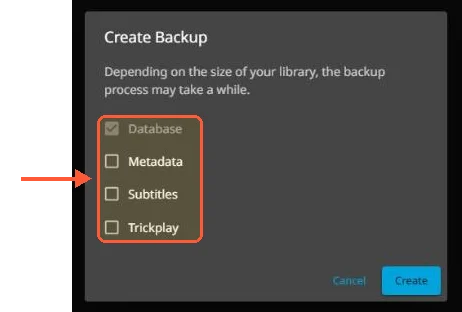
The Create Backup dialog: the database is always in, everything else is opt-in.
On my 12.4 server a backup with the defaults landed as a zip in /var/lib/jellyfin/data/backups/, holding the database only.
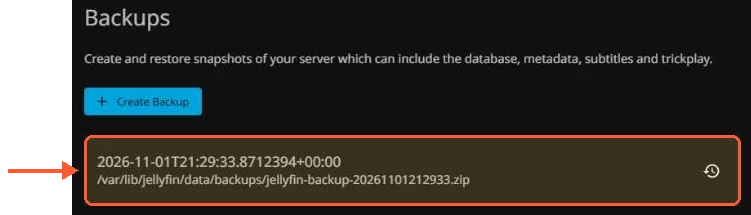
My backup with the defaults: one zip in the server's own data folder.
That zip sits on the same disk as the server, so copy it off the machine like any other backup. For a full copy with images and plugins, the tar route below is still the one I use.
Stop the server before copying the database
Jellyfin's database is SQLite, and copying a SQLite file while the server writes to it produces a corrupt copy often enough to matter. A backup you can't restore is a rabbit's foot, so take the 60-second outage:
sudo systemctl stop jellyfinDocker: docker compose stop jellyfin. Yes, hot-backup techniques for SQLite exist; for a service whose users can tolerate a minute of downtime at 4 AM, cold copy is the version with no asterisks.
Backup commands for Ubuntu and Docker
sudo tar -czf jellyfin-backup-$(date +%F).tar.gz \
  /var/lib/jellyfin /etc/jellyfin
sudo systemctl start jellyfin
The archive lands in the current directory, owned by root with mode 644 so every user on the box can read it, and it carries jellyfin.db with the password hashes and API keys. Run sudo chmod 600 jellyfin-backup-*.tar.gz and keep it out of any web-served folder.
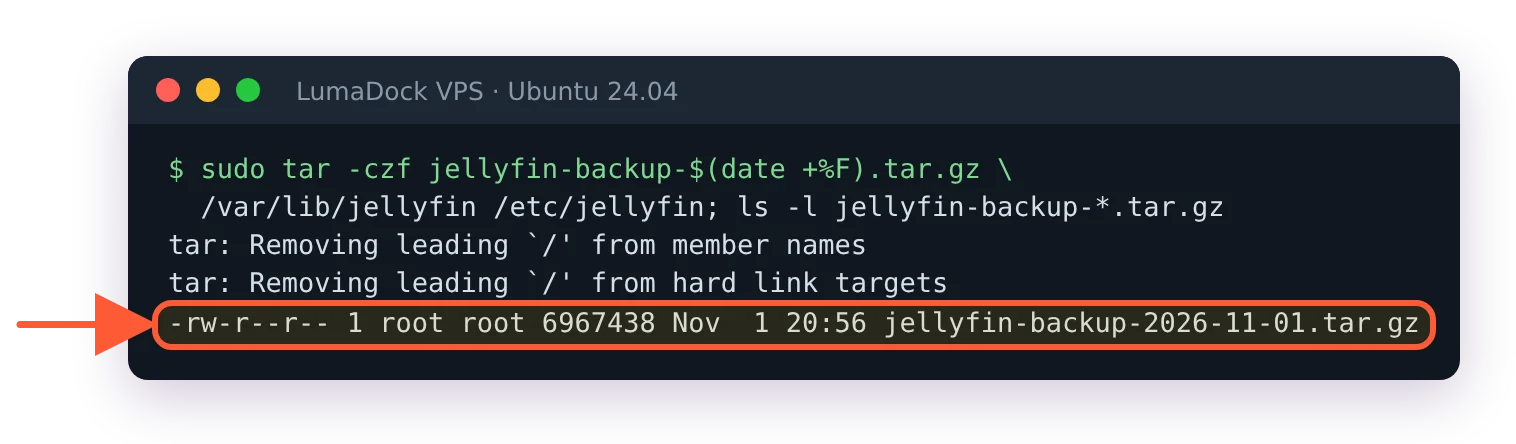
The archive from my test server: 7 MB with three films indexed, and readable by every user until you chmod it.
Docker equivalent, from the compose directory:
docker compose stop jellyfin
tar -czf jellyfin-backup-$(date +%F).tar.gz ./config
docker compose start jellyfin
A cautionary note on size: metadata images for a large library add up to gigabytes. That's normal, still worth including (re-fetching metadata for 2,000 movies takes hours and loses any manual fixes), and compresses reasonably.
Then get the archive off the machine. A backup on the same disk as the server shares the disk's fate; scp it to another box, object storage or at minimum a second volume. Cron the whole sequence weekly and you're ahead of ninety percent of self-hosters. Create the target folder first:
sudo mkdir -p /backups && sudo chmod 700 /backupsThen the line for root's crontab:
0 4 * * 1 systemctl stop jellyfin; tar -czf /backups/jellyfin-$(date +\%F).tar.gz /var/lib/jellyfin /etc/jellyfin; systemctl start jellyfinNote the escaped % signs (cron eats bare ones) and the semicolons. I first ran this line with && between the commands and no /backups folder: tar failed, && skipped the start, Jellyfin stayed down and cron threw the error away because no mail server was installed. With ; the start runs whatever tar does, and Jellyfin is offline only while the archive is written.
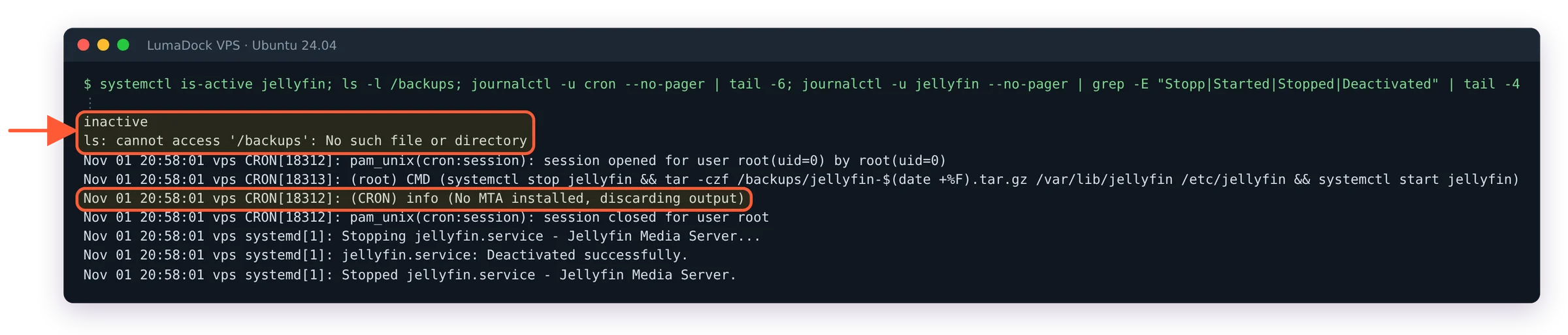
The original cron line on my server: tar failed on the missing folder and Jellyfin stayed stopped.
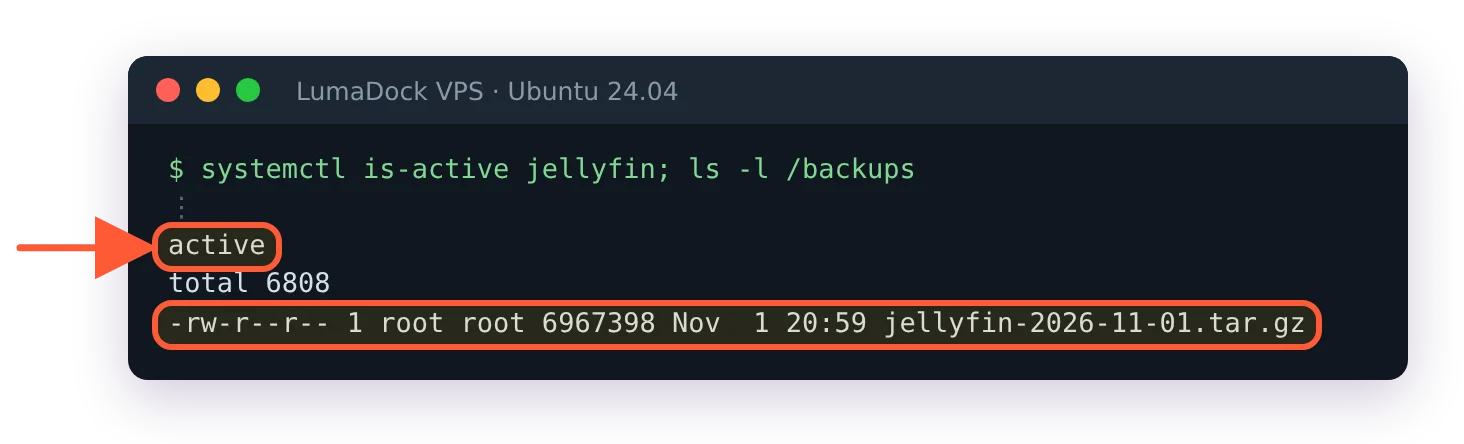
With /backups created and ; between the commands, the same job wrote the archive and Jellyfin came back.
Add a second line that deletes the ones older than a month, or that folder fills up and becomes the next incident. If your VPS plan has snapshots in its panel, that's the lazier belt-and-suspenders option: it captures the whole server, this directory included, though I'd still stick with the tar habit because restoring one app from a whole-server image is the long way around.