





.svg)
.svg)
.svg)
.svg)

.svg)
.svg)
.svg)

Updated and tested 30 October 2026
You open Jellyfin's plugin catalog to grab Intro Skipper or Trakt and the page is empty, endlessly loading or throwing a repository error. Jellyfin plugin repositories not working is one of those problems with a boring primary cause (the official repository URL changed, old installs still point at the dead one) and a short tail of network gremlins. Ordered checklist, most likely first.
Fix 1: update the repository URL (solves most cases)
Jellyfin migrated its plugin infrastructure, and servers installed in earlier eras carry a stale manifest address that now returns nothing. Check yours: Dashboard » Plugins » Repositories tab. The current official manifest, per the Jellyfin plugin docs, is:
https://repo.jellyfin.org/files/plugin/manifest.jsonIf your entry shows an older shape (the releases/plugin/manifest-stable.json form is the common stale one), delete the repository entry, add a new one named Jellyfin Stable with the URL above and reload the catalog page. Plugins reappear, and honestly you can stop reading here in most cases.

A fresh 12.4 install already carries this one entry, with the current URL.
Worth knowing why this keeps biting people: repository URLs live in your server's config, so no amount of Jellyfin updates rewrites a custom-added stale entry. Servers that have been upgraded faithfully since 10.7 can still carry a 10.7-era repo line.
Fix 2: confirm the server can reach the repo at all
Catalog still empty with the right URL means the server can't fetch it. Test from the server's own shell, because the server's network position is the one that counts:
curl -sIL https://repo.jellyfin.org/files/plugin/manifest.jsonThe first answer is a 302 that sends you to one of the project's mirrors, which is why the -L is there. The last status line should be HTTP 200, and then connectivity is fine, skip to fix 3.
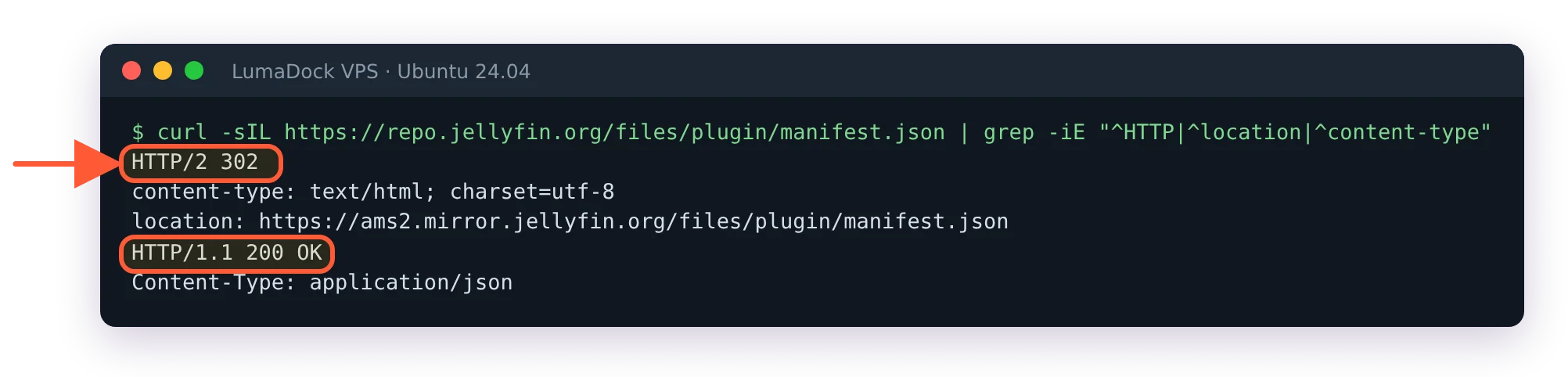
repo.jellyfin.org answers with a redirect to a mirror; the 200 comes from the mirror.
Timeouts or resolution failures mean the machine itself is blocked, and the suspects line up: DNS on the server (test nslookup repo.jellyfin.org, and consider pointing resolv.conf at 1.1.1.1 or 9.9.9.9 if the provider resolver misbehaves), an outbound firewall or proxy that whitelists destinations (corporate networks, some locked-down VPS security groups), or a Pi-hole style network blocker that swallowed the domain, which produces a confusing partial internet where most things work. The same outbound blockage also breaks metadata downloads, so if your new movies lack posters too, treat it as one network problem, not two app problems; the poster half is covered in our Jellyfin backdrops guide.
Fix 3: server and plugin version mismatches
The catalog only shows plugin versions compatible with your server version, so a very old server sees a thinned-out or empty list against the current manifest. This got real with the 12.0 jump: plugins needed rebuilds against the new internals, and in the transition window some catalog entries lagged behind. Two moves follow. Update the server if it's behind (with a backup first, as always before version jumps). And for a plugin you need that hasn't caught up in the catalog, check its GitHub releases; maintainers often ship the compatible build there first, and manual installation is a legitimate route: drop the plugin folder under /var/lib/jellyfin/plugins/ and restart the server.
Fix 4: third-party repositories with problems of their own
Community repos (Intro Skipper's own repository is the one nearly everyone adds) fail independently of the official one: URLs move when projects rename or rehost, and a dead third-party entry can make the whole repositories page feel broken while the official catalog is fine. Remove entries one at a time to find a poisoned one, then re-add from the project's current README rather than from an old forum post; project READMEs are the only place these URLs stay true. My general stance on third-party repos is mild caution: each one is code you're agreeing to run server-side, so add the ones with active maintainers and real user bases, skip drive-by discoveries.
Fix 5: cache, proxy and Docker DNS issues
Rarer endings for completeness. A corrupted local plugin cache clears by restarting the server; failing that, stop Jellyfin, clear the cache directory (/var/cache/jellyfin, it's all rebuildable) and start again. Behind a very strict reverse proxy, admin pages that load-forever sometimes trace to websocket or timeout settings rather than the repo at all; the tell is other dashboard pages misbehaving too. And on Docker installs, a container without working DNS (custom networks with no resolver) fails exactly like fix 2 describes; docker exec jellyfin curl -sIL https://repo.jellyfin.org/files/plugin/manifest.json runs the same test from inside the container's world.
Verify the catalog and install plugins
The catalog page listing plugins is the verification; on a fresh 12.4 server the Jellyfin Stable repository alone fills it with 36 of them.
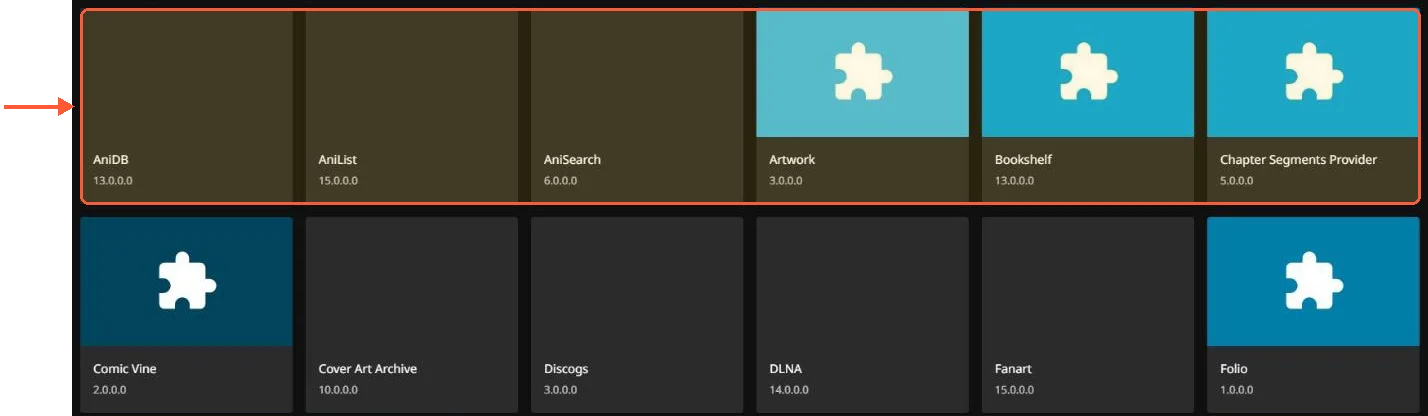
The Available tab on my 12.4 server with only the official repository configured.
Install one, restart the server when prompted (plugins load at startup, the restart is not optional ceremony) and check Dashboard » Plugins shows it active. From here the usual suspects are worth their disk space: Intro Skipper for the skip button everyone expects from commercial streamers, Trakt for scrobbling, Playback Reporting for the self-hosted version of a year-in-review. A working catalog plus a current server, ideally on hardware that isn't struggling (the Jellyfin VPS plans keep the whole stack on NVMe for exactly the metadata-heavy moments), and the plugin system goes back to being the part of Jellyfin you never think about.