Back to Article List

How to use OpenAI Codex on OpenClaw with a ChatGPT subscription

How to use OpenAI Codex on OpenClaw with a ChatGPT subscription

OpenAI explicitly supports ChatGPT subscription OAuth in third-party tools like OpenClaw. That means your ChatGPT Plus ($20/month) or ChatGPT Pro ($200/month) subscription covers Codex usage inside OpenClaw at a flat rate, with no per-token API billing. This guide walks through the complete setup in the order you'll actually do it.

If you already have OpenClaw running with another provider (Anthropic, local Ollama, etc.) and want to add or switch to Codex, this process is safe to run on a live setup. The wizard preserves your existing channels, memory, cron jobs, and config — it only adds the new auth profile.

What you need before starting

  • OpenClaw installed and the daemon running. If you haven't done this yet, see the getting started guide or the VPS onboarding guide.
  • An active ChatGPT Plus, Pro, or Team subscription. The Codex model is included in all three tiers.
  • SSH access to your host machine (if running on a VPS).

Step 1: Run the onboard wizard with Codex auth

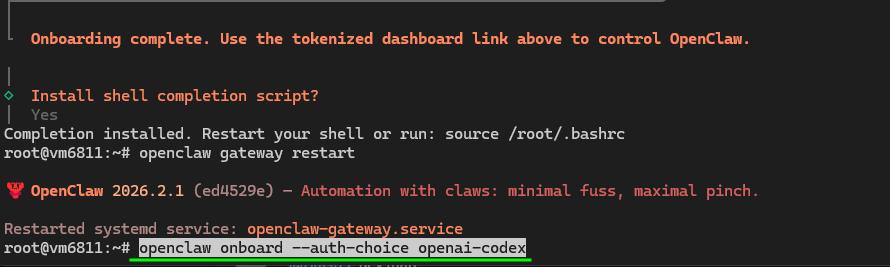
If you're on a VPS, connect via SSH first. Then run:

openclaw onboard --auth-choice openai-codex

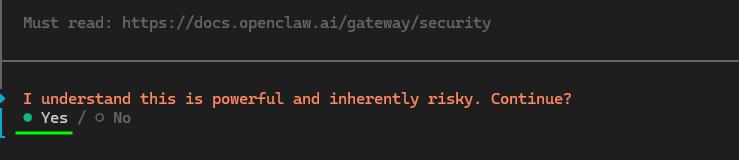
The wizard will start and ask a few questions. When it shows a risk acknowledgment, accept it and continue — it's informing you that switching providers may change agent behavior, not that anything is broken.



Step 2: Choose "Use existing values" when prompted

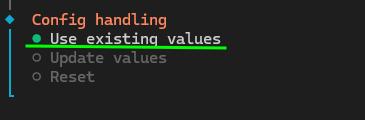
During the wizard, when it asks about your existing configuration values, select "Use existing values" — not "Update values" and not "Reset". This is the most important step to get right.

Choosing "Reset" wipes your channels, memory settings, and cron jobs. "Use existing values" keeps everything intact and only adds the new Codex OAuth profile on top.

Step 3: Copy the OAuth URL and log in

The wizard will generate an OAuth URL and display it in your terminal. Copy that URL and paste it into any browser on your local machine.
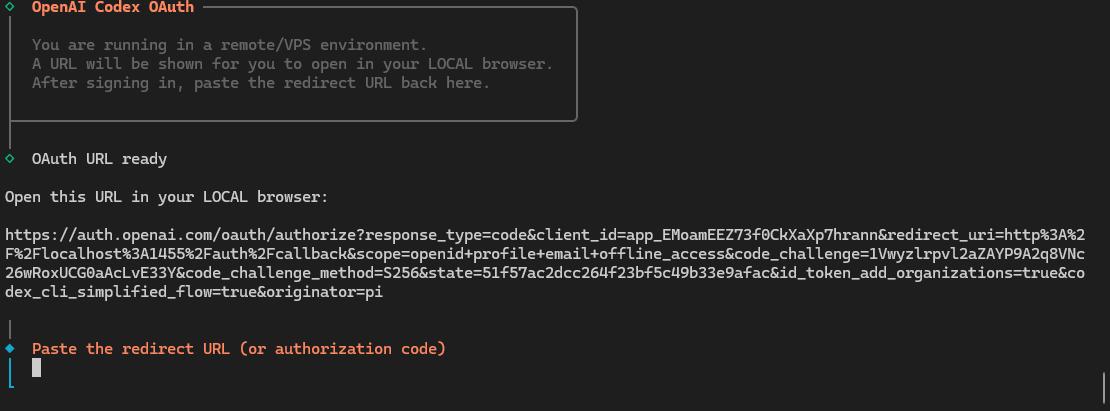

Log into your OpenAI/ChatGPT account in the browser and click Continue to authorize OpenClaw to use your subscription.
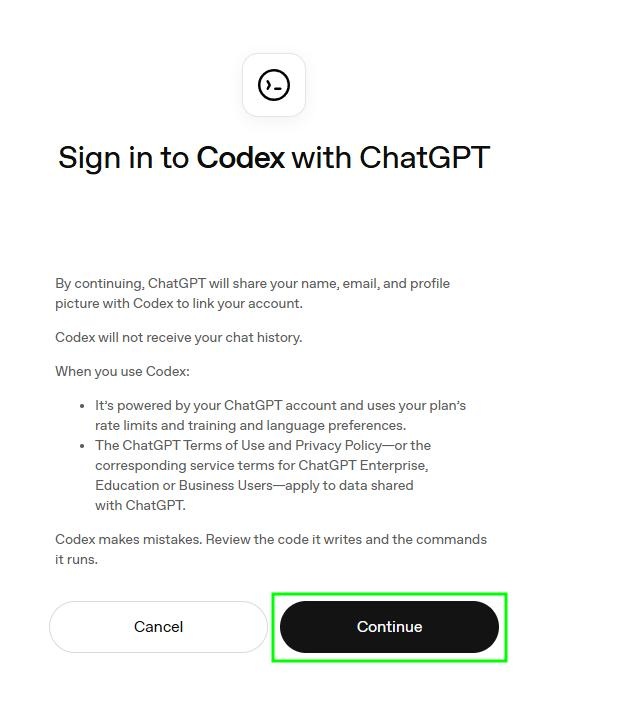

After authorizing, the browser will redirect to a localhost:1455 URL that shows an error or empty page. That's expected — the localhost server isn't running on your local machine. Copy the full URL from your browser's address bar (the entire thing, including the ?code=... part) and paste it back into your terminal.



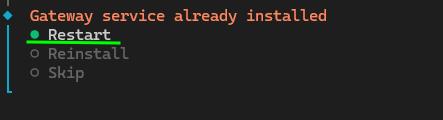
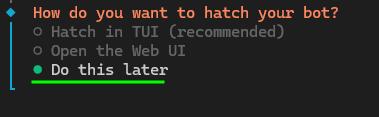
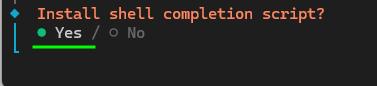
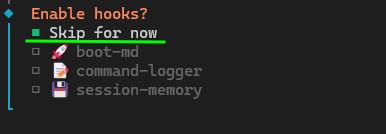
Step 4: Complete the remaining wizard steps

After pasting the callback URL, the wizard exchanges it for an access token and saves the auth profile to ~/.openclaw/auth-profiles/openai-codex.json. Follow the remaining prompts to finish.
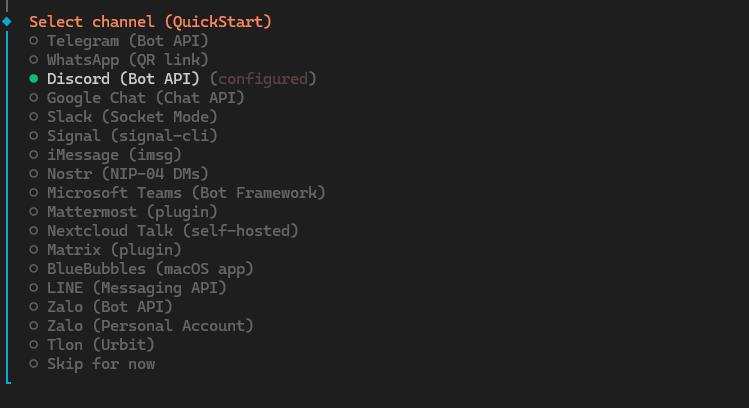
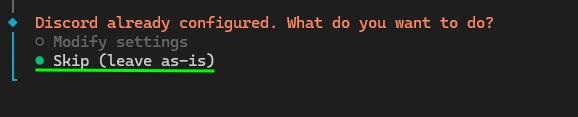
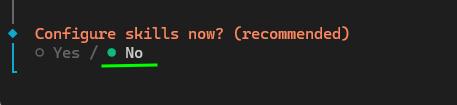
Step 5: Set Codex as your active model

Once the wizard completes, set GPT-5.3 Codex as your primary model:

openclaw models set openai-codex/gpt-5.3-codex




Then verify the model is active and your subscription quota is recognized:

openclaw models status --plain




You should see openai-codex/gpt-5.3-codex listed as your current primary model and the OAuth token shown as valid with a usage quota. That's it — your ChatGPT subscription is now powering OpenClaw.

About the usage limits

ChatGPT Plus includes a 5-hour weekly usage quota for Codex. This is OpenAI's limit on the subscription tier, not an OpenClaw limitation. ChatGPT Pro includes a higher (or unlimited) quota. If you hit the limit mid-week, OpenClaw will fall back to any models you've configured as fallbacks. You can add a fallback model like this:

openclaw models fallbacks add openrouter/google/gemini-3-flash-preview

For free fallback options that kick in automatically when Codex is rate-limited or at quota, see the free models guide.

Troubleshooting

OAuth URL opens but authorization fails

Go to your OpenAI connected apps settings, revoke the OpenClaw app consent, and rerun openclaw onboard --auth-choice openai-codex to start a fresh auth flow.

Model shows as unavailable after auth completes

Run openclaw models list --all to confirm openai-codex/gpt-5.3-codex is in the catalog. If you see it listed but it won't set as primary, there may be an allowlist conflict. Try: openclaw models fallbacks clear to remove any stale entries, then set the model again.

Token expires or stops working

OAuth tokens from ChatGPT refresh automatically during active use. If a session expires, re-authenticate with:

openclaw models auth login --provider openai-codex

"Model not supported" error after setting gpt-5.3-codex

There is a known bug in some OpenClaw versions where gpt-5.4 via Codex OAuth routes to the wrong API endpoint and falls back to gpt-5.3-codex with a 401 (GitHub issue #38706). If you encounter this, stick with openai-codex/gpt-5.3-codex explicitly as shown in this guide — it uses the correct API path and works reliably with ChatGPT Plus OAuth.

The Codex model behaves differently from Claude

Codex and Claude interpret the same prompts differently. Codex is particularly strong at code and tool use; Claude tends to follow complex natural-language instructions more closely. If your agent feels less precise after switching, spend a few days tuning your SOUL.md and AGENTS.md workspace files for the new model. Don't make quick judgments — give it a few days of real use first. See the Claude vs OpenAI model guide for a comparison of strengths.

One important rule: don't use OpenClaw to configure itself

Never ask your OpenClaw agent to run the onboard wizard, change its own model, or edit its own config. If OpenClaw is modifying its own authentication or gateway config while running, you create a circular dependency that's hard to recover from. Always run configuration commands from a separate terminal session, not from within a chat with the agent.

For model proxy configuration (if you want to route Codex through a LiteLLM proxy for caching or rate limit management), see the API proxy setup guide.


Your idea deserves better hosting

24/7 support 30-day money-back guarantee Cancel anytime
Ciclo de Facturación

1 GB RAM VPS

$3.99 Save  50 %
$1.99 Mensual
  • 1 vCPU AMD EPYC
  • 30 GB NVMe disco
  • Ilimitado ancho de banda
  • IPv4 e IPv6 incluidos El soporte IPv6 no está disponible en Francia, Finlandia o Países Bajos.
  • 1 Gbps red
  • Gestión de firewall
  • Monitoreo gratis

2 GB RAM VPS

$5.99 Save  17 %
$4.99 Mensual
  • 2 vCPU AMD EPYC
  • 30 GB NVMe disco
  • Ilimitado ancho de banda
  • IPv4 e IPv6 incluidos El soporte IPv6 no está disponible en Francia, Finlandia o Países Bajos.
  • 1 Gbps red
  • Gestión de firewall
  • Monitoreo gratis

6 GB RAM VPS

$14.99 Save  33 %
$9.99 Mensual
  • 6 vCPU AMD EPYC
  • 70 GB NVMe disco
  • Ilimitado ancho de banda
  • IPv4 e IPv6 incluidos El soporte IPv6 no está disponible en Francia, Finlandia o Países Bajos.
  • 1 Gbps red
  • Gestión de firewall
  • Monitoreo gratis

AMD EPYC VPS.P1

$7.99 Save  25 %
$5.99 Mensual
  • 2 vCPU AMD EPYC
  • 4 GB memoria RAM
  • 40 GB NVMe disco
  • Ilimitado ancho de banda
  • IPv4 e IPv6 incluidos El soporte IPv6 no está disponible en Francia, Finlandia o Países Bajos.
  • 1 Gbps red
  • Copia automática incluida
  • Gestión de firewall
  • Monitoreo gratis

AMD EPYC VPS.P2

$14.99 Save  27 %
$10.99 Mensual
  • 2 vCPU AMD EPYC
  • 8 GB memoria RAM
  • 80 GB NVMe disco
  • Ilimitado ancho de banda
  • IPv4 e IPv6 incluidos El soporte IPv6 no está disponible en Francia, Finlandia o Países Bajos.
  • 1 Gbps red
  • Copia automática incluida
  • Gestión de firewall
  • Monitoreo gratis

AMD EPYC VPS.P4

$29.99 Save  20 %
$23.99 Mensual
  • 4 vCPU AMD EPYC
  • 16 GB memoria RAM
  • 160 GB NVMe disco
  • Ilimitado ancho de banda
  • IPv4 e IPv6 incluidos El soporte IPv6 no está disponible en Francia, Finlandia o Países Bajos.
  • 1 Gbps red
  • Copia automática incluida
  • Gestión de firewall
  • Monitoreo gratis

AMD EPYC VPS.P5

$36.49 Save  21 %
$28.99 Mensual
  • 8 vCPU AMD EPYC
  • 16 GB memoria RAM
  • 180 GB NVMe disco
  • Ilimitado ancho de banda
  • IPv4 e IPv6 incluidos El soporte IPv6 no está disponible en Francia, Finlandia o Países Bajos.
  • 1 Gbps red
  • Copia automática incluida
  • Gestión de firewall
  • Monitoreo gratis

AMD EPYC VPS.P6

$56.99 Save  21 %
$44.99 Mensual
  • 8 vCPU AMD EPYC
  • 32 GB memoria RAM
  • 200 GB NVMe disco
  • Ilimitado ancho de banda
  • IPv4 e IPv6 incluidos El soporte IPv6 no está disponible en Francia, Finlandia o Países Bajos.
  • 1 Gbps red
  • Copia automática incluida
  • Gestión de firewall
  • Monitoreo gratis

AMD EPYC VPS.P7

$69.99 Save  20 %
$55.99 Mensual
  • 16 vCPU AMD EPYC
  • 32 GB memoria RAM
  • 240 GB NVMe disco
  • Ilimitado ancho de banda
  • IPv4 e IPv6 incluidos El soporte IPv6 no está disponible en Francia, Finlandia o Países Bajos.
  • 1 Gbps red
  • Copia automática incluida
  • Gestión de firewall
  • Monitoreo gratis

EPYC Genoa VPS.G1

$4.99 Save  20 %
$3.99 Mensual
  • 1 vCPU AMD EPYC Gen4 AMD EPYC Genoa de 4ª generación 9xx4 con 3.25 GHz o similar, basado en la arquitectura Zen 4.
  • 1 GB DDR5 memoria RAM
  • 25 GB NVMe disco
  • Ilimitado ancho de banda
  • IPv4 e IPv6 incluidos El soporte IPv6 no está disponible en Francia, Finlandia o Países Bajos.
  • 1 Gbps red
  • Copia automática incluida
  • Gestión de firewall
  • Monitoreo gratis

EPYC Genoa VPS.G2

$12.99 Save  23 %
$9.99 Mensual
  • 2 vCPU AMD EPYC Gen4 AMD EPYC Genoa de 4ª generación 9xx4 con 3.25 GHz o similar, basado en la arquitectura Zen 4.
  • 4 GB DDR5 memoria RAM
  • 50 GB NVMe disco
  • Ilimitado ancho de banda
  • IPv4 e IPv6 incluidos El soporte IPv6 no está disponible en Francia, Finlandia o Países Bajos.
  • 1 Gbps red
  • Copia automática incluida
  • Gestión de firewall
  • Monitoreo gratis

EPYC Genoa VPS.G4

$25.99 Save  27 %
$18.99 Mensual
  • 4 vCPU AMD EPYC Gen4 AMD EPYC Genoa de 4ª generación 9xx4 con 3.25 GHz o similar, basado en la arquitectura Zen 4.
  • 8 GB DDR5 memoria RAM
  • 100 GB NVMe disco
  • Ilimitado ancho de banda
  • IPv4 e IPv6 incluidos El soporte IPv6 no está disponible en Francia, Finlandia o Países Bajos.
  • 1 Gbps red
  • Copia automática incluida
  • Gestión de firewall
  • Monitoreo gratis

EPYC Genoa VPS.G5

$44.99 Save  33 %
$29.99 Mensual
  • 4 vCPU AMD EPYC Gen4 AMD EPYC Genoa de 4ª generación 9xx4 con 3.25 GHz o similar, basado en la arquitectura Zen 4.
  • 16 GB DDR5 memoria RAM
  • 150 GB NVMe disco
  • Ilimitado ancho de banda
  • IPv4 e IPv6 incluidos El soporte IPv6 no está disponible en Francia, Finlandia o Países Bajos.
  • 1 Gbps red
  • Copia automática incluida
  • Gestión de firewall
  • Monitoreo gratis

EPYC Genoa VPS.G6

$48.99 Save  31 %
$33.99 Mensual
  • 8 vCPU AMD EPYC Gen4 AMD EPYC Genoa de 4ª generación 9xx4 con 3.25 GHz o similar, basado en la arquitectura Zen 4.
  • 16 GB DDR5 memoria RAM
  • 200 GB NVMe disco
  • Ilimitado ancho de banda
  • IPv4 e IPv6 incluidos El soporte IPv6 no está disponible en Francia, Finlandia o Países Bajos.
  • 1 Gbps red
  • Copia automática incluida
  • Gestión de firewall
  • Monitoreo gratis

EPYC Genoa VPS.G7

$74.99 Save  27 %
$54.99 Mensual
  • 8 vCPU AMD EPYC Gen4 AMD EPYC Genoa de 4ª generación 9xx4 con 3.25 GHz o similar, basado en la arquitectura Zen 4.
  • 32 GB DDR5 memoria RAM
  • 250 GB NVMe disco
  • Ilimitado ancho de banda
  • IPv4 e IPv6 incluidos El soporte IPv6 no está disponible en Francia, Finlandia o Países Bajos.
  • 1 Gbps red
  • Copia automática incluida
  • Gestión de firewall
  • Monitoreo gratis

Automate faster, for less

Bring your winning ideas to life with AMD power, NVMe speed and unmetered bandwidth. Deploy your VPS in seconds, with a pre-installed OpenClaw template on Ubuntu 24.04.