


.svg)
.svg)
.svg)
.svg)

.svg)
.svg)
.svg)

Updated and tested 2 November 2026
People go looking for an Open WebUI alternative for a handful of reasons. Usually it's the licence: the April 2025 change added a branding clause that bothers anyone planning to white-label. Sometimes it's size, since the image bundles a RAG stack a single user never touches. And sometimes the requirement runs the other way, toward a multi-provider platform with SAML, agents and spend limits, which Open WebUI covers only partly. The Open WebUI alternatives below are grouped by how much server each option needs, because that's the first filter in practice, with the licence and the sweet spot for each one.
Everything here connects to Ollama (the Ollama complete guide covers the daemon side if you're starting from zero) and to OpenAI-compatible APIs unless stated otherwise. Star counts and versions are as of writing and will have moved.
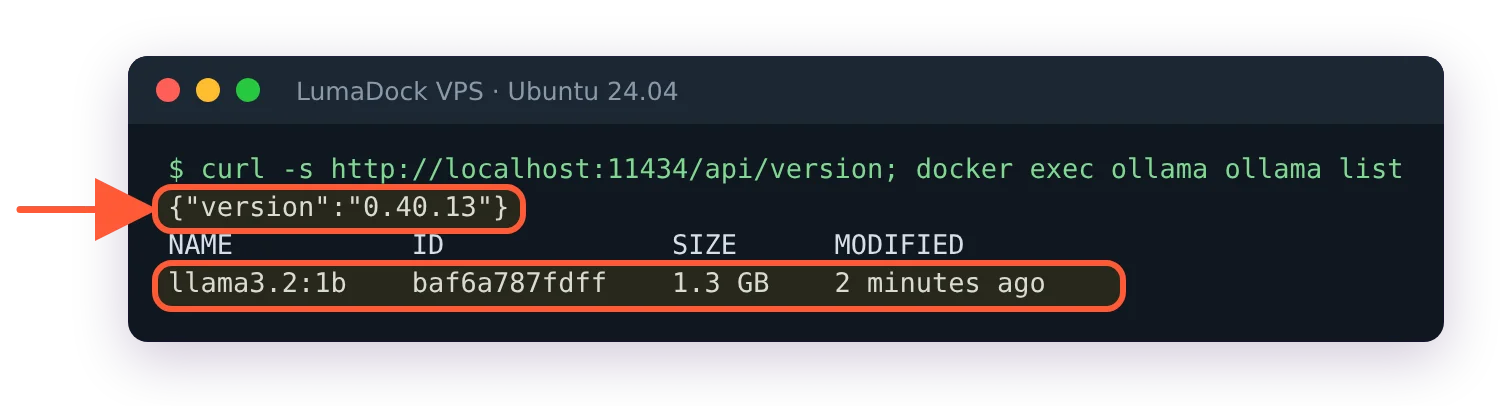
The Ollama behind my test: version 0.40.13 with the 1.3 GB llama3.2:1b model, shared by Open WebUI and LibreChat.
Server-side alternatives with user accounts
These four run as services on a VPS, keep chat history on the server and support more than one login. They're the direct replacements.
LibreChat
MIT licensed, owned by ClickHouse since November 2025, and the most complete replacement if the goal is a team platform; the Open WebUI vs LibreChat comparison has the feature-by-feature breakdown, so this entry stays short. Native endpoints for OpenAI, Azure, Anthropic, Bedrock, Google and Vertex AI, Ollama through a custom endpoint, agents with a marketplace, MCP servers of every transport type, a sandboxed code interpreter and a bundled admin panel as of the 0.8.7 release. Auth covers email, OAuth/OpenID, LDAP and SAML. The cost is the stack: MongoDB, Meilisearch, pgvector and a separate RAG API next to the app, six containers from the stock compose file once you give the admin panel the session secret it needs to start.
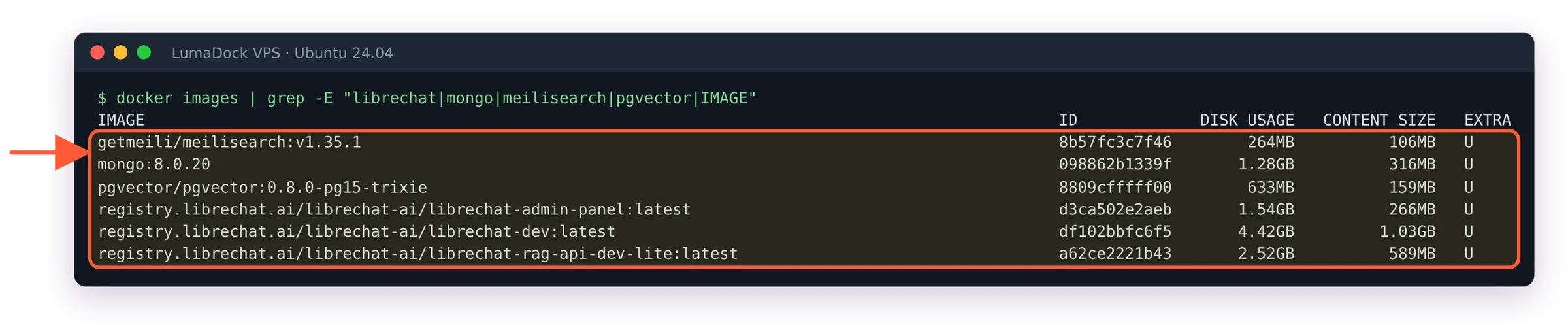
The images behind one LibreChat install on my server, the 4.42 GB librechat-dev image the biggest of them.
AnythingLLM
MIT, from Mintplex Labs, and the one to look at if documents are the point. Everything is organised into workspaces, each with its own documents, embeddings and chat, and the Docker build adds multi-user accounts with permissions on top (the desktop build is single-user). LanceDB is the default vector store and it ships inside the container, so a working RAG setup needs nothing external. Swap to pgvector, Qdrant, Milvus or Chroma later if the corpus outgrows it. Agents with web browsing, MCP support and a no-code agent builder are in there too, and the repository lists close to 40 LLM providers including Ollama, LM Studio and LocalAI. Its chat UI is plainer than Open WebUI's, but it handles documents better.
LobeHub (formerly LobeChat)
Licensed under the LobeHub Community License, which is Apache 2.0 plus extra conditions: commercial use is fine as long as you don't modify the source, and distributing a derivative work needs a commercial licence from the maker. It's one of the largest projects in this category by stars. The product has moved from "chat UI" to "agent platform": scheduled agents, agent groups, a plugin marketplace, a knowledge base and MCP support. Self-hosting in the full mode means PostgreSQL with pgvector plus S3-compatible storage for files (logins are built in, with SSO optional), which is a bigger footprint than the older client-only mode where chats lived in the browser. The GitHub page lists Docker and a few cloud platforms as deployment targets. LobeHub has the nicest interface in this list and the biggest plugin catalogue. It won't get you finished in one command.
Onyx
MIT for the Community Edition, and aimed at a different problem: search across the company's own data, with chat on top. The 50-plus connectors (Slack, Confluence, Google Drive, Jira and the rest) index into a hybrid search backend, and agents, deep research, web search across several providers, sandboxed code execution and MCP sit alongside. It deploys with Docker, Kubernetes or Helm and Terraform, and there's a one-line install script. There's a lite mode the project README puts under 1 GB of memory, but the standard stack brings a vector database, Redis, MinIO and background workers. A solo Ollama user has no use for any of this. It belongs on the list because a team that wants the chat to answer from what's already in Confluence has few other options.
Lightweight front ends for one user
None of these have user accounts or a database; chats live in the browser's local storage. They're for the person who wants a nicer window onto Ollama than the terminal and nothing more.
NextChat
MIT, very widely deployed, with a Docker image (yidadaa/chatgpt-next-web) and a one-click deploy to a serverless platform. Access control is a shared password list in the CODE environment variable, storage is the browser with optional WebDAV or Upstash sync, and MCP can be switched on with ENABLE_MCP=true. It's built around commercial APIs first and reaches Ollama through its OpenAI-compatible endpoint. Release cadence has slowed compared with the projects above, so check the last release date before you commit to it.
Hollama
MIT, around 1.2k stars, and about as small as this category gets. It's a static app that talks to one or more Ollama or OpenAI-compatible servers straight from the browser, with no auth and no server-side persistence at all. The README describes it as a minimal LLM chat app that runs entirely in your browser, which is an accurate description. Put it behind basic auth on a reverse proxy if it's reachable from the internet, and remember that anyone who can load the page can also reach whatever Ollama endpoint it's configured with.
Desktop apps instead of a server
A separate category, but it's where a lot of ex-Open WebUI users end up, because the reason they ran Open WebUI was a nicer chat window and a desktop app gives them that without a server to maintain.
Jan
Apache 2.0, from Menlo Research. Runs models locally through llama.cpp on Windows, macOS and Linux, downloads GGUF models from Hugging Face, connects to cloud providers, supports MCP and exposes an OpenAI-compatible server on localhost:1337 so other tools can use it. Note that it replaces Ollama as well as the UI. Some people want exactly that; if you've built things around Ollama's API you won't. On Linux it ships as deb and AppImage, with a how-to guide for Arm64.
Ollama's own app
Since July 2025 Ollama ships a desktop app for macOS and Windows with a chat window built in, described in the announcement post: model download, file drag and drop for text and PDFs, images for multimodal models and a context length setting. It's the shortest path if the whole requirement was "chat with the models I already pulled". Linux gets the CLI only, so on a server it's still Ollama plus one of the UIs above.
A few more in this space, mentioned for completeness. Cherry Studio (AGPL-3.0, desktop, MCP, knowledge bases and custom assistants) has a large following, and its maintainers offer an exemption from the AGPL terms on request. Msty is a commercial desktop product with a free plan and paid Aurum and enterprise plans, worth a look if open source isn't a requirement (LM Studio is the other well-known desktop option, and how it compares to running Ollama at all is covered in the Ollama vs LM Studio piece). Chatbox (GPL-3.0) covers desktop, mobile and a web app, but isn't a self-hosted multi-user server.


