


.svg)
.svg)
.svg)
.svg)

.svg)
.svg)
.svg)

Updated and tested 4 November 2026
Nextcloud Server is AGPLv3 code, and the Nextcloud Enterprise subscription sits on top of that code without changing what the file server does. The subscription buys support, QA and early access to security patches, sold per user per year from a 100-user minimum, so a paying company runs the same server binary as someone who never pays anything. FileCloud is licensed the other way round. The software is proprietary, sold per user on an annual term, with user minimums that differ by edition. That split shapes every FileCloud vs Nextcloud decision that follows.
There are two ways to run FileCloud without buying seats. A 30-day server trial unlocks the full feature set for evaluation. Community Edition is the longer-lived option: up to 5 full users and up to 10 external users, on a free licence that runs for one year from registration. Registration asks if the install is for business or personal use, and no non-commercial restriction is stated, so a small team can run it at work.
Licensing and editions
FileCloud comes in a self-hosted Server edition and a hosted edition called FileCloud Online, which also carries a FedRAMP High tier. The pricing page lists a 20-user minimum for Server Essentials and a 10-user minimum for Server Advanced. FileCloud's own January 2025 press release claims over 3 million users across more than 90 countries, alongside growth funding from Level Structured Capital. Treat that number as the vendor's, since there is no independent audit of it.
Nextcloud has one server code base and tiered Enterprise subscriptions (Standard, Premium and Ultimate) that add support, a longer maintenance life cycle and a few enterprise-only connectors. The files, sync and sharing features are the same AGPL server either way, which is why an install can start on the free code and pick up a support contract later with no migration involved. The AGPL-plus-paid-support pattern is common in this category, and Nextcloud vs ownCloud goes through two projects that both use it.
FileCloud's current release line is 23.263, generally available on 6 October 2026 and at 23.263.2 since 21 October, following 23.262 in July and 23.261 at the end of March. The version prefix has stayed at 23.x for years, and there is no FileCloud 24/25/26. Nextcloud's current major is 35, branded Hub 26 Summer, released on 16 September 2026, on a four-month major cadence with each release supported for a year.
FileCloud Community Edition limits
The 5-user and 10-external-user cap is the headline limit, and the feature exclusions matter more in practice. Community Edition documentation lists the Data Governance bundle (Smart DLP, Smart Content Classification, retention policies and the Governance Dashboard) as excluded, along with SSO, content OCR search, ServerSync, third-party integrations for antivirus, Salesforce and SIEM, SMS authentication, multi-tenancy and Zero Trust File Sharing. Support is forum only.
What happens to a Community Edition install when the one-year licence expires isn't documented on the pages checked for this article. Renewal and fresh registration are both plausible readings, and neither the download page nor the docs say which one applies. Sort it out before the year is up.
The license.xml file and the Invalid License Host error
A FileCloud licence is a file. You download license.xml and upload it in the admin portal under Settings > License, and the same mechanism covers trial, Community and commercial licences. The error "Invalid License Host", code CLFC-04203, comes from the site's host name missing from TONIDOCLOUD_ALLOWED_HOSTS in cloudconfig.php. It shows up most often after an upgrade or a hostname change, and adding the host to that define clears it.
Server platforms and stack
FileCloud is a PHP application behind Apache, backed by MongoDB (8.0 on current releases), with Apache Solr handling content search. The supported platforms are Windows Server 2019/2022/2025, Ubuntu 22.04 including Ubuntu Pro and RHEL 9.0. Ubuntu 18.04 and 20.04, CentOS 7 and RHEL 7 and 8 were dropped from the list back at 23.1. There is a Docker image, and the installation docs describe it as being for trialing and testing the product, with a note that it is not optimised for production servers.
MongoDB needs AVX instructions on the host CPU. On an older Xeon, or on a VPS whose hypervisor masks CPU flags, mongod exits at startup with an illegal instruction and nothing in the FileCloud installer says why, so the installer takes the blame for a while before anyone reads /proc/cpuinfo. On recycled hardware from before roughly 2012, check for that flag first.
Nextcloud's requirements are a Linux stack: PHP 8.3, 8.4 or 8.5 (8.5 is the recommended one), MySQL, MariaDB or PostgreSQL for the database, and Apache 2.4 or nginx with php-fpm in front. There is no native Windows Server install; on Windows, Nextcloud runs only as the All-in-One containers under Docker Desktop. All-in-One is the project's official installation method and packages the optional pieces as separate containers: an office suite (Euro-Office by default, Collabora as the alternative), Talk, Whiteboard and more.
All-in-One also installs the previous major unless you say otherwise. When I tested it, the "Install Nextcloud Hub 26 Summer" box was unticked on the first-start page, so I got Hub 26 Spring (34.0.5), and the "Upgrade to Nextcloud Hub 26 Summer" button in the AIO interface moved it to 35.0.2 afterwards. If you would rather assemble it by hand, installing Nextcloud on Ubuntu walks the web server, PHP and database parts separately. LumaDock has one-click templates for both if you want to skip the setup, the Nextcloud template and the FileCloud template.
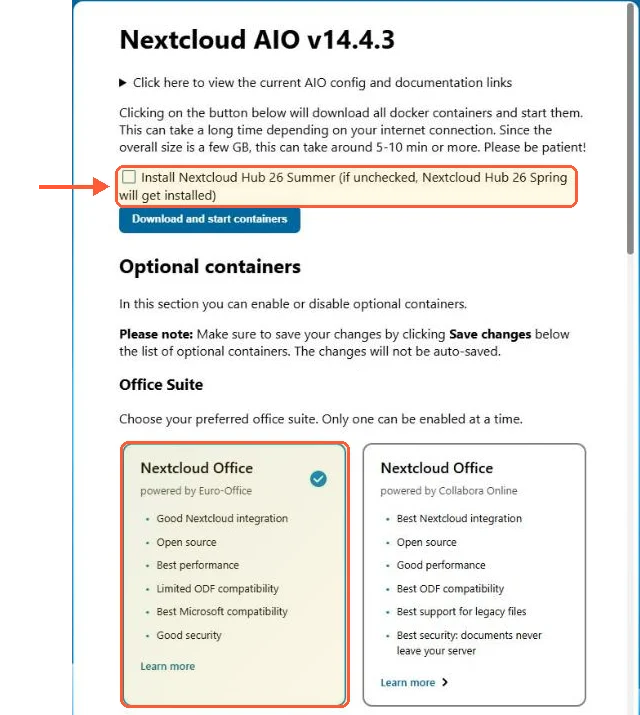
On the AIO first-start page Hub 26 Summer is unticked and the Euro-Office build of Nextcloud Office is preselected.
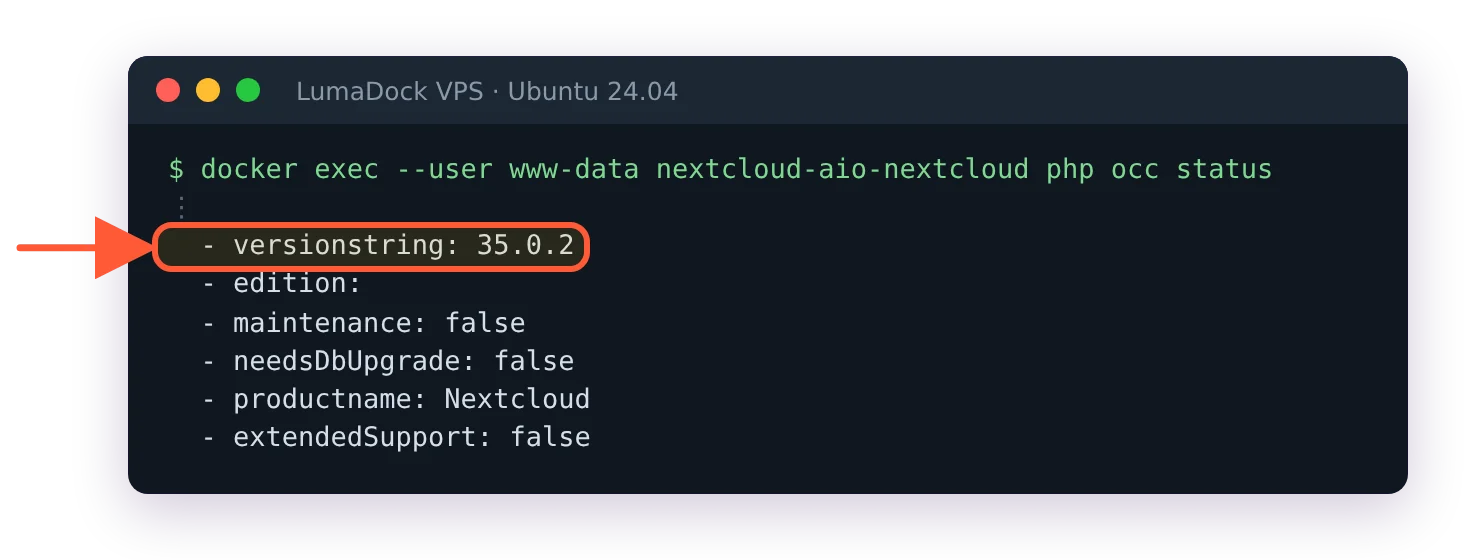
After the Hub 26 Summer upgrade in the AIO interface, occ status on my server reported 35.0.2.
Compliance, governance and DRM
The Compliance Center holds named rule sets for HIPAA, ITAR, GDPR, NIST and PDPL, rechecks them once a day and shows the results on an Overview tab an auditor can be walked through. Around it sit Smart DLP, Smart Content Classification, retention policies, Anti-Ransomware, Everfox CDR, an Audit Trail and File Analytics with reports.
The DRM side is two products. Secure Document Viewer is a client-side viewer with screenshot and print protection, and Secure Web Viewer does browser-based DRM, added in 23.232. Both exist so a document can be read by someone outside the company without leaving a copy behind on their machine. Watermarking on downloads arrived in 23.262.
Nextcloud approaches governance through apps. Flow is one of the official Hub components and runs rule-based actions when files change, and access control, auditing and retention come from separate apps installed from the app store. There is no equivalent single compliance overview mapping controls to named regulations. App names and what each one covers shift between releases, so check the app store on the version you're running.
Active Directory, SSO and permissions
FileCloud does Active Directory, SAML-based SSO and SCIM 2.0 provisioning natively. NTFS support matters most to Windows shops: ServerSync cloud-enables an existing Windows file server and imports NTFS permissions, so the ACLs already on the share carry into FileCloud instead of being rebuilt by hand. SSO and ServerSync are both absent from Community Edition, which limits how far a free install can be tested against a real directory.
Nextcloud handles the same territory through apps. The LDAP/Active Directory backend maps directory users into Nextcloud accounts, and SAML and OpenID Connect are separate apps. For file server permissions there's no NTFS import; the usual approach is to mount the SMB/CIFS share as external storage so the Windows server stays the source of truth for what lives on disk. Team Folders (formerly Group folders) and share permissions inside Nextcloud are then a second layer on top, managed in Nextcloud's own model.
Clients and sync
FileCloud Drive presents the server as a virtual drive on Windows and macOS, with files pulled on access, and Selective Sync handles the folders a user wants kept locally. There's an Outlook add-in for sending share links from mail and Microsoft Office integration for editing. Endpoint Backup pulls laptop data up into the server on a schedule.
Nextcloud's desktop client covers Windows, macOS and Linux and supports virtual files, so the behaviour is comparable to FileCloud Drive. Mobile apps exist on both platforms. Office editing is a container decision on the Nextcloud side: Collabora Online was the default backend for years, Hub 26 Spring added Euro-Office, and All-in-One now preselects Euro-Office with Collabora as the alternative. Both are extra services to run and both want their own RAM.
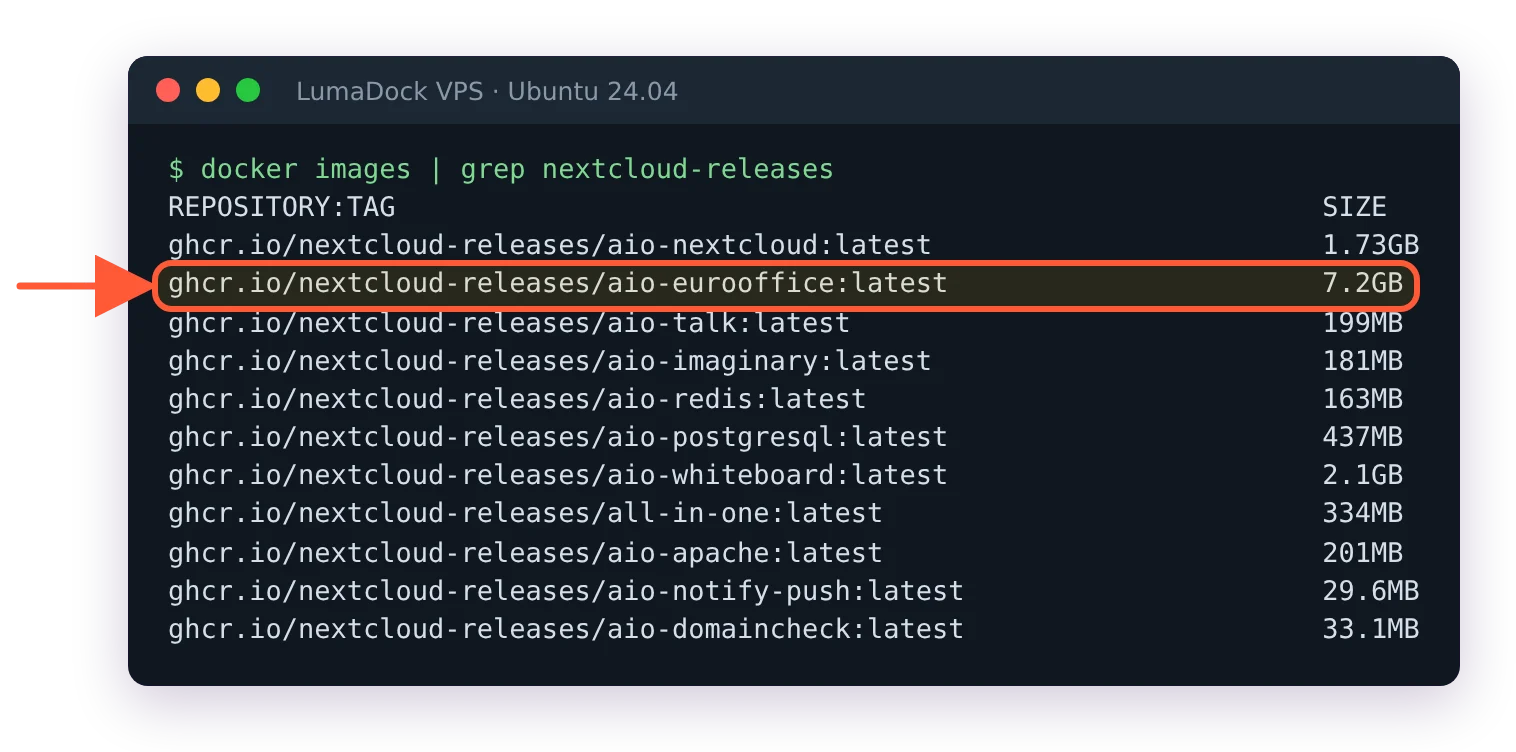
On my All-in-One server the Euro-Office image alone took 7.2 GB of disk.
Collaboration beyond files
Nextcloud's Hub bundles Files, Talk for calls and chat, Groupware covering Calendar, Contacts and Mail, plus Deck for kanban boards and the Nextcloud Assistant for AI features. Hub 26 Spring added Talk Voice Rooms, Gantt charts in Deck and offline editing in Text. For a team that would otherwise run a separate chat server and a separate calendar server, that consolidation is the main argument for Nextcloud over anything file-only.
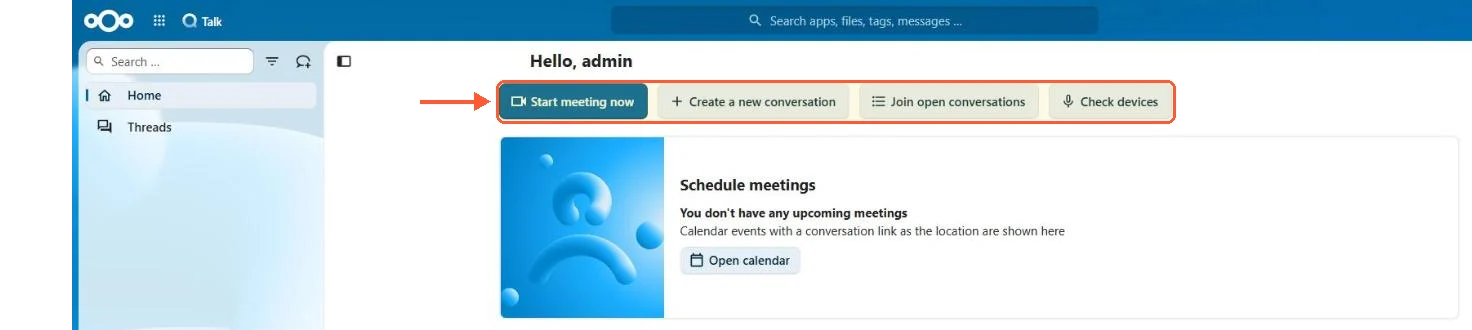
Talk came with my All-in-One install, ready to start a meeting.
FileCloud stays file-centric on purpose. Workflows handle approvals and automation around documents, and 23.262 added Signit as a second e-signature option next to Signority. There's no chat or calendar, and no mail client either.
Nextcloud's November 2025 "Sovereignty 2030" announcement committed the company to investing more than 250 million euros in digital sovereignty by 2030, and claims thousands of government agencies, companies, universities and schools as users. That is the company's own framing, and it says where the roadmap points: European public sector deployments.

