Back to Article List

Fix the CrowdSec Access Forbidden page when it blocks you

Fix the CrowdSec Access Forbidden page when it blocks you - Fix the CrowdSec Access Forbidden page when it blocks you

In February a monitoring alert got me out of bed because a client's Nginx Proxy Manager dashboard was down. Except it wasn't down. It was serving a full-page "CrowdSec Access Forbidden. You are unable to visit the website." to exactly one visitor, the admin, from the office IP that had managed it for two years.

A misconfigured backup job had failed HTTP auth forty times in a minute and CrowdSec concluded, reasonably, that the office was attacking the server. If you're staring at that page on your own service right now, here's the way out and the way to never see it again. This applies to CrowdSec 1.7.x with any HTTP-level Remediation Component (the piece everyone calls a bouncer), so NPM, NPMplus, Traefik and Pangolin setups all follow the same steps.

What the CrowdSec Access Forbidden page means

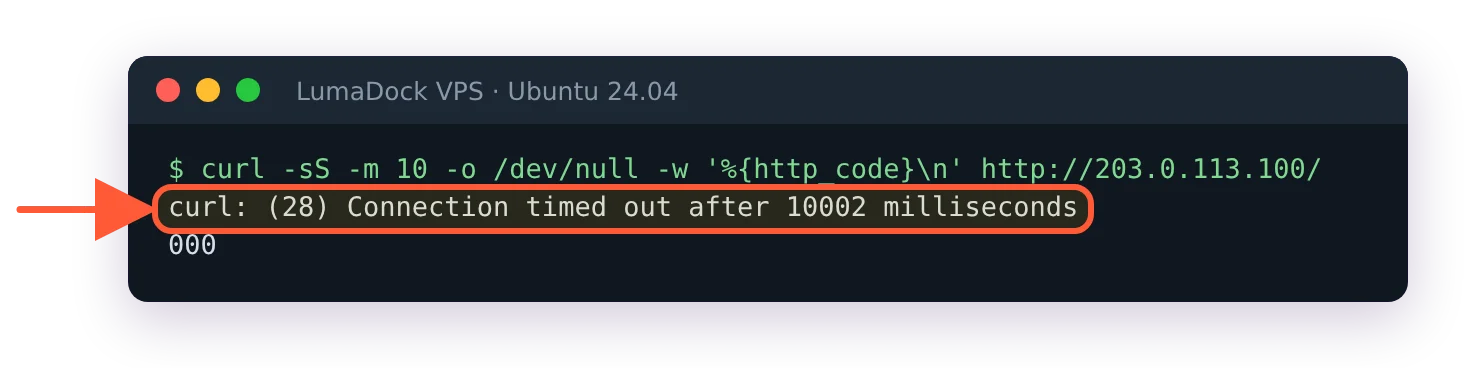
The page comes from the remediation side, never from LAPI itself. On each request your reverse proxy asks the local CrowdSec API if there's a decision against the visitor's IP, gets a yes and serves the ban template instead of your app. So the page actually tells you two things: enforcement works and there's an active decision on your address. Worth being precise here, because a 403 in a bouncer's own log looks similar and means the opposite (enforcement broken); that one has its own fix in my LAPI access forbidden guide.

You're in good company, by the way. NPMplus admins hit this often enough that a discussion from December 2025 collects self-ban stories from the built-in CrowdSec integration, and the CrowdSec Discourse has a thread of the same shape going back years.

Finding the decision that banned you

Work from a session that still functions: SSH from another address, the provider console or a phone hotspot. If you're unsure what your public address currently is (behind CGNAT it's often not what you think), check your IP from the banned device first. Then ask LAPI what it holds against you:

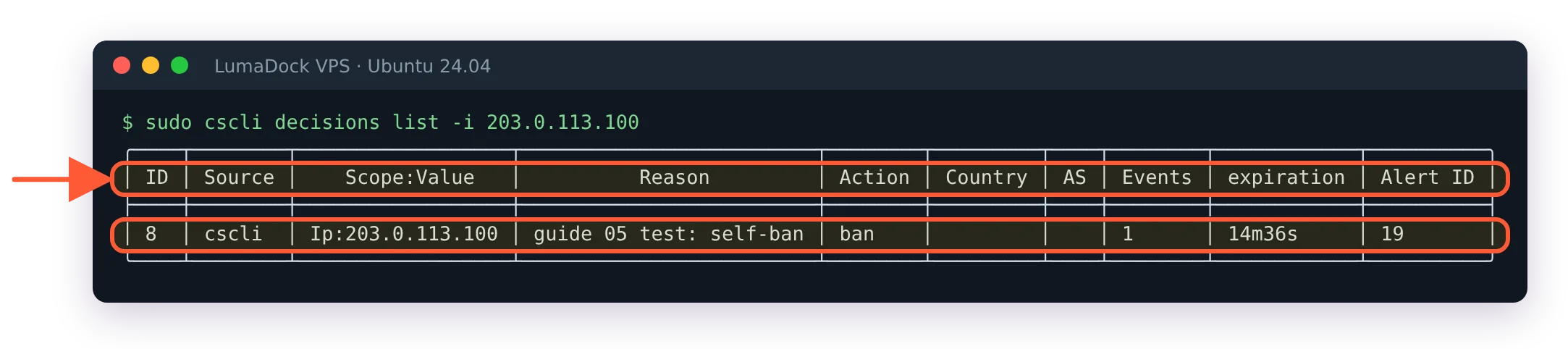
sudo cscli decisions list -i YOUR_IP

The output shows the scenario that fired, the action, the expiration and, most usefully, the origin. Run it for your IPv6 address too. I've watched someone delete an IPv4 ban twice while the actual decision sat on their v6 address the whole time.
Reading the origin column

The origin decides the fix, so don't skip it.

crowdsec means a local scenario fired on your own logs. Something at your address genuinely misbehaved. Pull the matching alert with cscli alerts list -i YOUR_IP to see which scenario and which log lines, then fix the misbehaving client before anything else, or the ban comes straight back.

CAPI means the community blocklist contains your IP. Your address earned a bad reputation somewhere else entirely, common with VPN exit nodes and CGNAT ranges. Deleting the decision helps until the next pull re-imports it, so the durable fix here is an allowlist entry.

lists:name means a third-party blocklist you subscribed to includes your address. Unsubscribe from that list in the console or allowlist yourself; arguing with the list maintainer is the slow third option.

cscli means a human banned you manually. Ask your colleagues before assuming anything sophisticated happened.

Deleting the ban decision

Once you know why, lift it:

sudo cscli decisions delete -i YOUR_IP

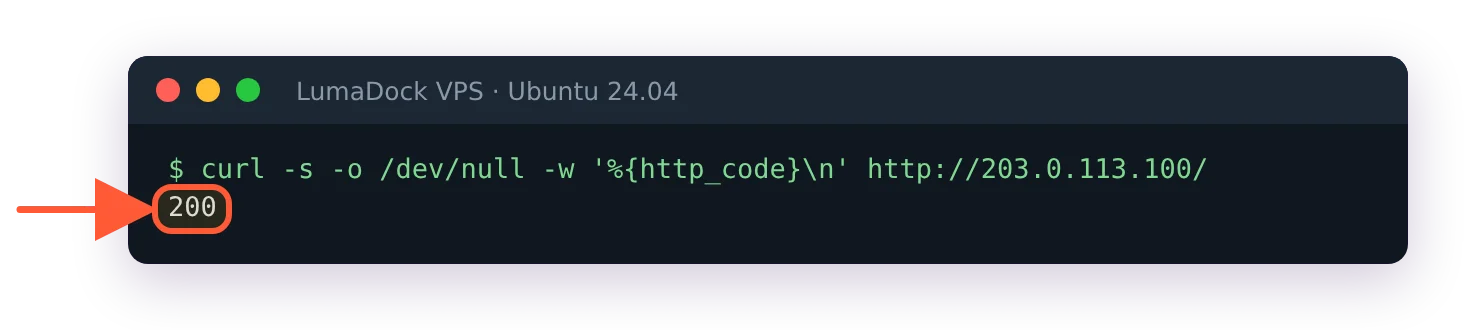
Bouncers running in stream mode pick the removal up on their next pull, so access returns within seconds. If the page persists past a minute, suspect the wrong address (the v4/v6 mixup again) or a second decision on the whole range rather than the single IP, which cscli decisions list without filters will reveal.
Why CrowdSec banned your own IP

Four patterns cover nearly every self-ban I've seen. You scanned your own services with a vulnerability scanner or an aggressive uptime checker, which reads as probing. An app with saved stale credentials retried auth in a loop, the classic being a phone or a backup agent nobody remembered; that's what happened in a Pangolin thread from May 2025 where admins got 403s on their own dashboard. You're on a VPN or CGNAT address where a stranger sharing your exit earned the ban for you. Or your own dashboard polling hammered an endpoint fast enough to look like enumeration. None of these are exotic, which is the point: normal admin behavior overlaps heavily with attack signatures.

Allowlisting your admin IP

Since release 1.6.3 the default install ships the crowdsecurity/whitelists parser, so private RFC1918 ranges never trigger local scenarios and LAN access usually survives a self-inflicted incident. Public admin addresses need an explicit entry. On the LAPI machine:

sudo cscli allowlists create admins -d "admin egress IPs"
sudo cscli allowlists add admins 198.51.100.7

These centralized allowlists drop matching alerts in real time and strip matching IPs out of blocklist imports before they reach the database, which handles the CAPI origin too. One caveat that catches everyone: an allowlist doesn't retroactively lift a ban that already exists. Add the entry, then delete the current decision. If your CrowdSec runs on a firewall appliance rather than the VPS itself, the flow is different and I've written up allowlisting an IP in CrowdSec on OPNsense separately.

Recovery when you're completely locked out

An HTTP ban page still leaves you SSH. A firewall bouncer on the same decision doesn't, and that combination is where panic sets in. My order: the provider's console or VNC first, since it's out of band and no IP ban can touch it. No console? Any different address works, a secondary IP or a phone hotspot, because the ban follows the address rather than you. From whichever session you win, disable enforcement temporarily instead of ripping things out:

sudo systemctl stop crowdsec-firewall-bouncer

Stopping the remediation component removes enforcement while detection keeps running, and it starts clean once you've deleted the decision. Uninstalling in a panic throws away the config and the registered key, and I've watched that turn a ten-minute incident into an evening of reinstalling.

Preventing the next self-ban

Two habits close this hole almost completely. Allowlist your admin networks before the first bouncer ever goes live, and rehearse remediation on a staging box before it touches production. The order matters more than any individual setting, and I've laid the full sequence out in how to roll out CrowdSec without locking yourself out.

Keep the CrowdSec troubleshooting reference bookmarked for everything this page didn't cover, and next time the Access Forbidden page appears, you'll know it's a thirty-second fix rather than an outage.

Your idea deserves better hosting

24/7 support 30-day money-back guarantee Cancel anytime
Billing Cycle

VPS.S1

22.32 zł Save  17 %
18.60 Monthly
  • 2 vCPU AMD EPYC
  • 2 GB RAMMEMORY
  • 30 GB NVMeSTORAGE
  • Unmetered bandwidth
  • IPv4 & IPv6IPv6 is currently unavailable in France, Finland or the Netherlands. included

VPS.S3

55.87 zł Save  33 %
37.23 Monthly
  • 4 vCPU AMD EPYC
  • 6 GB RAMMEMORY
  • 70 GB NVMeSTORAGE
  • Unmetered bandwidth
  • IPv4 & IPv6IPv6 is currently unavailable in France, Finland or the Netherlands. included

EPYC VPS.P1

33.50 zł Save  22 %
26.05 Monthly
  • 2 vCPU AMD EPYC
  • 4 GB RAMMEMORY
  • 40 GB NVMeSTORAGE
  • Unmetered bandwidth
  • IPv4 & IPv6IPv6 is currently unavailable in France, Finland or the Netherlands. included
  • Free auto backupsIncludes one backup slot you can set to run daily, weekly or monthly.

EPYC VPS.P2

63.32 zł Save  24 %
48.41 Monthly
  • 2 vCPU AMD EPYC
  • 8 GB RAMMEMORY
  • 80 GB NVMeSTORAGE
  • Unmetered bandwidth
  • IPv4 & IPv6IPv6 is currently unavailable in France, Finland or the Netherlands. included
  • Free auto backupsIncludes one backup slot you can set to run daily, weekly or monthly.

EPYC VPS.P4

111.77 zł Save  23 %
85.68 Monthly
  • 4 vCPU AMD EPYC
  • 16 GB RAMMEMORY
  • 160 GB NVMeSTORAGE
  • Unmetered bandwidth
  • IPv4 & IPv6IPv6 is currently unavailable in France, Finland or the Netherlands. included
  • Free auto backupsIncludes one backup slot you can set to run daily, weekly or monthly.

EPYC VPS.P5

149.04 zł Save  25 %
111.77 Monthly
  • 8 vCPU AMD EPYC
  • 16 GB RAMMEMORY
  • 180 GB NVMeSTORAGE
  • Unmetered bandwidth
  • IPv4 & IPv6IPv6 is currently unavailable in France, Finland or the Netherlands. included
  • Free auto backupsIncludes one backup slot you can set to run daily, weekly or monthly.

EPYC VPS.P6

223.57 zł Save  25 %
167.67 Monthly
  • 8 vCPU AMD EPYC
  • 32 GB RAMMEMORY
  • 200 GB NVMeSTORAGE
  • Unmetered bandwidth
  • IPv4 & IPv6IPv6 is currently unavailable in France, Finland or the Netherlands. included
  • Free auto backupsIncludes one backup slot you can set to run daily, weekly or monthly.

EPYC VPS.P7

260.84 zł Save  29 %
186.31 Monthly
  • 16 vCPU AMD EPYC
  • 32 GB RAMMEMORY
  • 240 GB NVMeSTORAGE
  • Unmetered bandwidth
  • IPv4 & IPv6IPv6 is currently unavailable in France, Finland or the Netherlands. included
  • Free auto backupsIncludes one backup slot you can set to run daily, weekly or monthly.

Genoa VPS.G2

93.13 zł Save  20 %
74.50 Monthly
  • 2 vCPUAMD EPYC Genoa 4th generation 9xx4 with 3.25 GHz or similar, on Zen 4 architecture. AMD EPYC G4
  • 4 GB DDR5MEMORY
  • 50 GB NVMeSTORAGE
  • Unmetered bandwidth
  • IPv4 & IPv6IPv6 is currently unavailable in France, Finland or the Netherlands. included
  • Free auto backupsIncludes one backup slot you can set to run daily, weekly or monthly.

Genoa VPS.G4

167.67 zł Save  22 %
130.40 Monthly
  • 4 vCPUAMD EPYC processor with dedicated vCPU cores, on enterprise server hardware. AMD EPYC G4
  • 8 GB DDR5MEMORY
  • 100 GB NVMeSTORAGE
  • Unmetered bandwidth
  • IPv4 & IPv6IPv6 is currently unavailable in France, Finland or the Netherlands. included
  • Free auto backupsIncludes one backup slot you can set to run daily, weekly or monthly.

Genoa VPS.G6

335.38 zł Save  22 %
260.84 Monthly
  • 8 vCPUAMD EPYC processor with dedicated vCPU cores, on enterprise server hardware. AMD EPYC G4
  • 16 GB DDR5MEMORY
  • 200 GB NVMeSTORAGE
  • Unmetered bandwidth
  • IPv4 & IPv6IPv6 is currently unavailable in France, Finland or the Netherlands. included
  • Free auto backupsIncludes one backup slot you can set to run daily, weekly or monthly.

Genoa VPS.G7

596.26 zł Save  22 %
465.82 Monthly
  • 8 vCPUAMD EPYC processor with dedicated vCPU cores, on enterprise server hardware. AMD EPYC G4
  • 32 GB DDR5MEMORY
  • 250 GB NVMeSTORAGE
  • Unmetered bandwidth
  • IPv4 & IPv6IPv6 is currently unavailable in France, Finland or the Netherlands. included
  • Free auto backupsIncludes one backup slot you can set to run daily, weekly or monthly.

AMD Ryzen VPS.R1

63.32 zł Save  18 %
52.14 Monthly
  • 1 dedicated CPU AMD Ryzen 9 7950X with 4.5 GHz or similar, on Zen 4 architecture. vCPU
  • 4 GB DDR5MEMORY
  • 50 GB NVMeSTORAGE
  • Unmetered bandwidth
  • IPv4 & IPv6 included IPv6 support is currently unavailable in France, Finland or the Netherlands.
  • Auto backup included

AMD Ryzen VPS.R2

111.77 zł Save  17 %
93.13 Monthly
  • 2 dedicated CPUs AMD Ryzen 9 7950X with 4.5 GHz or similar, on Zen 4 architecture. vCPU
  • 8 GB DDR5MEMORY
  • 100 GB NVMeSTORAGE
  • Unmetered bandwidth
  • IPv4 & IPv6 included IPv6 support is currently unavailable in France, Finland or the Netherlands.
  • Auto backup included

AMD Ryzen VPS.R4

409.92 zł Save  18 %
335.38 Monthly
  • 8 dedicated CPUs AMD Ryzen 9 7950X with 4.5 GHz or similar, on Zen 4 architecture. vCPU
  • 32 GB DDR5MEMORY
  • 400 GB NVMeSTORAGE
  • Unmetered bandwidth
  • IPv4 & IPv6 included IPv6 support is currently unavailable in France, Finland or the Netherlands.
  • Auto backup included

Frequent questions

Can I get banned again immediately after deleting the decision?

Yes, and it happens a lot. Deleting a decision removes the symptom while the scenario keeps watching your logs, so if the failing client is still retrying auth you'll be re-banned within minutes. Fix or stop the offending client first, or add your allowlist entry before you delete, and the loop breaks.

GPU products are in high demand at the moment. Fill the form to get notified as soon as your preferred GPU server is back in stock.