


.svg)
.svg)
.svg)
.svg)

.svg)
.svg)
.svg)


Updated 22 October 2026
In February a monitoring alert got me out of bed because a client's Nginx Proxy Manager dashboard was down. Except it wasn't down. It was serving a full-page "CrowdSec Access Forbidden. You are unable to visit the website." to exactly one visitor, the admin, from the office IP that had managed it for two years.
A misconfigured backup job had failed HTTP auth forty times in a minute and CrowdSec concluded, reasonably, that the office was attacking the server. If you're staring at that page on your own service right now, here's the way out and the way to never see it again. This applies to CrowdSec 1.7.x with any HTTP-level Remediation Component (the piece everyone calls a bouncer), so NPM, NPMplus, Traefik and Pangolin setups all follow the same steps.
What the CrowdSec Access Forbidden page means
The page comes from the remediation side, never from LAPI itself. On each request your reverse proxy asks the local CrowdSec API if there's a decision against the visitor's IP, gets a yes and serves the ban template instead of your app. So the page actually tells you two things: enforcement works and there's an active decision on your address. Worth being precise here, because a 403 in a bouncer's own log looks similar and means the opposite (enforcement broken); that one has its own fix in my LAPI access forbidden guide.

The ban page as served by the nginx bouncer, with only the HTTP layer enforcing.
You only get this page when an HTTP bouncer enforces the ban on its own. If a firewall bouncer runs too (LumaDock's nginx + CrowdSec template runs both), the same decision drops your packets before nginx ever sees them, so the browser shows no page at all and the request just times out.
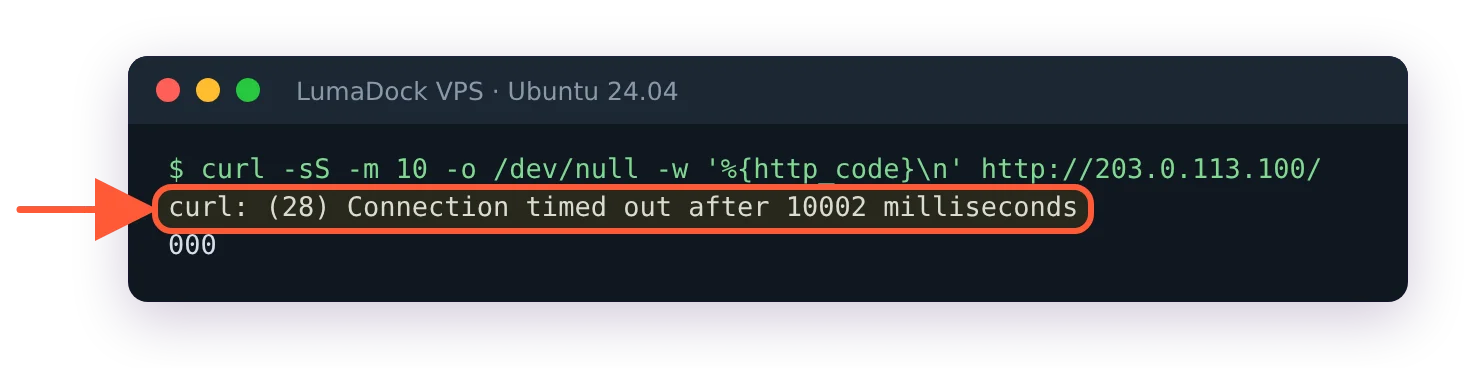
Same ban with the firewall bouncer running too: no page, just a timeout.
You're in good company, by the way. NPMplus admins hit this often enough that a discussion from December 2025 collects self-ban stories from the built-in CrowdSec integration, and the CrowdSec Discourse has a thread of the same shape going back years.
Finding the decision that banned you
Work from a session that still functions: SSH from another address, the provider console or a phone hotspot. If you're unsure what your public address currently is (behind CGNAT it's often not what you think), check your IP from the banned device first. Then ask LAPI what it holds against you:
sudo cscli decisions list -i YOUR_IPThe output shows the scenario that fired, the action, the expiration and, most usefully, where the ban came from: the Source column. Run it for your IPv6 address too. I've watched someone delete an IPv4 ban twice while the actual decision sat on their v6 address the whole time.
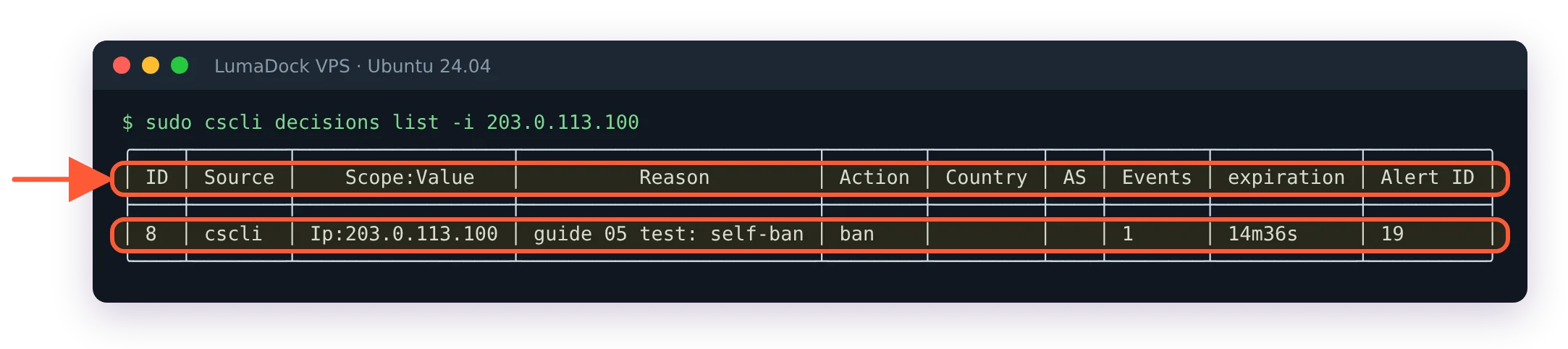
The Source column says where the ban came from; here a manual cscli ban.
Reading the Source column
The source decides the fix, so don't skip it.
crowdsec means a local scenario fired on your own logs. Something at your address genuinely misbehaved. Pull the matching alert with cscli alerts list -i YOUR_IP to see which scenario and which log lines, then fix the misbehaving client before anything else, or the ban comes straight back.
CAPI means the community blocklist contains your IP. Your address earned a bad reputation somewhere else entirely, common with VPN exit nodes and CGNAT ranges. Deleting the decision helps until the next pull re-imports it, so the durable fix here is an allowlist entry.
lists:name means a third-party blocklist you subscribed to includes your address. Unsubscribe from that list in the console or allowlist yourself; arguing with the list maintainer is the slow third option.
cscli means a human banned you manually. Ask your colleagues before assuming anything sophisticated happened.
Deleting the ban decision
Once you know why, lift it:
sudo cscli decisions delete -i YOUR_IPBouncers running in stream mode pick the removal up on their next pull, so access returns within seconds. If the page persists past a minute, suspect the wrong address (the v4/v6 mixup again) or a second decision on the whole range rather than the single IP, which cscli decisions list without filters will reveal.
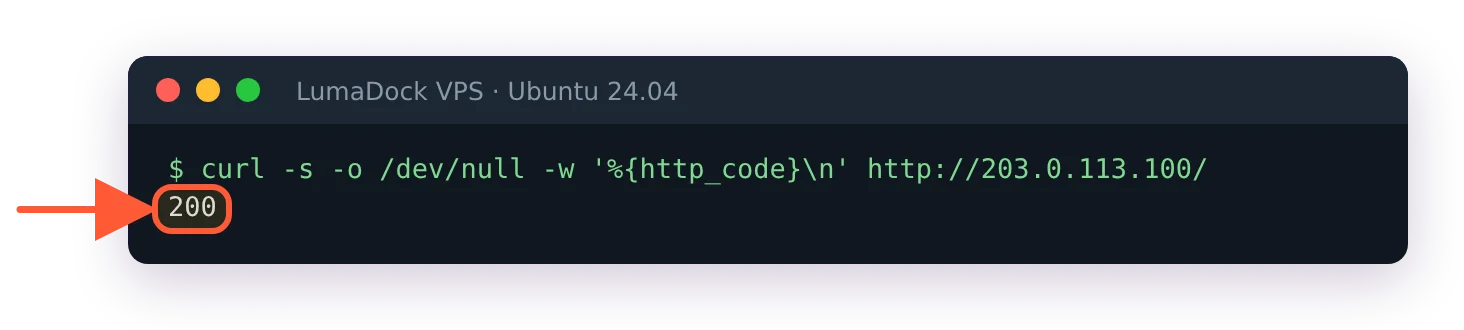
Three seconds after the delete, the site answers 200 again.


