.svg)
.svg)
.svg)
.svg)

.svg)
.svg)
.svg)


Updated and tested 23 September 2026
"Is Webmin safe" gets asked on forums about once a week and gets answered with opinion. The vendor's own advisory list is a better source. Read the 2026 entries and the answer is something you can plan around. Patch first and keep port 10000 private; Fail2ban and two-factor login only matter after that.
A Webmin login is root by another name. Anyone who gets in can edit /etc/shadow, install packages, rewrite a firewall and run commands as root, so the login page deserves the treatment you give SSH. Most of what follows is about reducing the number of people who can see that page at all.
Does Webmin belong on an internet-facing server
Yes, on two conditions: a current version, and a network path that does not include the entire internet. Webmin is under active development and its release cadence through 2026 has been close to monthly. The advisory list keeps growing because people keep looking, which is the state you want a panel to be in.
The counter-argument is scope. Webmin writes configuration files for daemons it does not own, so its attack surface is roughly the union of every module installed. The Webmin and Cockpit comparison lays out the trade-offs, and if all you need is service status, storage, journals and a terminal, a smaller tool is a smaller target. Plenty of people need the DNS zone editor and the Postfix module, and for them the answer is to run Webmin properly.
Patch on the monthly cadence
Webmin was at 2.670 when this guide was tested, released on 20 September 2026. The releases before it: 2.630 in March, 2.640 and 2.641 in May, 2.650 and 2.651 in June, 2.652 and 2.653 in July, 2.660 in August. Point releases land often and some of them are security releases.
The 2026 entries on the Webmin security advisory list, ordered by the release that fixed them. The last one is the odd entry out, because its advisory points to 2.301, a version long before the rest:
- Prior to 2.640, two factor authentication could be bypassed using HTTP basic authentication, tracked as CVE-2026-42210 and CVE-2026-56022. Accounts with 2FA switched on were reachable without the second factor.
- Prior to 2.640, the Help feature allowed privilege escalation, letting untrusted users run commands as root regardless of what module access they had been granted.
- Prior to 2.640, the Read User Mail module had an XSS flaw through SVG attachments, CVE-2026-49102, and a file overwrite when detaching attachments, CVE-2026-49103.
- Prior to 2.641, the System and Server Status module carried a stored cross-site scripting flaw in its notification email templates, CVE-2026-22678, usable by a user with template permissions to compromise root.
- Prior to 2.650, a reflected cross-site scripting flaw, CVE-2026-49243.
- Prior to 2.652, server-side request forgery in the Upload and Download and File Manager modules, CVE-2026-102337, open to untrusted users who have download access.
- Prior to 2.653, users with limited access to several service modules (DHCPd, MySQL, PostgreSQL, Nginx and Squid among them) could restart servers or edit configuration that their ACL denied.
- Prior to 2.670, the Custom Commands module let an untrusted user who can run commands with parameters execute arbitrary commands as root. Commands without parameters are not affected.
- CVE-2026-56020, SSL client certificates trusted when they shouldn't be, on a Webmin set to trust client IPs supplied by a proxy. The advisory says to upgrade to 2.301 or later, and the setting involved is Trust level for proxy headers under IP Access Control.
Two of the first three defeat a control you had already configured. Enabling 2FA on a box running 2.63x bought you a login prompt and no second factor. Restricting a junior admin to three modules on the same version bought you a list that the Help feature ignored. Configuration is not a substitute for a current version, and patching comes before everything else here.
Updates come through the package manager the repo already set up, so apt-get update && apt-get install --only-upgrade webmin on Debian and Ubuntu, or dnf upgrade webmin on the RHEL family. There is an Upgrade Webmin page under Webmin Configuration that does the same thing. On a box I am not logging into weekly, Webmin goes into unattended upgrades and the release notes get read when something breaks, which so far it has not.
Keep port 10000 off the open internet
A panel on 0.0.0.0:10000 gets found within hours by mass scanners, and from then on every authentication weakness in every version you ever run is a race between the advisory and the exploit. This is the change with the largest effect and it costs nothing. Three ways to do it, in order.
Reach Webmin over a VPN
Put WireGuard on the server and bind Webmin to the VPN interface address. Webmin becomes invisible to anything that is not already a peer, and access control turns into key management: onboarding is a peer entry, offboarding is a deletion, and neither one happens under time pressure with a firewall rule half-edited in another tab. For a team with more than one administrator, nothing else comes close.
An SSH tunnel to 127.0.0.1
Bind Webmin to 127.0.0.1 and forward the port over a session you already have open:
ssh -L 8443:127.0.0.1:10000 admin@YOUR_SERVER_IP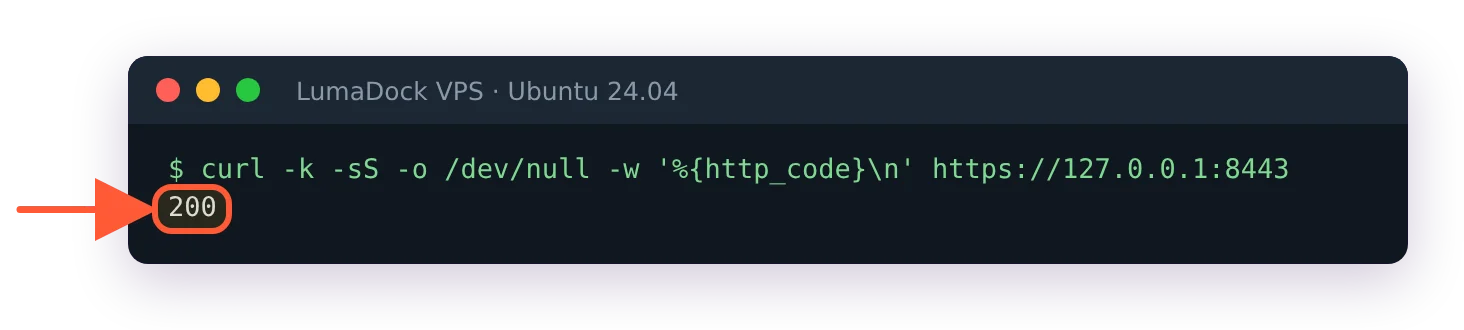
Through the tunnel, Webmin answers on the laptop's 127.0.0.1:8443.
Then browse to https://127.0.0.1:8443. The public interface answers nothing at all, and the SSH key you already protect becomes the only credential that matters. It scales badly to a team. The certificate will never match a loopback address, which is a name mismatch warning and not a fault.
An IP allowlist in Webmin
Webmin's IP Access Control page, the first entry in the Webmin Configuration module, writes the allow and deny keys in /etc/webmin/miniserv.conf. The module documentation describes choosing the Only allow from listed addresses option and typing the hostnames, IP addresses or networks into the box beside it. A firewall rule in front of it, at the host and at the provider's network layer, does the same job earlier and better.
Keep both. The Webmin port and IP access control guide has the firewall syntax for each distro, and the miniserv check still applies on the day a firewall rule gets clobbered by a package update. Neither one survives a dynamic residential address changing overnight.
Moving off the default port
Moving off 10000 is overrated as hardening, and it is not a control. Scanners sweep 10000 constantly, so a panel on 8443 sees a fraction of the traffic and the authentication log becomes short enough that somebody reads it, which is the entire benefit and it is a real one. Anyone targeting your server specifically finds the new port in a single scan, and the port number changes nothing about what happens after that. Do it for the log volume. It does not stand in for the previous section, and treating it as security is how people end up with an exposed panel they feel good about.
Give Webmin a certificate the browser trusts
The install ships a self-signed certificate, so the first login throws a warning. The walkthrough on Webmin SSL certificates covers replacing it through the SSL Provider tab, which takes a few minutes. On a tunnelled panel the security value of that is small. The value in not conditioning yourself to click through certificate warnings is not small at all, and that habit is what eventually costs you.
Two factor authentication
Webmin Configuration, then Two Factor Authentication, then enable a provider and enrol each account. Two providers ship with Webmin.
TOTP Authenticator
Standard TOTP, so Google Authenticator or any other authenticator app works and nothing leaves the server during a login. Older guides call this provider Google Authenticator; on 2.670 the drop-down says TOTP Authenticator. Enable this one. Saving it shows a green box telling you to enrol in the Webmin Users module, where each account gets an Enroll For Two-Factor Authentication button. I stopped at that button when testing this guide, because the next step needs the phone, so I can't vouch for the enrolment screen itself. The documentation calls the provider's protocol "TOPT", a long-standing typo for TOTP, in case you go looking for the term.
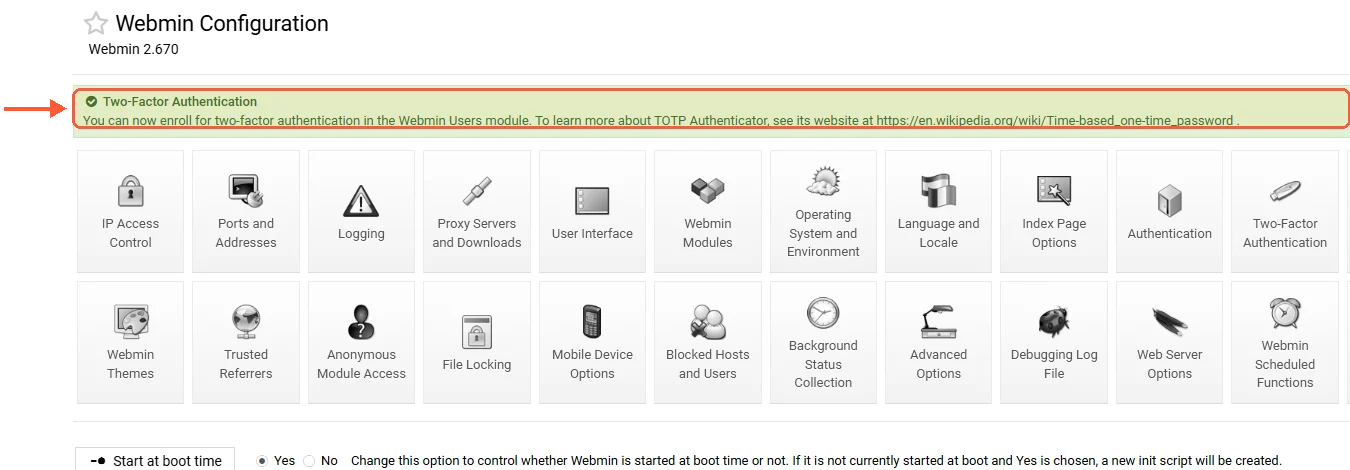
After saving TOTP Authenticator, Webmin points you to Webmin Users to enrol.
Authy
A commercial service with its own phone app. It works, and it puts a third party in the path of your root logins on a box you chose to self-host. That trade is fine for some organisations and pointless for a single-server setup.
Enrol carefully. A phone reset with no recovery codes locks you out of your own machine. The escape hatch is webmin disable-twofactor --user USERNAME (the --user is required), documented with the rest of the webmin command line tools, which strips the second factor off an account from a shell. Webmin two factor authentication on anything older than 2.640 was bypassable over HTTP basic authentication, so the control is only as real as the package you are running.
![The stock [webmin-auth] jail in /etc/fail2ban/jail.conf sets port = 10000](/templates/lagom2/assets/img/page-manager/lumadock-webmin-security-hardening-fail2ban-webmin-jail-port.webp)