.svg)
.svg)
.svg)
.svg)

.svg)
.svg)
.svg)

Updated and tested 24 August 2026
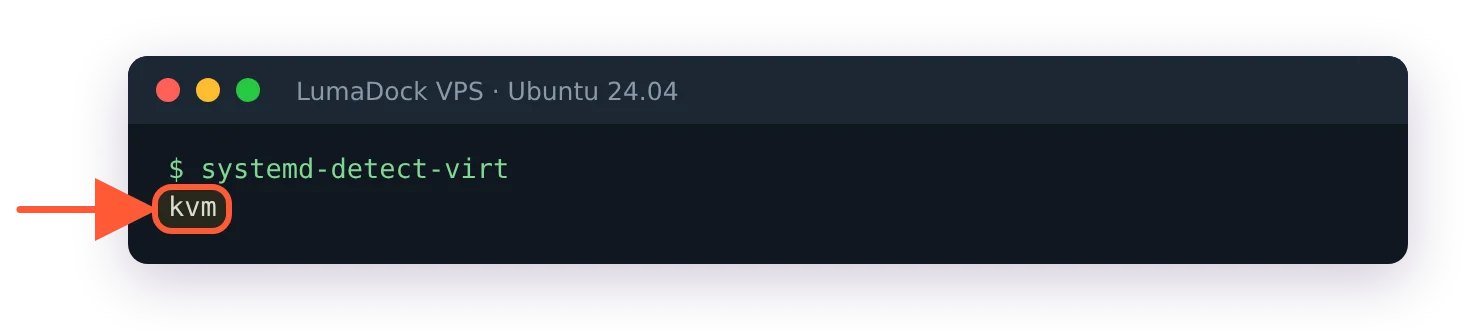
Run this on any Linux server you're paying for and read the one word it prints:
systemd-detect-virtkvm means you have a real virtual machine with its own kernel. openvz or lxc means you have a container on somebody else's kernel, whatever the order page called it. none means bare metal. The command is on every systemd distro (Ubuntu 24.04 LTS is what I'm running the examples on here), and it's the fastest way I know to settle an argument about what a "VPS" is under the plan name.
This page is about the first answer. KVM VPS hosting is the standard now, mostly because of the kernel: yours, not shared. What follows is how KVM and QEMU divide the work, why the guest kernel matters in practice, what virtio does, what "dedicated vCPU" means at the scheduler, why memory behaves the way it does and why your VPS probably can't run VirtualBox. I've kept the general what-is-a-VPS material in the explainer on what a VPS server is and won't repeat it. Come back to this one when two plans look identical on paper and you want to know why one costs more.
KVM is a kernel module and QEMU is the machine
KVM (Kernel-based Virtual Machine) is a Linux kernel module. It exposes a device, /dev/kvm, and a userspace program opens that device, asks the kernel to create a VM, asks for virtual CPUs inside it and then tells each vCPU to run. The kernel's KVM API documentation describes exactly that sequence: a system ioctl creates the VM, a VM ioctl creates the vCPUs, and a KVM_RUN ioctl hands the physical CPU over to guest code until something happens that the guest can't handle on its own (a disk read, a network packet, a privileged instruction). At that point control returns to userspace.
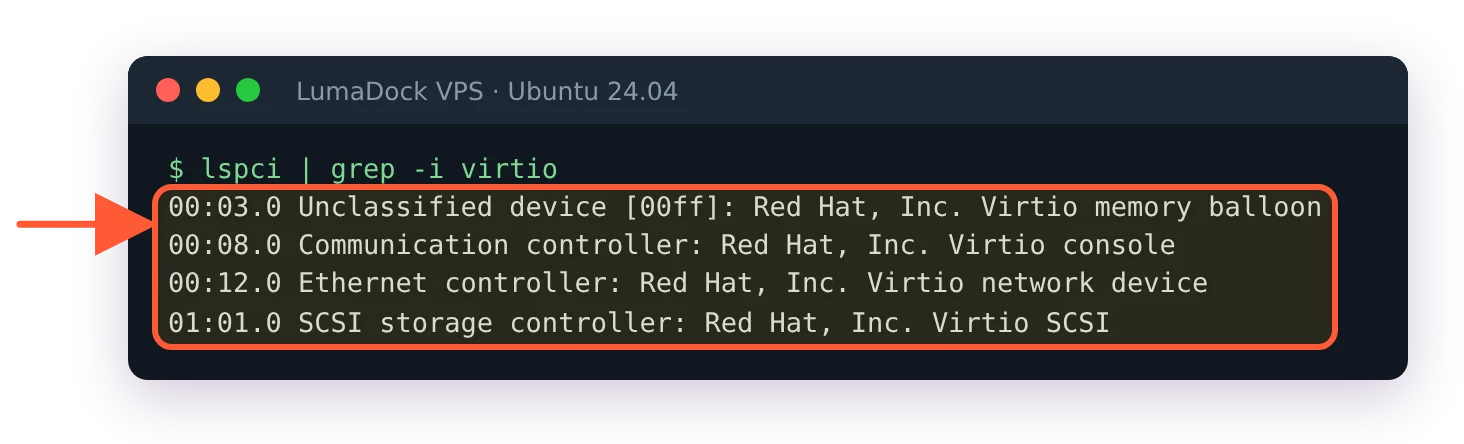
The userspace program is QEMU. QEMU can emulate a whole CPU in software, slowly, or it can hand the CPU work to KVM and keep only the parts a virtual machine still needs: the emulated motherboard, the disk controller, the network card, the display, the firmware. QEMU's own overview documentation puts it as the CPU being "fully emulated, or it may work with a hypervisor such as KVM" so the guest runs directly on the host processor. On a hosting node it's always the second. Every VPS on the host is one QEMU process, and each vCPU is a thread inside that process.
What makes the direct execution possible is a set of CPU extensions, VT-x on Intel and AMD-V on AMD, that let the processor run guest code in a lower-privilege mode with hardware enforcing the boundary. The guest kernel thinks it's in ring 0. It is, from its own point of view, and the CPU traps out to the host the moment it tries something that would affect the physical machine. That trap-and-return loop is the entire performance story of KVM: most instructions never trap, so a CPU-bound program in a guest runs at the same speed as on bare metal, and the overhead shows up only around I/O and the occasional privileged operation.
Why a KVM guest runs its own kernel
Because the hypervisor gives it a whole virtual machine, the guest boots like a computer: firmware, bootloader, kernel, init. The kernel is whatever is on the disk image. Ubuntu's, Debian's, a mainline build you compiled yourself, FreeBSD's, the Windows kernel. The host neither knows nor cares.
In practice this is the list of things that only work because of it. Loading kernel modules, which means WireGuard on an older kernel, ZFS, out-of-tree drivers, anything that ships as a DKMS package. Running Docker and Kubernetes without restrictions, since the container runtime needs namespaces, cgroups and overlay filesystems from a kernel it controls; I've put the specifics in the guide to running Docker on a VPS. Changing sysctls the host would otherwise pin. Using a filesystem the host doesn't have. Swapping the distro by booting an ISO. And running a non-Linux OS, which is the one a container can never do.
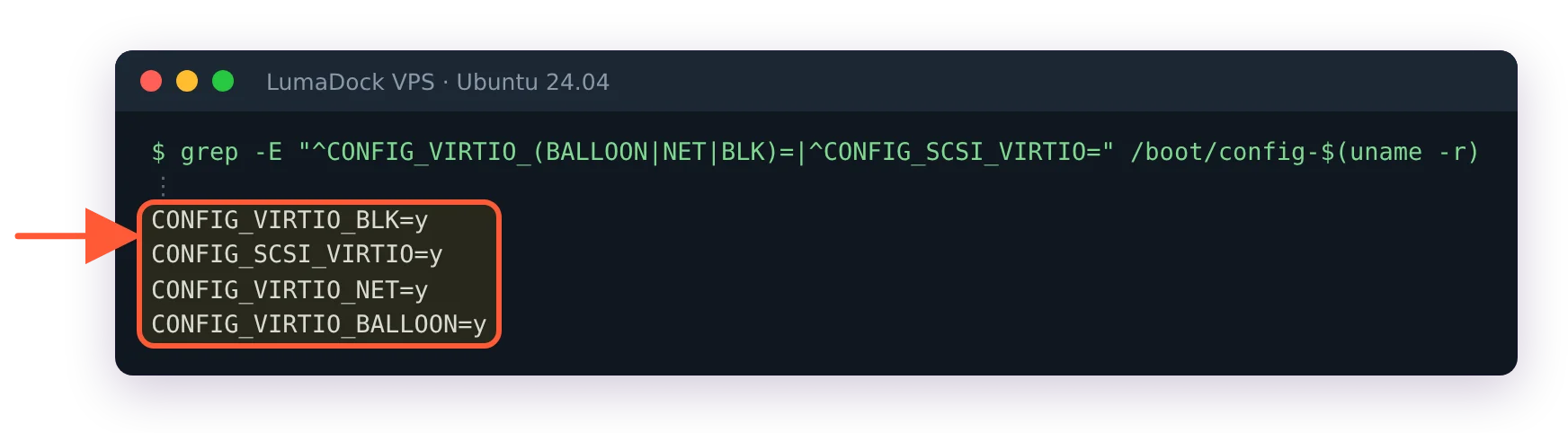
Windows on a KVM VPS is a normal thing. The provider supplies the VM and usually a template; the licence comes from you, either your own or through a per-month arrangement you pay for separately. Full GPU passthrough into a Windows VM, covered in Windows VPS with a graphics card, is the next step on the same idea: the hypervisor hands a whole PCIe device to the guest and the guest kernel drives it directly. Windows guests also want the virtio drivers installed to get proper disk and network speed, which the templates handle.
KVM vs OpenVZ and LXC containers
A container VPS is a set of processes on the host's kernel, walled off with namespaces so they see their own filesystem, PIDs, users and network stack, and limited with cgroups so they can't take all the RAM or CPU. OpenVZ, Virtuozzo and LXC all work this way. The OpenVZ project's own description of containers states it plainly: "Container can't load its own kernel modules (it uses host system kernel modules)", and a container "can only run the same OS as the host". LXC is the same kernel mechanism with different tooling, and the same limits.
That has four consequences a buyer feels. The first is the module problem above: no WireGuard unless the host loaded it, no Docker unless the host enabled the right features, no ZFS, no custom kernel, ever. The second is memory. A container's RAM is a cgroup limit, and on older OpenVZ kernels it was a bundle of "beancounters" that could refuse an allocation in ways applications didn't expect (Java heaps were famous for it); a KVM guest has memory the hypervisor gave it and the kernel manages it like any machine's. The third is the kernel version. On a container you run whatever the host runs, which on some platforms has meant a kernel years behind the distro's own, with the syscalls and features to match. The fourth is visibility: the host operator sees every process in a container with a plain ps, while a VM appears to them as one QEMU process and an opaque disk image.
Where containers are the better product
Density and start time. A container has no kernel to boot and no firmware, so it starts in a second and the host can pack more of them per gigabyte of RAM. For a small static site, a DNS resolver or a CI runner that gets recreated hourly, an LXC-style VPS costs the host less to run and there's nothing wrong with buying one. My rule is that if the answer to "will I ever need a kernel module or a non-Linux OS" is anything other than no, it's KVM.
Xen, Hyper-V and the rest
Xen and Hyper-V are also full hypervisors with their own guest kernels, and a Xen HVM or Hyper-V VPS is closer to KVM than to OpenVZ in every way that matters. They're rarer in the VPS market now. The Linux hosting stack has consolidated on KVM, in most cases through Proxmox VE, libvirt or a panel like Virtualizor built on QEMU. Proxmox VE 9.2 shipped on 21 May 2026 with QEMU 11.0 and a 7.0 kernel, which gives you a feel for how current the software under a well-run KVM host is.