.svg)
.svg)
.svg)
.svg)

.svg)
.svg)
.svg)


Updated and tested 2 October 2026
Run this on the Pi-hole server, in the directory where the archive should land:
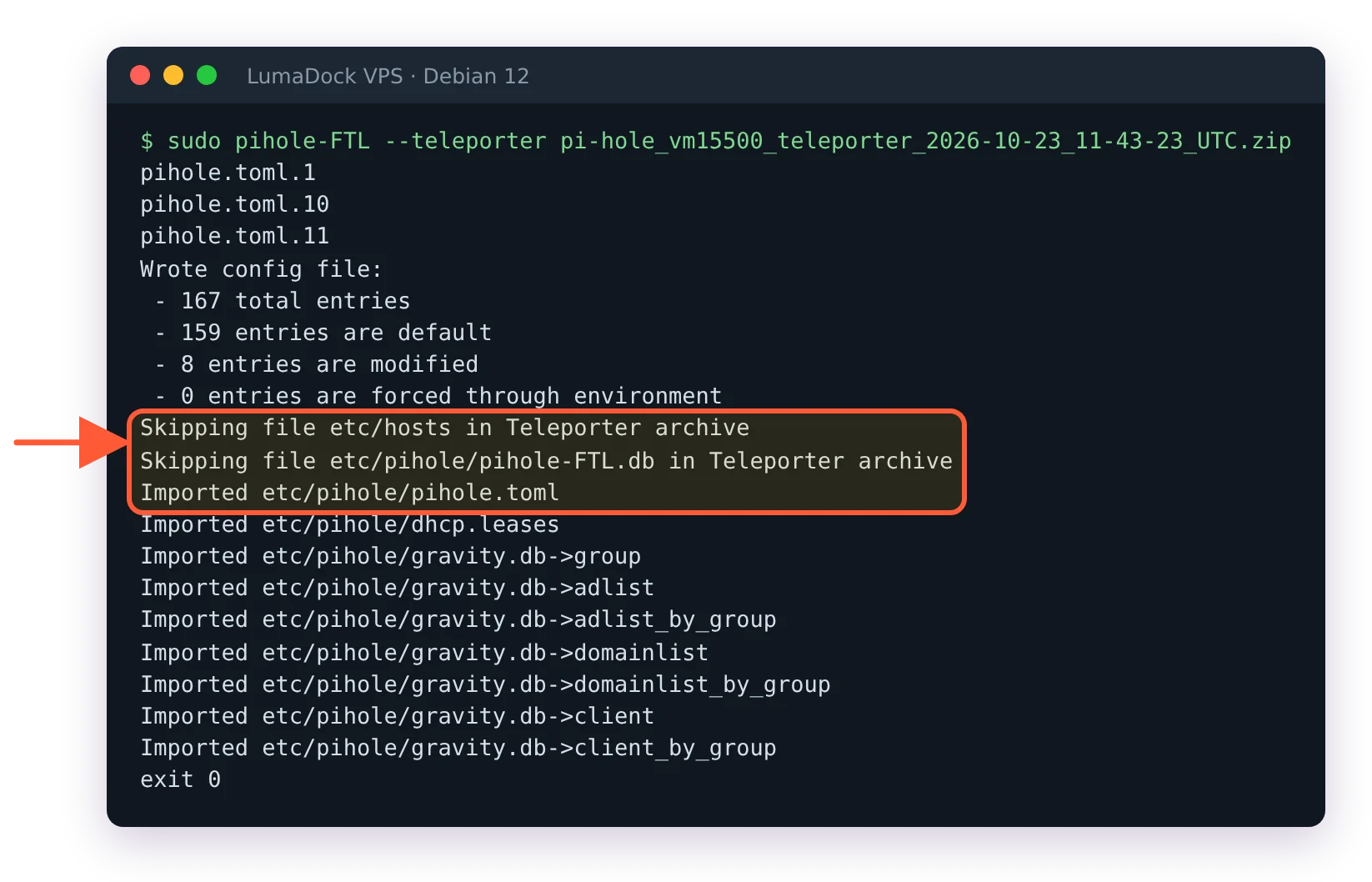
cd /var/backups && sudo pihole-FTL --teleporterFTL prints the file name it wrote, in the form pi-hole_<hostname>_teleporter_<time>.zip, and exits. That zip is the same Teleporter archive the web interface produces under Settings > Teleporter, and it is the backup the July 2026 release post for FTL v6.7, Web v6.6 and Core v6.4.3 points to at the end of its update advice. The exact wording:
Don't forget, you can use Teleporter to export your configuration. It can be found under the settings menu of the web interface or on the command line with pihole-FTL --teleporter
The command-line form is easy to miss; discourse thread 79890 from May 2025 is where someone asking for a command-line export was pointed to it; in v5 that job belonged to pihole -a -t. The web route needs a browser on a tunnel peer. The CLI route needs only SSH, which is why the cron section below uses it.
What the Teleporter archive contains
The archive writer in FTL's teleporter.c adds /etc/pihole/pihole.toml, /etc/hosts, /etc/pihole/dhcp.leases if it exists and every file in /etc/dnsmasq.d/ if that directory exists. Then it adds a reduced copy of gravity.db holding the group, adlist, adlist_by_group, domainlist, domainlist_by_group, client and client_by_group tables, and a reduced copy of pihole-FTL.db holding message, aliasclient, network and network_addresses.
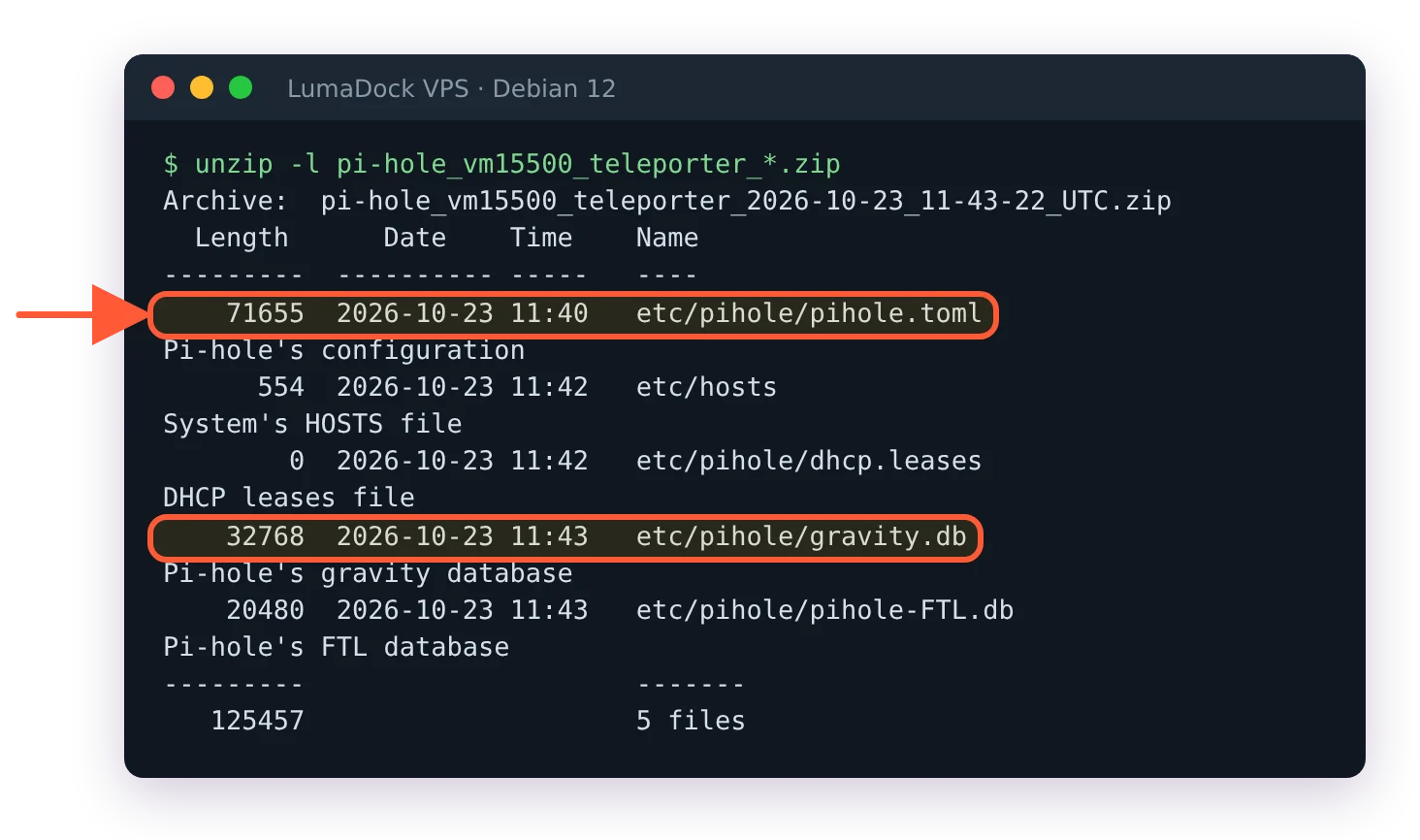
A v6 Teleporter archive holds pihole.toml, the hosts file, DHCP leases and both databases.
So lists, domains, groups, clients, the whole configuration and the network table are in. The gravity table itself is not; a restored Pi-hole rebuilds it from the list URLs on the next pihole -g. Query history is not in the archive either. If you want the long-term query database, see the sqlite3 step below.
A note for the VPS case: pihole.toml carries webserver.api.pwhash, the TLS paths and every upstream you set, which makes the zip sensitive. It belongs on an encrypted disk or in a private bucket, not in a chat. On the server it starts out less private than that: pihole-FTL --teleporter writes the zip as -rw-r--r-- root root, so any local account can read the password hash in it, and the cron export below does the same. On a VPS where you are the only user that costs little; with other accounts on the box, keep the backup directory readable by root alone.
Schedule the export with cron
FTL writes into the current directory, so the cron line changes into the target first. As root (sudo crontab -e):
0 4 * * 1 cd /var/backups/pihole && pihole-FTL --teleporter >/dev/null 2>&1 && find /var/backups/pihole -name 'pi-hole_*_teleporter_*.zip' -mtime +90 -deleteCreate /var/backups/pihole once with sudo mkdir -p /var/backups/pihole. The line runs every Monday at 04:00, keeps about thirteen weekly archives and deletes older ones. The file name carries the timestamp, so nothing is overwritten.
A backup that only exists on the machine it protects goes down with it, and a VPS that gets reinstalled takes /var/backups along.
Then copy the newest zip off the server. From a WireGuard client that reaches the VPS at its tunnel address:
scp '[email protected]:/var/backups/pihole/pi-hole_*_teleporter_*.zip' ~/pihole-backups/