.svg)
.svg)
.svg)
.svg)

.svg)
.svg)
.svg)


Updated and tested 18 October 2026
pihole -up does the migration. What it does not do is clean up everything the v5 install left behind, and that is where the forum threads come from. On a Debian 12 or Ubuntu 24.04 server the command itself takes a few minutes; the rest of this page is the hour after it, when lighttpd is still installed, the files you kept in /etc/dnsmasq.d/ stop being read and the password you remember is sitting in a file the new version no longer opens.
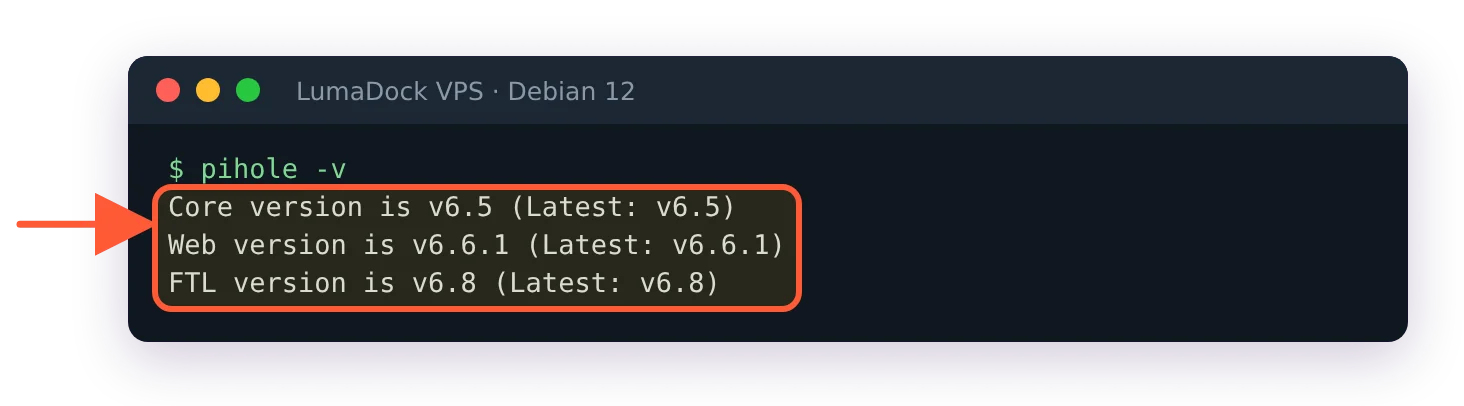
The project calls the v5 to v6 migration a one-way operation in the v6 release announcement of 18 February 2025, and that single fact sets the order below: export first, upgrade second, clean up third. At the time of writing that means FTL v6.8, Core v6.5 and Web v6.6.1.
Export with Teleporter before you run pihole -up
I think a Teleporter export before pihole -up is the one step not to skip, because the migration is one-way and the archive is the only thing that brings lists, groups and clients back if the new install goes wrong. In the v5 web interface it sits under Settings > Teleporter and comes out as a .tar.gz; the same archive from the command line is pihole -a -t. Download it to your own machine, not to the server you are about to change.
Then copy the two directories the installer is going to touch:
sudo tar czf ~/pihole-v5-$(date +%F).tar.gz /etc/pihole /etc/dnsmasq.dThe v6 side of this, the archive format and the pihole-FTL --teleporter export that replaced pihole -a -t, is in the Pi-hole v6 Teleporter backup article. For the upgrade itself the v5 export is what matters. If your provider offers a VPS snapshot, take one too; there is no supported downgrade, so the snapshot is the rollback.
Run the update
Check what is waiting first, which the Updating Pi-hole page does not mention: the --check-only flag stops the script before any Pi-hole component is updated. It still rebuilds and installs the dependency package on the way, so expect a few apt lines first.
sudo pihole -up --check-only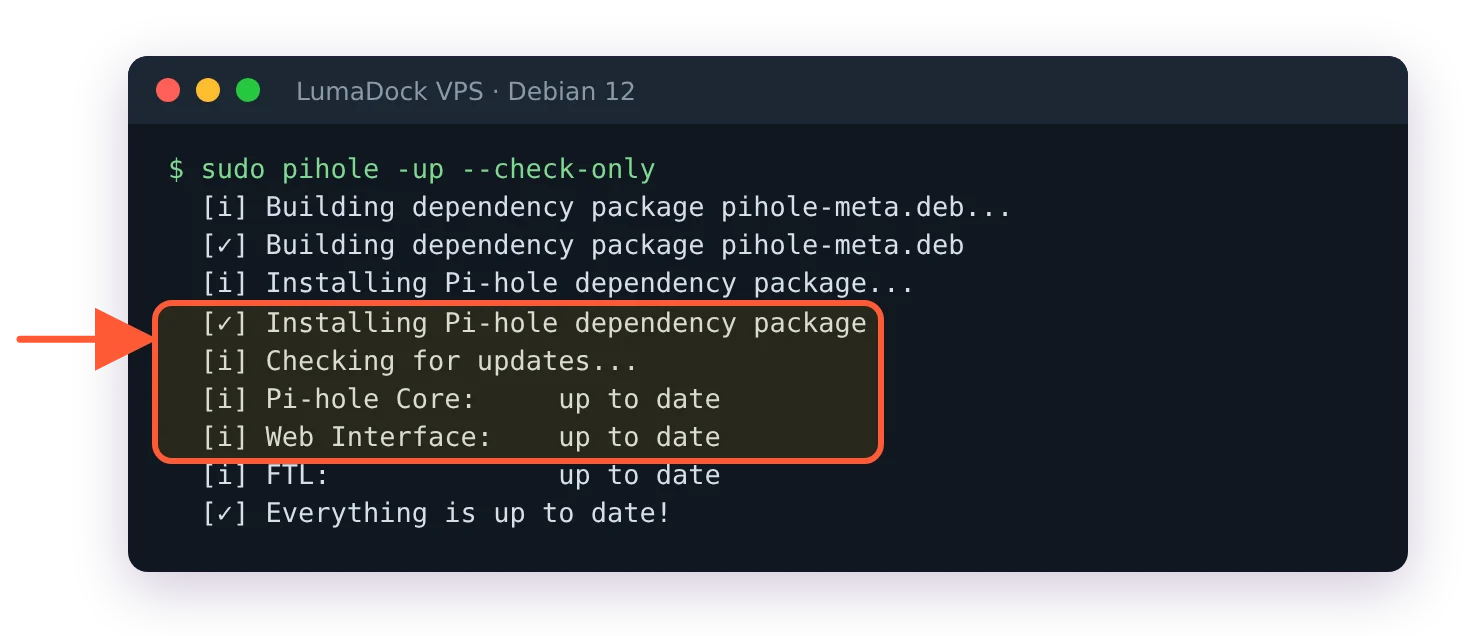
The check run reports each component and changes no Pi-hole component.
Each component reports update available or up to date. The docs page itself is short and most of it is this warning:
Ensure you read the release notes for all Pi-hole components. This will help you avoid common problems due to known issues with upgrading or newly required arguments. [...] This is especially recommended for major updates like v5 -> v6.
Read the Core and FTL notes, then run the update:
sudo pihole -upThe installer notices a v5 install by the presence of /etc/pihole/setupVars.conf and runs the migration path. While it installs the new scripts it moves 01-pihole.conf, 02-pihole-dhcp.conf, 04-pihole-static-dhcp.conf, 05-pihole-custom-cname.conf and 06-rfc6761.conf out of /etc/dnsmasq.d/ into /etc/pihole/migration_backup_v6/, renames /etc/dnsmasq.conf to /etc/dnsmasq.conf.old and removes the pihole-admin.conf include from the lighttpd config.
Then, if lighttpd is running, a dialog titled "Pi-hole v6.0 no longer uses lighttpd" appears. Its text says v6 "has its own embedded web server so lighttpd is no longer needed *unless* you have custom configurations", and that if you opt out of disabling it, "pihole-FTL will try to bind to an alternative port such as 8080". Say yes. When the terminal isn't interactive the installer assumes yes. Either way lighttpd is stopped and disabled, not uninstalled, which matters in a minute.
After that it prints "Migrating Pi-hole configuration to version 6". That line is pihole-FTL migrate v6 doing the work: it reads setupVars.conf and pihole-FTL.conf, moves both into the same backup directory, imports the upstreams, the listening mode, the interface, the password hash, DNSSEC, the reverse servers, your static DHCP leases, custom CNAMEs and custom.list, picks the web ports and writes /etc/pihole/pihole.toml.
What is different on disk after the upgrade
One file holds the configuration now, and how pihole.toml works in Pi-hole v6 has the full behaviour; the short version is that FTL owns the file and rewrites it. Everything you used to set in setupVars.conf, pihole-FTL.conf or the web interface is a key in pihole.toml, and the way to change it is sudo pihole-FTL --config key value.
FTL also generates /etc/pihole/dnsmasq.conf on every start. Its header warns that FTL overwrites it whenever the configuration changes. If you edited 01-pihole.conf in v5, that habit ends here.
Anything you dropped into /etc/dnsmasq.d/ yourself is now ignored. The Docker upgrade page states it plainly: "By default, Pi-hole v6 no longer reads configuration files from /etc/dnsmasq.d/." The switch that turns it back on is misc.etc_dnsmasq_d:
sudo pihole-FTL --config misc.etc_dnsmasq_d trueTwo things to know before you flip it. After the 6.1 release, server=/domain/ip lines in that directory stopped working for a number of users even with the option on; discourse thread 80309 traces it to a change in how the local domain is handled, and the developers answered it with the dns.domain.local key, so start there if a conditional-forwarding line goes missing after an update. And since FTL v6.7.1 the related key misc.dnsmasq_lines became read-only for the API and the web interface, after a report that dnsmasq directives such as dhcp-script name programs dnsmasq executes. Files under /etc/dnsmasq.d/ have the same reach. Treat write access to that directory as root access to the box.
Still have a custom.list from v5? Your local DNS records moved as well. v5 kept them in /etc/pihole/custom.list; v6 imports that file into the dns.hosts array and from then on writes its own copy to /etc/pihole/hosts/custom.list. Add new entries with sudo pihole-FTL --config dns.hosts or under Settings > Local DNS Records, never by editing the generated file.
Fix the web interface after the upgrade
During migration FTL probes ports 80 and 443. If something holds them it falls back to 8080 and 8443 and logs a line starting with Config initialized with webserver ports in /var/log/pihole/FTL.log. On a server that ran nothing but Pi-hole the ports stay at 80 and 443 and the interface is at http://10.100.0.1/admin/ over the WireGuard tunnel, or at the server's address on your LAN.
The common failure is a 403 or the old PHP login page. Discourse thread 76307 collected twenty-odd replies on exactly this in the week after release, and the cause is lighttpd still serving: the dialog was answered no, or the disable step did not take. The fix is to remove the package Pi-hole no longer needs:
systemctl status lighttpd
sudo apt remove lighttpd
sudo systemctl restart pihole-FTL
One more check, because the port decision is made once: if lighttpd was still holding port 80 when the migration ran, FTL wrote 8080 and 8443 into webserver.port in pihole.toml, and removing lighttpd afterwards does not change that. sudo pihole-FTL --config webserver.port shows the value; the reset that a Pi-hole developer gave in that thread is sudo pihole-FTL --config webserver.port "80o,443os,[::]:80o,[::]:443os". The other causes of a dead admin page, from a Host header mismatch to a login page that keeps reloading, are listed under pi.hole/admin not working. If you pinned a different port in v5 and want it kept, set webserver.port; reinstalling lighttpd is the wrong fix.
Log in with the password you had. The migration imports WEBPASSWORD from setupVars.conf, and if the login refuses it, sudo pihole setpassword sets a new one. The old pihole -a -p no longer exists.
Command changes from v5 to v6
Most of the pihole script survived. The entries below are the ones that did not, with the v6 form you type instead. Apart from pihole -c, a removed command gives no hint on v6: pihole -a -p, -a -t, -w, -b, restartdns and arpflush all print the generic Usage: pihole [options] help.
| v5 | v6 | Note |
|---|---|---|
pihole -a -p | pihole setpassword | Interactive, or pass the password in single quotes |
pihole -w example.com | pihole allow example.com | -d removes, -l lists |
pihole -b example.com | pihole deny example.com | Same options as allow |
pihole restartdns | pihole reloaddns | Flushes the cache and reloads lists; does not re-read config files. A full restart is sudo systemctl restart pihole-FTL |
pihole -a -t | pihole-FTL --teleporter | Writes a zip into the current directory and prints its name; v5 produced a .tar.gz |
pihole -c | Removed | Prints Chronometer is gone, use PADD (https://github.com/pi-hole/PADD) |
pihole arpflush | pihole networkflush --arp | The old name has been removed from the script |
Edit setupVars.conf | pihole-FTL --config key value | Keys are documented in the FTL configuration reference |
Edit /etc/pihole/custom.list | pihole-FTL --config dns.hosts | FTL regenerates /etc/pihole/hosts/custom.list |
WEBPASSWORD (Docker) | FTLCONF_webserver_api_password | Any setting set by environment variable becomes read-only |
Scripts that called pihole -w or pihole -b from cron fail after the upgrade, so grep your crontabs and any Ansible roles for the old flags. The rest of the v6 CLI, including pihole api <endpoint> for talking to the new REST API without curl, is listed by pihole -h.