.svg)
.svg)
.svg)
.svg)

.svg)
.svg)
.svg)


Updated and tested 12 October 2026
AllowedIPs decides everything. With 10.100.0.1/32 the tunnel carries traffic for one host, the resolver on the VPS; with 0.0.0.0/0 it carries all of it. Every other line in a WireGuard client config is about keys, addresses and keeping the connection alive. That one line is the routing policy, and a split tunnel for DNS is that line set to the Pi-hole's address with the default route left alone.
How AllowedIPs routes traffic
WireGuard has no routing table of its own; the wg(8) man page gives it one list per peer instead, defined in a single sentence. Here it is in full:
a comma-separated list of IP (v4 or v6) addresses with CIDR masks from which incoming traffic for this peer is allowed and to which outgoing traffic for this peer is directed.
The project calls this cryptokey routing. A public key is bound to a set of addresses, and the set does two jobs at once. Outbound, a packet whose destination falls inside a peer's AllowedIPs is encrypted for that peer's key and sent to its endpoint. Inbound, a decrypted packet is accepted only if its source address is inside the AllowedIPs of the key that produced it, and dropped otherwise. The one list is both the route and the access rule. For my first few tunnels I treated it as a firewall list and nothing more, and the routing half only clicked once I watched ip route change as the interface came up.
On the client, wg-quick turns the list into kernel routes when the interface comes up. For 10.100.0.1/32 that is one host route via wg0. For 0.0.0.0/0 the man page says it "uses ip-rule(8) to handle overriding of the default gateway", which is the full-tunnel case and the only one where the server has to forward packets for you.
Client config for DNS only
[Interface]
Address = 10.100.0.2/32
DNS = 10.100.0.1
PrivateKey = CLIENT_PRIVATE_KEY

[Peer]
PublicKey = SERVER_PUBLIC_KEY
PresharedKey = PRESHARED_KEY
Endpoint = YOUR_SERVER_IP:51820
AllowedIPs = 10.100.0.1/32
PersistentKeepalive = 25
The Pi-hole project's client guide ships this same shape as its default; the project's page on reaching internal devices says that in the standard configuration the clients "can only speak to the server". The tunnel carries two kinds of packet: DNS to 10.100.0.1 and the keepalive. Web traffic, video, the laptop's backup job, all of it leaves through the normal interface as before, with whatever address the local network gave you. What changes is who answers your name lookups, and that is now the Pi-hole on the VPS, whose listening mode and firewall are set up in run Pi-hole v6 on a VPS behind WireGuard, over an encrypted path.
One consequence: peers can't reach each other, because each client's AllowedIPs contains only the server, so a packet from 10.100.0.2 to 10.100.0.3 never enters the tunnel. The Pi-hole guide's helper script comments that line with "clients isolated from one another".
Client config for the tunnel subnet
If other machines sit on the same tunnel, a NAS with a peer config of its own or a second server, widen the line to the subnet:
[Peer]
PublicKey = SERVER_PUBLIC_KEY
PresharedKey = PRESHARED_KEY
Endpoint = YOUR_SERVER_IP:51820
AllowedIPs = 10.100.0.0/24
PersistentKeepalive = 25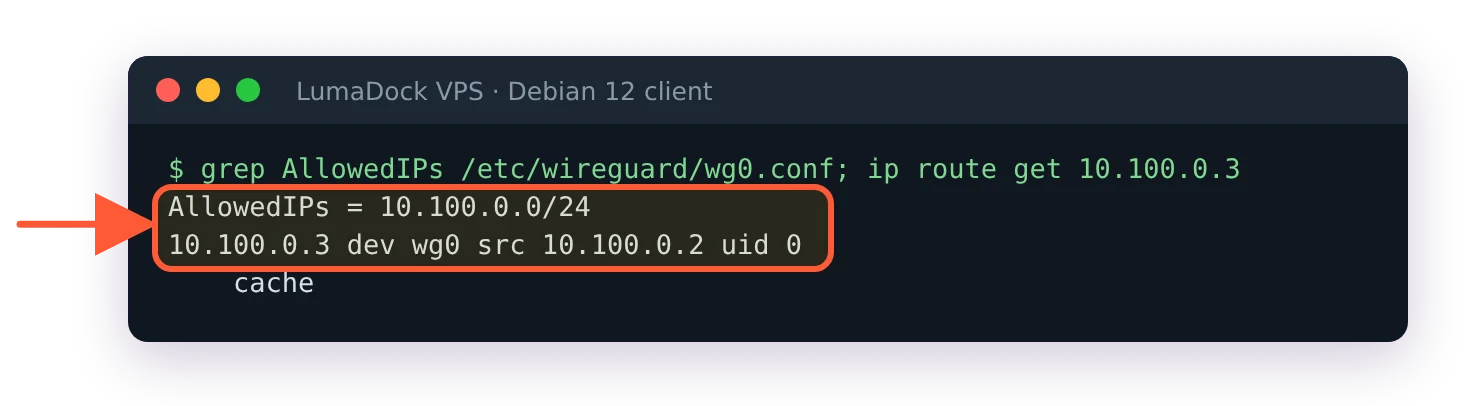
With the tunnel-subnet AllowedIPs, the other peer at 10.100.0.3 is reached through wg0.
Everything in 10.100.0.0/24 is now reachable through the tunnel and the default route is still untouched. For traffic to pass from one peer to another, the VPS in the middle has to forward it (net.ipv4.ip_forward = 1) and its firewall's forward chain has to accept packets coming in on wg0 and going back out on wg0. The Pi-hole article leaves that chain on drop on purpose, so peer-to-peer pings fail there even with forwarding on. Add this line to the forward chain in /etc/nftables.conf, then run sudo systemctl reload nftables:
iifname "wg0" oifname "wg0" acceptThe DNS line is unchanged, and a name for the NAS added to Pi-hole's local DNS records resolves for every peer at once.
Full tunnel config and what the server needs
[Peer]
PublicKey = SERVER_PUBLIC_KEY
PresharedKey = PRESHARED_KEY
Endpoint = YOUR_SERVER_IP:51820
AllowedIPs = 0.0.0.0/0, ::/0
PersistentKeepalive = 25
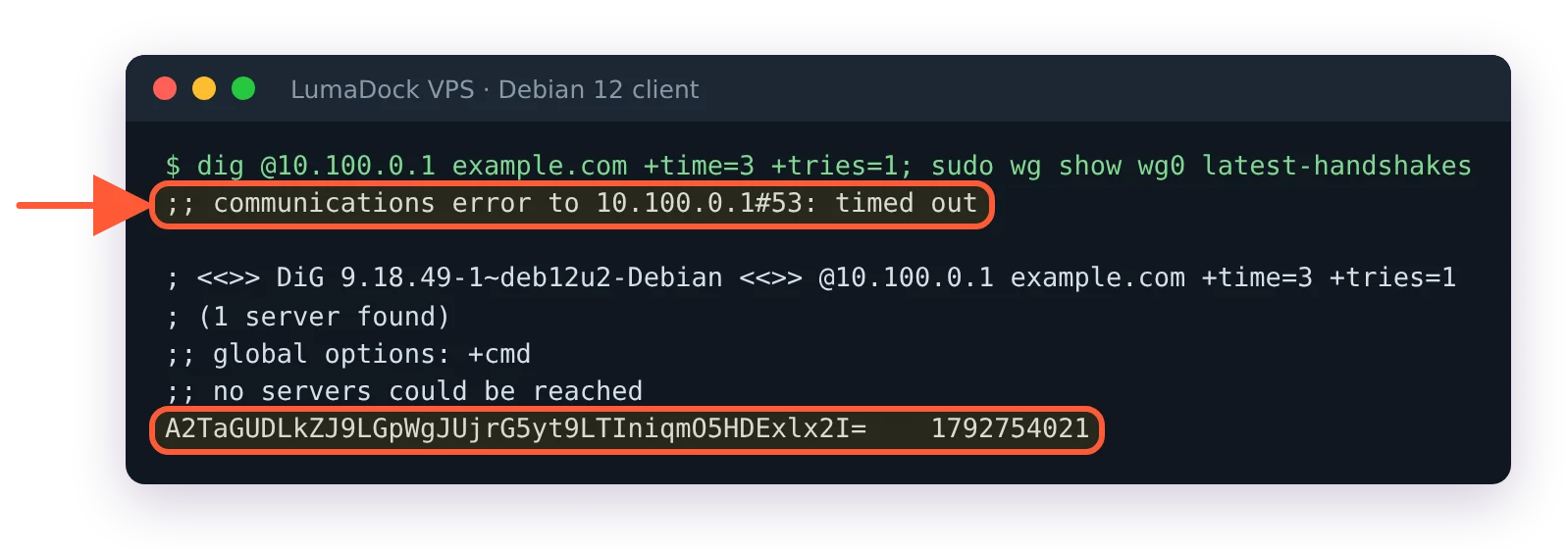
Now every packet goes to the VPS first, and the VPS has to pass it on to the internet and bring the reply back. Two things make that work, neither of which the DNS-only setup needed: forwarding switched on in sysctl, and a masquerade rule for the tunnel subnet on the public interface so that replies find their way back into the tunnel. If the firewall from the Pi-hole article is loaded, its forward chain needs two accept rules as well, and that article lists them. The Pi-hole docs give the nftables PostUp line for the NAT part, and the Debian 12 WireGuard server install carries the sysctl file and the PostUp and PostDown pair in a step marked optional, because for a resolver it is. Without them the symptom is the one the Pi-hole route-everything page describes: the handshake succeeds, addresses inside the tunnel answer and the internet appears to be gone.
With ::/0 in the list, IPv6 goes into the tunnel too; if the VPS has none, the client has none while connected. Drop ::/0 if something on the client needs it.