Back to Article List

How to reset a forgotten Portainer password

How to reset a forgotten Portainer password

A forgotten Portainer password feels worse than most lockouts because the thing you're locked out of controls everything else on the server.

The calm news: if you have SSH access to the machine, Portainer ships an official reset tool that runs as a throwaway container, and the whole recovery takes five minutes. No SSH access, no reset, by design; the disk is the proof of ownership here.

Portainer default login (settling this first)

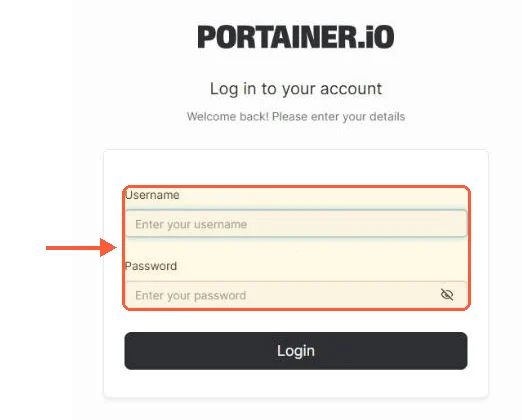
A chunk of the people searching this topic are hoping for a factory login, so: there is no Portainer default username or password. Nothing like admin/admin or admin/portainer exists to try. The admin account is created by whoever first opened the UI after install, within that five-minute window the install guide describes.

On a fresh instance nobody's claimed yet, browsing to :9443 offers you the account-creation screen directly (or the timeout screen if the window lapsed). On an instance someone HAS claimed, the reset below is the road, credentials guessing is not.

Reset the admin password with the helper container

Portainer's own reset-admin documentation ships this flow, and it's the one I trust because it edits the database with the project's own code rather than someone's SQL snippet.

Stop Portainer

docker stop portainer

The reset tool needs exclusive access to the database, so this step is not optional. Your other containers keep running; only the management UI pauses.
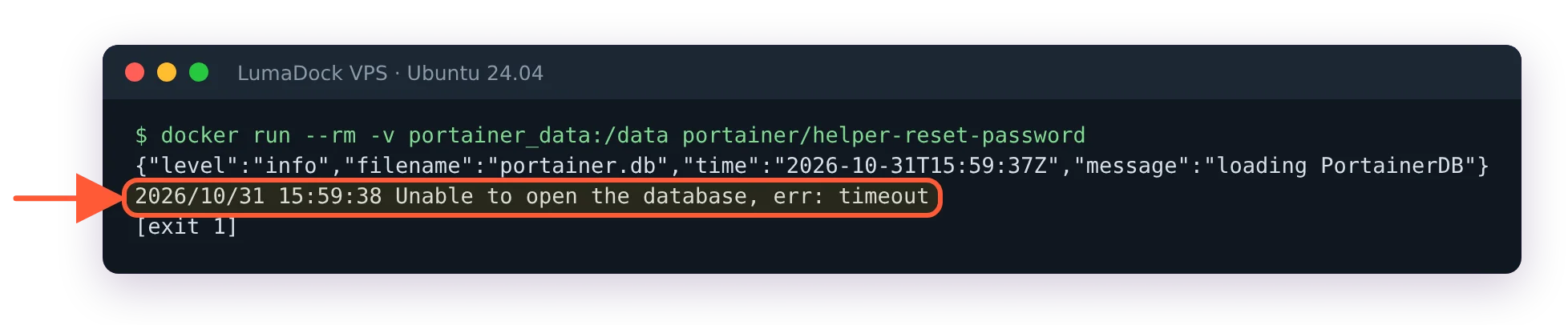
Run the reset tool against the data volume

docker pull portainer/helper-reset-password
docker run --rm -v portainer_data:/data portainer/helper-reset-password

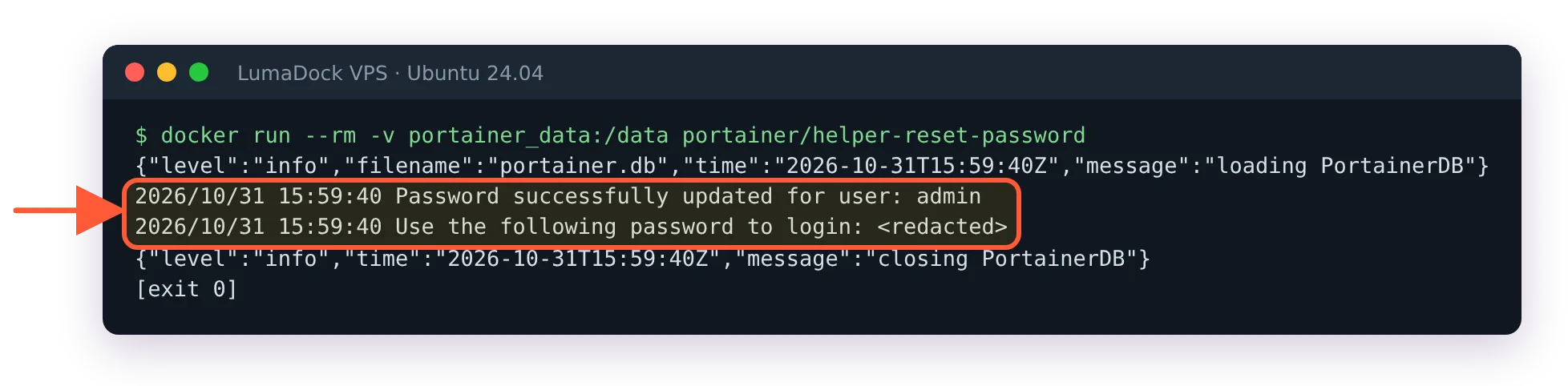
The volume name is the one assumption: portainer_data if you installed the standard way. Different name or a bind mount? Point the -v at yours (docker volume ls lists candidates, and docker inspect portainer shows exactly what the container mounts at /data). The tool prints its result in plain text:

Password successfully updated for user: admin
Use the following password to login: <generated password>

Copy that generated password somewhere immediately; it's shown once. A useful bonus behavior: on an instance where no admin user exists at all, the tool creates one and prints its credentials, which quietly makes this the recovery for a couple of stranger situations too.
Start Portainer and log in

docker start portainer

Log in as admin with the generated password, then change it to something from your password manager right away, since the generated one is now sitting in your shell history (history -c if that bothers you, and it mildly should).

When the reset tool isn't the answer

Three neighboring lockouts get mistaken for this one. If you're a non-admin user on a team instance, any admin resets you from the Users screen in two clicks, no containers involved; the helper tool is specifically for the last admin standing. If the UI is unreachable rather than rejecting your password, that's not a credentials problem; check the container's state and the port path first, our ports guide has the ninety-second diagnosis. And if the login page says the instance timed out for security purposes, that's the unclaimed-install timer, cured by a restart rather than a reset; the terminal restart guide covers it and its cousins.

Worth stating for teams: anyone with SSH plus docker rights on the host can run this reset, which is not a Portainer weakness, it's the honest truth of who owns a server.

Portainer admin passwords gate the convenient door; the machine's SSH keys gate the real one. Guard them accordingly, and park the new password in the manager so this page stays a one-visit article.


Your idea deserves better hosting

24/7 support 30-day money-back guarantee Cancel anytime
Cycle de facturation

VPS.S1

22.32 zł Save  17 %
18.60 Mensuel
  • 2 vCPU AMD EPYC
  • 2 GB RAMMÉMOIRE
  • 30 GB NVMeSTOCKAGE
  • Bande passante illimitée
  • IPv4 & IPv6Le support IPv6 est actuellement indisponible en France, Finlande ou aux Pays-Bas. inclus

VPS.S3

55.87 zł Save  33 %
37.23 Mensuel
  • 4 vCPU AMD EPYC
  • 6 GB RAMMÉMOIRE
  • 70 GB NVMeSTOCKAGE
  • Bande passante illimitée
  • IPv4 & IPv6Le support IPv6 est actuellement indisponible en France, Finlande ou aux Pays-Bas. inclus

EPYC VPS.P1

33.50 zł Save  22 %
26.05 Mensuel
  • 2 vCPU AMD EPYC
  • 4 GB RAMMÉMOIRE
  • 40 GB NVMeSTOCKAGE
  • Bande passante illimitée
  • IPv4 & IPv6Le support IPv6 est actuellement indisponible en France, Finlande ou aux Pays-Bas. inclus
  • Sauvegarde auto gratuiteComprend un emplacement de sauvegarde que vous pouvez programmer en quotidien, hebdomadaire ou mensuel.

EPYC VPS.P2

63.32 zł Save  24 %
48.41 Mensuel
  • 2 vCPU AMD EPYC
  • 8 GB RAMMÉMOIRE
  • 80 GB NVMeSTOCKAGE
  • Bande passante illimitée
  • IPv4 & IPv6Le support IPv6 est actuellement indisponible en France, Finlande ou aux Pays-Bas. inclus
  • Sauvegarde auto gratuiteComprend un emplacement de sauvegarde que vous pouvez programmer en quotidien, hebdomadaire ou mensuel.

EPYC VPS.P4

111.77 zł Save  23 %
85.68 Mensuel
  • 4 vCPU AMD EPYC
  • 16 GB RAMMÉMOIRE
  • 160 GB NVMeSTOCKAGE
  • Bande passante illimitée
  • IPv4 & IPv6Le support IPv6 est actuellement indisponible en France, Finlande ou aux Pays-Bas. inclus
  • Sauvegarde auto gratuiteComprend un emplacement de sauvegarde que vous pouvez programmer en quotidien, hebdomadaire ou mensuel.

EPYC VPS.P5

149.04 zł Save  25 %
111.77 Mensuel
  • 8 vCPU AMD EPYC
  • 16 GB RAMMÉMOIRE
  • 180 GB NVMeSTOCKAGE
  • Bande passante illimitée
  • IPv4 & IPv6Le support IPv6 est actuellement indisponible en France, Finlande ou aux Pays-Bas. inclus
  • Sauvegarde auto gratuiteComprend un emplacement de sauvegarde que vous pouvez programmer en quotidien, hebdomadaire ou mensuel.

EPYC VPS.P6

223.57 zł Save  25 %
167.67 Mensuel
  • 8 vCPU AMD EPYC
  • 32 GB RAMMÉMOIRE
  • 200 GB NVMeSTOCKAGE
  • Bande passante illimitée
  • IPv4 & IPv6Le support IPv6 est actuellement indisponible en France, Finlande ou aux Pays-Bas. inclus
  • Sauvegarde auto gratuiteComprend un emplacement de sauvegarde que vous pouvez programmer en quotidien, hebdomadaire ou mensuel.

EPYC VPS.P7

260.84 zł Save  29 %
186.31 Mensuel
  • 16 vCPU AMD EPYC
  • 32 GB RAMMÉMOIRE
  • 240 GB NVMeSTOCKAGE
  • Bande passante illimitée
  • IPv4 & IPv6Le support IPv6 est actuellement indisponible en France, Finlande ou aux Pays-Bas. inclus
  • Sauvegarde auto gratuiteComprend un emplacement de sauvegarde que vous pouvez programmer en quotidien, hebdomadaire ou mensuel.

Genoa VPS.G2

93.13 zł Save  20 %
74.50 Mensuel
  • 2 vCPUAMD EPYC Genoa 4e génération 9xx4 à 3,25 GHz ou similaire, sur architecture Zen 4. AMD EPYC G4
  • 4 GB DDR5MÉMOIRE
  • 50 GB NVMeSTOCKAGE
  • Bande passante illimitée
  • IPv4 & IPv6Le support IPv6 est actuellement indisponible en France, Finlande ou aux Pays-Bas. inclus
  • Sauvegarde auto gratuiteComprend un emplacement de sauvegarde que vous pouvez programmer en quotidien, hebdomadaire ou mensuel.

Genoa VPS.G4

167.67 zł Save  22 %
130.40 Mensuel
  • 4 vCPUProcesseur AMD EPYC avec cœurs vCPU dédiés, sur matériel serveur d'entreprise. AMD EPYC G4
  • 8 GB DDR5MÉMOIRE
  • 100 GB NVMeSTOCKAGE
  • Bande passante illimitée
  • IPv4 & IPv6Le support IPv6 est actuellement indisponible en France, Finlande ou aux Pays-Bas. inclus
  • Sauvegarde auto gratuiteComprend un emplacement de sauvegarde que vous pouvez programmer en quotidien, hebdomadaire ou mensuel.

Genoa VPS.G6

335.38 zł Save  22 %
260.84 Mensuel
  • 8 vCPUProcesseur AMD EPYC avec cœurs vCPU dédiés, sur matériel serveur d'entreprise. AMD EPYC G4
  • 16 GB DDR5MÉMOIRE
  • 200 GB NVMeSTOCKAGE
  • Bande passante illimitée
  • IPv4 & IPv6Le support IPv6 est actuellement indisponible en France, Finlande ou aux Pays-Bas. inclus
  • Sauvegarde auto gratuiteComprend un emplacement de sauvegarde que vous pouvez programmer en quotidien, hebdomadaire ou mensuel.

Genoa VPS.G7

596.26 zł Save  22 %
465.82 Mensuel
  • 8 vCPUProcesseur AMD EPYC avec cœurs vCPU dédiés, sur matériel serveur d'entreprise. AMD EPYC G4
  • 32 GB DDR5MÉMOIRE
  • 250 GB NVMeSTOCKAGE
  • Bande passante illimitée
  • IPv4 & IPv6Le support IPv6 est actuellement indisponible en France, Finlande ou aux Pays-Bas. inclus
  • Sauvegarde auto gratuiteComprend un emplacement de sauvegarde que vous pouvez programmer en quotidien, hebdomadaire ou mensuel.

AMD Ryzen VPS.R1

63.32 zł Save  18 %
52.14 Mensuel
  • 1 CPU dédié AMD Ryzen 9 7950X à 4,5 GHz ou similaire, sur architecture Zen 4. vCPU
  • 4 GB DDR5MÉMOIRE
  • 50 GB NVMeSTOCKAGE
  • Bande passante illimitée
  • IPv4 & IPv6 inclus Le support IPv6 est actuellement indisponible en France, Finlande ou aux Pays-Bas.
  • Sauvegarde auto incluse

AMD Ryzen VPS.R2

111.77 zł Save  17 %
93.13 Mensuel
  • 2 CPU dédiés AMD Ryzen 9 7950X à 4,5 GHz ou similaire, sur architecture Zen 4. vCPU
  • 8 GB DDR5MÉMOIRE
  • 100 GB NVMeSTOCKAGE
  • Bande passante illimitée
  • IPv4 & IPv6 inclus Le support IPv6 est actuellement indisponible en France, Finlande ou aux Pays-Bas.
  • Sauvegarde auto incluse

AMD Ryzen VPS.R4

409.92 zł Save  18 %
335.38 Mensuel
  • 8 CPU dédiés AMD Ryzen 9 7950X à 4,5 GHz ou similaire, sur architecture Zen 4. vCPU
  • 32 GB DDR5MÉMOIRE
  • 400 GB NVMeSTOCKAGE
  • Bande passante illimitée
  • IPv4 & IPv6 inclus Le support IPv6 est actuellement indisponible en France, Finlande ou aux Pays-Bas.
  • Sauvegarde auto incluse

Frequently asked questions

Does resetting the admin password affect my stacks and containers?

Nothing else changes; the tool rewrites one credential in Portainer's database. Stacks, environments, other users and every running container come back exactly as they were when you stopped the container.

GPU products are in high demand at the moment. Fill the form to get notified as soon as your preferred GPU server is back in stock.